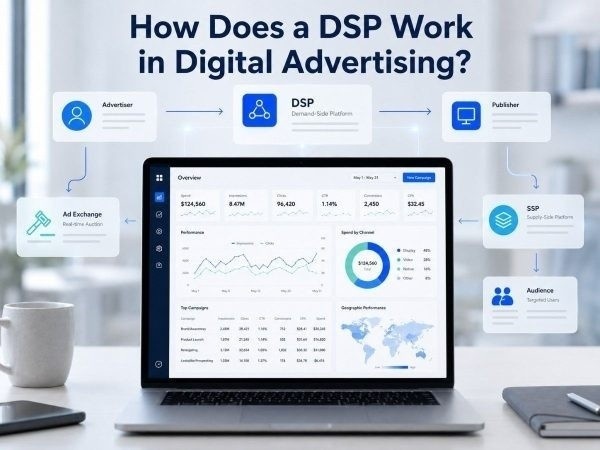
A demand-side platform, or DSP, helps advertisers buy digital ad space automatically.
Instead of buying ads from one publisher at a time, advertisers use a DSP to reach users across websites, apps, exchanges, and supply partners from one platform.
A DSP works by checking each ad opportunity, deciding if it matches the campaign, placing a bid, serving the winning ad, and using performance data to improve results.
What Does a DSP Do?
A DSP helps advertisers control how, where, and when ads are bought.
It manages the buying process across many traffic sources. This makes it useful for agencies, affiliates, e-commerce brands, app marketers, and media buying teams.
A DSP can help advertisers:
- Set campaign goals
- Choose targeting rules
- Upload creatives
- Set bids and budgets
- Buy impressions in real time
- Track clicks and conversions
- Block weak sources
- Scale stronger placements
For advertisers learning DSP buying basics, the key idea is simple: the DSP decides which impressions are worth buying.
How a DSP Works Step by Step
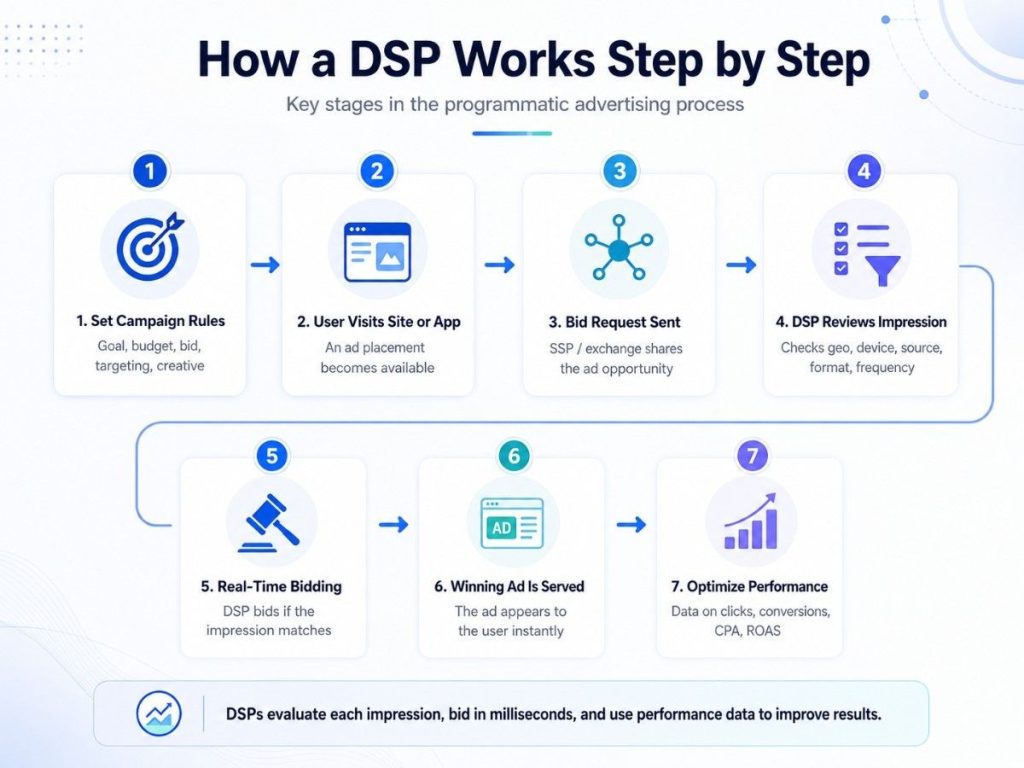
1. The Advertiser Sets Campaign Rules
The advertiser starts by creating a campaign.
Common settings include:
- Goal: traffic, leads, sales, installs, or awareness
- Budget: daily or total spend limit
- Bid: how much the advertiser is willing to pay
- Targeting: geo, device, OS, language, app, site, or source
- Creative: display, native, video, push, or pop-under ad
- Tracking: pixel, postback, or conversion link
These rules tell the DSP what kind of users and placements to look for.
2. A User Opens a Website or App
When a user visits a website or opens an app, an ad space becomes available.
That ad space may include details such as:
- User location
- Device type
- Browser or operating system
- Website or app category
- Ad size or format
- Available placement
This information is sent into the programmatic market.
3. The SSP Sends a Bid Request
The publisher usually works through an SSP.
The SSP sends a bid request to an ad exchange. The bid request tells buyers that one impression is available.
This is where sell-side platforms and DSPs connect through the auction system.
4. The DSP Reviews the Impression
The DSP checks the bid request against the advertiser’s campaign rules.
It asks practical questions:
- Is this user in the right country?
- Is the device allowed?
- Does the placement match the campaign?
- Is this source blocked or approved?
- Has the user seen the ad too many times?
- Is the bid still within budget?
If the impression does not fit, the DSP does not bid.
5. Real-Time Bidding Happens
If the impression is a good match, the DSP submits a bid.
This happens through a real-time auction. Multiple advertisers may bid on the same impression at the same time.
The winning ad is usually the one with the strongest eligible bid.
6. The Winning Ad Is Served
When the DSP wins, the ad appears on the user’s screen.
The ad may be a banner, native placement, video ad, push message, or pop-under page.
This process happens very quickly, often while the page or app is still loading.
7. Data Feeds Back Into Optimization
After the ad is shown, the DSP collects performance data.
Important metrics include:
- Impressions
- Clicks
- CTR
- Spend
- Conversions
- CPA
- ROAS
- Win rate
- Source quality
The advertiser can then adjust bids, pause weak placements, test new creatives, or scale better sources.
What Signals Does a DSP Use Before Bidding?
A DSP does not bid blindly. It uses campaign rules and traffic data to decide if an impression has value.
Common signals include:
| Signal | Why It Matters |
| Geo | Matches traffic to target markets |
| Device | Separates mobile, desktop, and tablet users |
| OS | Useful for app, software, and mobile campaigns |
| Language | Helps match ad copy to the user |
| Site or app | Shows where the ad may appear |
| Source | Helps identify strong or weak traffic |
| Ad format | Matches creative to placement type |
| Frequency | Prevents showing ads too often |
For mobile campaigns, mobile buying signals like device, OS, carrier, app, and connection type can strongly affect results.
How Does a DSP Choose the Right Bid?
A DSP uses campaign goals and available data to decide bid value.
The bid may depend on:
- Expected click rate
- Expected conversion rate
- Past source performance
- Competition for the impression
- Remaining budget
- Traffic quality
- Conversion value
For example, a DSP may bid higher for a source that often converts and lower for a source with poor results.
This helps advertisers spend more on useful traffic and less on weak traffic.
DSP vs SSP vs Ad Exchange
| Platform | Main User | Main Role |
| DSP | Advertisers | Buys ad inventory |
| SSP | Publishers | Sells ad inventory |
| Ad exchange | Both sides | Runs auctions |
| Ad network | Advertisers and publishers | Packages inventory |
A DSP is built for advertisers who want control over targeting, bidding, and optimization.
An ad network can still be useful, but network-based buying may offer less source-level control than a DSP.
What Ad Formats Can a DSP Buy?
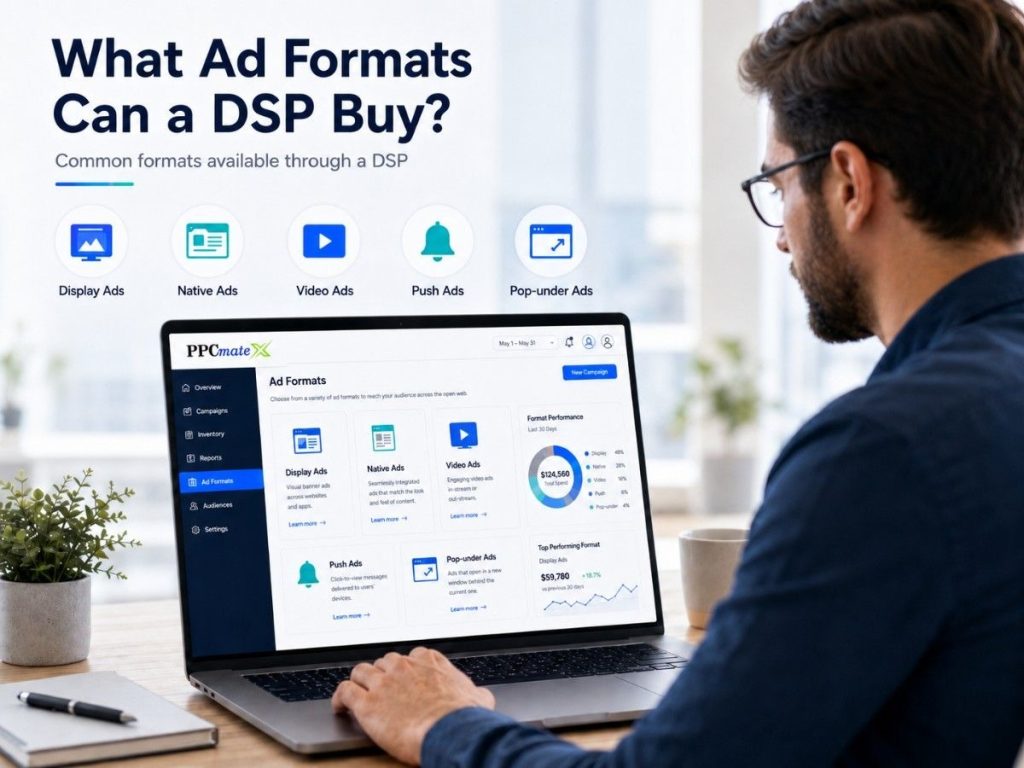
A DSP can support different ad formats, depending on the platform and inventory.
Common formats include:
- Display ads for visual banner placements
- Native ads for content-style placements
- Video ads for product demos or awareness
- Push ads for fast engagement
- Pop-under ads for high-volume landing page testing
Advertisers may start with visual banner traffic for reach, then test native-style placements when the offer needs more explanation.
For direct-response campaigns, push ad traffic and pop-under testing can help compare user intent, volume, and conversion quality.
How DSP Optimization Improves Campaigns
DSP optimization is the process of using live data to make better buying decisions.
Advertisers can optimize by:
- Raising bids on strong sources
- Lowering bids on weak sources
- Blocking poor placements
- Testing new creatives
- Adjusting geo or device targeting
- Setting frequency caps
- Moving budget to better formats
Modern platforms may also use AI-driven buying to help find patterns in campaign data faster.
Why DSPs Matter for Advertisers
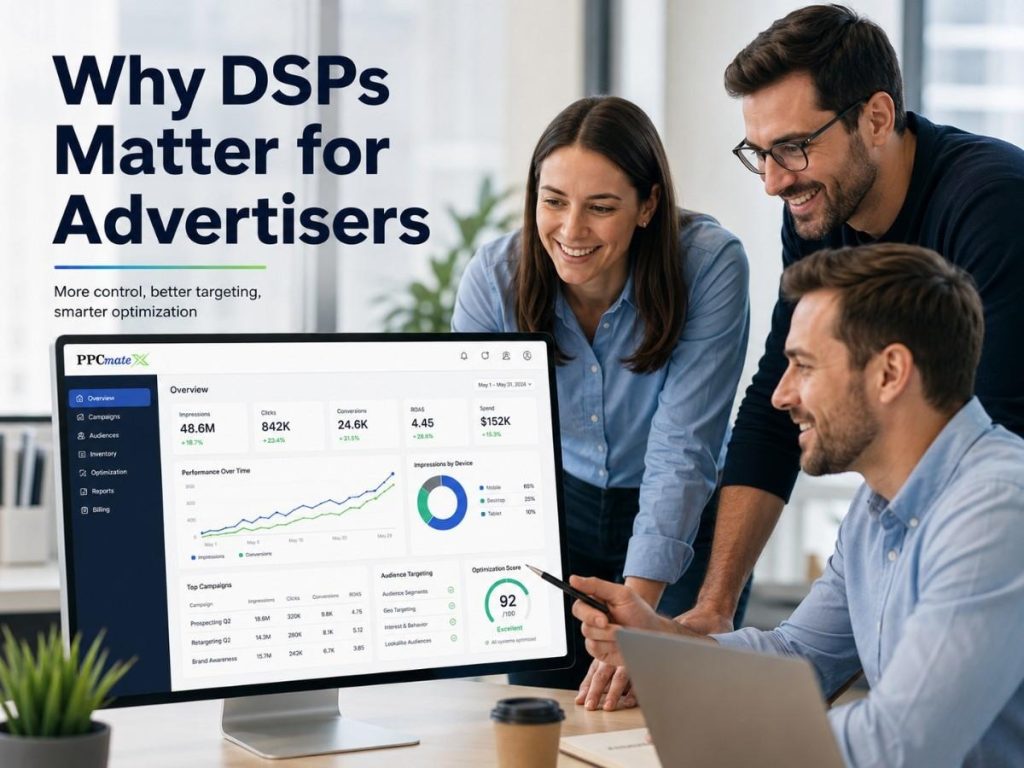
DSPs help advertisers buy traffic with more speed, control, and data.
They are useful when advertisers want to:
- Test multiple traffic sources
- Control budgets closely
- Compare formats
- Improve CPA or ROAS
- Reduce wasted spend
- Manage campaigns from one platform
Programmatic buying is becoming a bigger part of display advertising, and automated display buying gives advertisers a more flexible way to reach users across the open web.
Ready to Launch Programmatic Ads With More Control?
PPCmate gives advertisers a flexible DSP for buying targeted traffic across multiple channels, formats, and pricing models.
Whether you want hands-on self-serve control or managed campaign support, PPCmate helps you launch, track, and optimize programmatic campaigns from one platform.