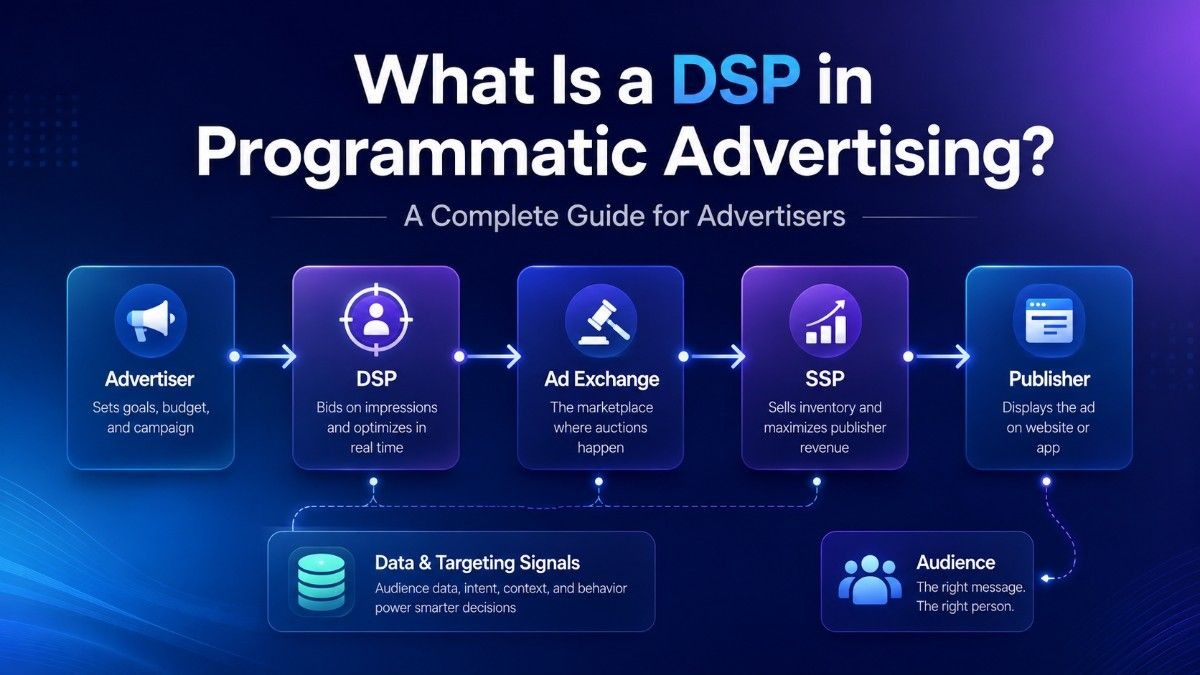
Digital advertising has moved from manual media buying to automated programmatic buying. Advertisers no longer need to contact publishers one by one, negotiate every placement, and wait days for campaign changes.
A demand-side platform, or DSP, is the tool advertisers use to buy, manage, and optimize digital ad inventory at scale. It helps media buyers launch campaigns, choose targeting, set bids, control budgets, test formats, and improve results from one dashboard.
For advertisers, agencies, affiliates, and e-commerce teams, understanding DSPs helps reduce wasted spend, compare traffic sources, and make better buying decisions. If you are moving from manual placements to automated ad buying, a DSP is one of the most important tools to understand.
Key Takeaways:
- DSPs let advertisers buy, manage, and optimize programmatic ad inventory from one platform.
- Real-time bidding helps DSPs evaluate impressions and bid based on targeting, value, and campaign goals.
- DSPs support targeting by geo, device, OS, language, source, site, app, and supply partner.
- Advertisers use DSPs for better budget control, fraud protection, reporting, optimization, and multi-format traffic buying.
What Is a Demand-Side Platform?
A demand-side platform is advertising software that lets advertisers buy ad inventory across publishers, ad exchanges, supply-side platforms, and traffic sources.
The “demand side” means the advertiser side of the market. Advertisers create demand because they want impressions, clicks, visits, installs, leads, or sales.
A DSP connects advertisers to that supply. Instead of logging into many publisher platforms, advertisers can use one DSP to manage campaigns across display, native, video, push notification, and pop-under ads.
A DSP usually includes:
- Campaign creation tools
- Targeting controls
- Real-time bidding access
- Budget and bid management
- Creative management
- Tracking and analytics
- Optimization features
- Fraud protection controls
In simple terms, a DSP helps advertisers decide which impressions are worth buying, how much to bid, and how to improve performance over time.
How Does a DSP Work in Programmatic Advertising?
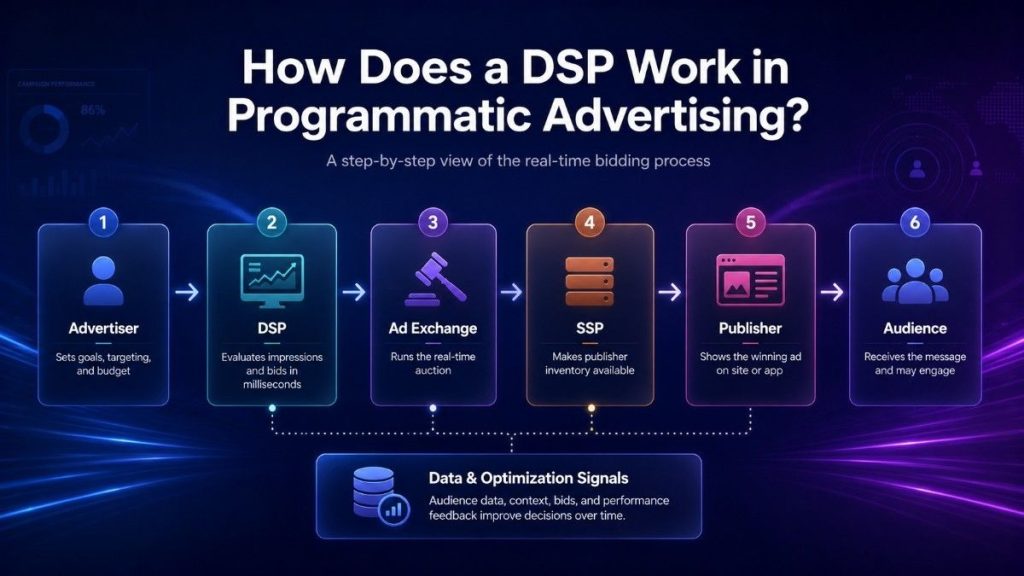
A DSP evaluates ad opportunities in real time and decides whether to bid on them. This process happens in milliseconds when a user loads a website or opens an app. Advertisers set campaign rules first, and the DSP applies them to live inventory. This is the foundation of how DSPs operate in programmatic advertising.
1. Advertiser Creates a Campaign
Advertisers define campaign parameters before buying begins:
- Goal – Awareness, traffic, conversions, app installs, or leads.
- Budget – Daily, total, or bid limits.
- Audience – Target demographics, geos, devices, or interests.
- Creative – Banner, native, video, push, or pop-under ads.
- Bid Model – CPM, CPC, CPA, or fixed pricing.
This step ensures the DSP knows exactly which impressions to consider.
2. User Opens a Website or App
When a user engages with digital content:
- Publisher inventory becomes available for bidding.
- The ad space may be on a news site, app, game, or content platform.
- Each placement carries details like device, location, and context.
3. SSP Sends the Impression to an Ad Exchange
Publishers use a Supply-Side Platform (SSP) to sell inventory:
- The SSP sends impression details to an ad exchange.
- Information includes device type, location, browser, site/app category, and available ad formats.
- Ad exchanges act as the marketplace connecting supply and demand.
4. DSP Evaluates the Impression
The DSP quickly decides if the impression meets campaign criteria:
- Targeting – Geo, device, OS, audience, site/app category, or supply partner.
- Bid Value – Based on campaign goals, expected ROI, and traffic quality.
- Filtering – Blocks low-quality or irrelevant impressions.
Proper evaluation ensures that advertisers only bid on high-value inventory.
5. Real-Time Bidding Happens
RTB is the auction that determines which ad is served:
- Multiple DSPs submit bids simultaneously.
- Highest eligible bid usually wins.
- RTB lets advertisers pay for impressions proportional to their value.
This auction system allows advertisers to compete for impressions without manual negotiations.
6. Winning Ad Is Served
Once the DSP wins:
- The creative appears instantly in the user’s browser or app.
- Delivery happens in milliseconds for a seamless experience.
- Users see display, native, video, push, or pop-under ads.
7. Campaign Data Feeds Optimization
After the ad is shown, the DSP tracks performance:
- Metrics collected – Impressions, clicks, CTR, conversions, CPA, ROAS, win rate, spend.
- Optimization actions – Adjust bids, budgets, creatives, frequency caps, or block weak sources.
- Traffic quality monitoring – Detects invalid clicks, bots, or unsafe placements.
This feedback loop ensures campaigns improve over time while reducing wasted spend.
DSP vs SSP vs Ad Exchange vs Ad Network
Programmatic advertising has several platforms that sound similar. The easiest way to understand them is to look at the role each one plays.
| Platform | Main User | Main Role | How It Helps |
| DSP | Advertisers and agencies | Buys ad inventory | Helps advertisers target, bid, manage budgets, and optimize campaigns |
| SSP | Publishers and app owners | Sells ad inventory | Helps publishers monetize ad placements and connect to demand |
| Ad Exchange | Buy side and sell side | Runs auctions | Connects DSPs and SSPs so impressions can be traded in real time |
| Ad Network | Advertisers and publishers | Packages inventory | Aggregates supply and sells grouped traffic by category, source, or format |
A DSP is built for advertisers. An SSP is built for publishers. An ad exchange is the auction environment between them. An ad network usually bundles inventory and may offer less granular control than a DSP.
Understanding the DSP and SSP comparison helps advertisers judge transparency, control, targeting, and optimization. Ad networks can be useful, but network-based buying may not provide the same source-level visibility as a DSP.
Why Do Advertisers Use DSPs?

Advertisers use DSPs because programmatic buying is now the standard way to buy digital display inventory. In 2025, programmatic advertising is expected to account for nearly 9 in 10 digital display ad dollars worldwide, showing how dominant automated buying has become.
Advertisers use DSPs because they make media buying faster, more controlled, and easier to optimize. Key benefits include:
Automated media buying
A DSP removes much of the manual work from buying ads. You do not need to contact each publisher, request a rate card, negotiate placements, and wait for manual reporting.
You set campaign rules once and let the platform find matching inventory. This helps smaller teams buy across more sources.
Better audience targeting
DSPs help advertisers reach users by location, device, operating system, language, connection type, source, app, site, category, or audience behavior when available.
Better targeting means matching traffic to the offer and budget goal.
Real-time optimization
Because campaign data comes in while ads are live, advertisers can adjust bids, pause weak sources, increase budgets on strong segments, rotate creatives, or refine targeting.
This dsp optimization workflow matters for performance campaigns where CPA, ROAS, and traffic quality can change by source and time of day.
Centralized campaign management
A DSP lets teams manage multiple campaigns and channels from one dashboard. This is useful for agencies, affiliate teams, and e-commerce brands.
It also makes reporting easier because buyers can monitor spend, results, and optimization actions in one place.
Better budget control
DSPs usually allow advertisers to set daily budgets, total budgets, bid limits, pacing, and frequency caps.
These controls help prevent overspending and improve testing discipline. A campaign can start small, collect data, and scale when performance supports it.
Fraud protection and brand safety
Traffic quality matters because bots, invalid clicks, low-quality placements, and unsafe content can waste budget and distort campaign data.
DSPs can help through real-time fraud detection, invalid traffic prevention, source controls, blacklists, whitelists, and brand safety settings. These tools do not remove every risk, but they give advertisers more ways to protect spend.
What Types of Targeting Can a DSP Offer?
Targeting is one of the main reasons advertisers choose a DSP. The goal is to reach users who match your campaign, not just more users.
PPCmate provides robust options to refine traffic by market, device, source, and placement quality.
Advertisers can refine campaigns through targeting options such as:
- Geographic targeting – Reach users by country, region, or city.
- Device targeting – Separate desktop, mobile, and tablet traffic.
- Operating system targeting – Focus on Android, iOS, Windows, or macOS users.
- Language targeting – Match campaigns to user language settings.
- Connection targeting – Segment traffic by Wi-Fi, carrier, or connection type.
- IP targeting – Target specific IP addresses when needed.
- IAB category targeting – Choose inventory by content categories like news, sports, or finance.
- Website targeting – Include or exclude specific sites for better performance.
- App targeting – Run campaigns in selected mobile apps.
- Source targeting – Optimize by high-performing or low-performing traffic sources.
- Supply partner targeting – Select preferred supply partners or paths.
- Whitelist targeting – Serve ads only on approved sources, apps, or sites.
- Retargeting – Re-engage users who visited your site or clicked on your ads.
For mobile campaigns, device, OS, connection, app, and geo filters are especially important. Strong mobile buying basics help advertisers avoid broad traffic that does not match the offer or landing page.
Early tests need enough reach to collect data. Scaling campaigns need tighter controls based on proven sources and placements.
What Ad Formats Can You Buy Through a DSP?
DSPs can support several ad formats, depending on the platform and available inventory. Each format has different strengths, so the right choice depends on the campaign goal.
PPCmate gives advertisers access to multiple performance-focused formats without switching platforms.
Display ads
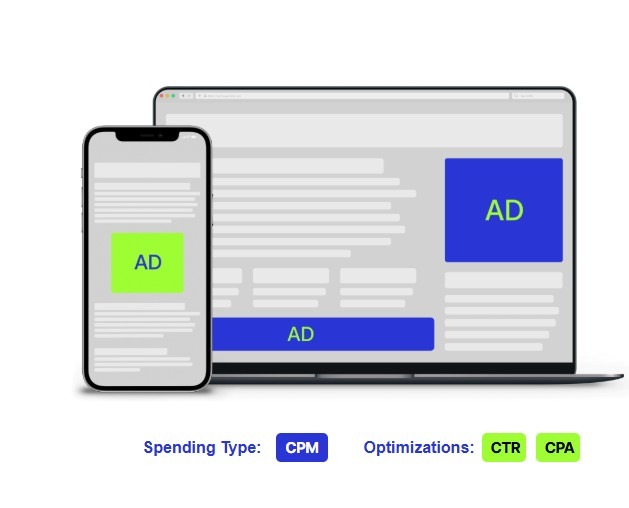
Display ads are visual banners placed on websites and apps. They are useful for awareness, retargeting, product visibility, and funnel support.
Native ads
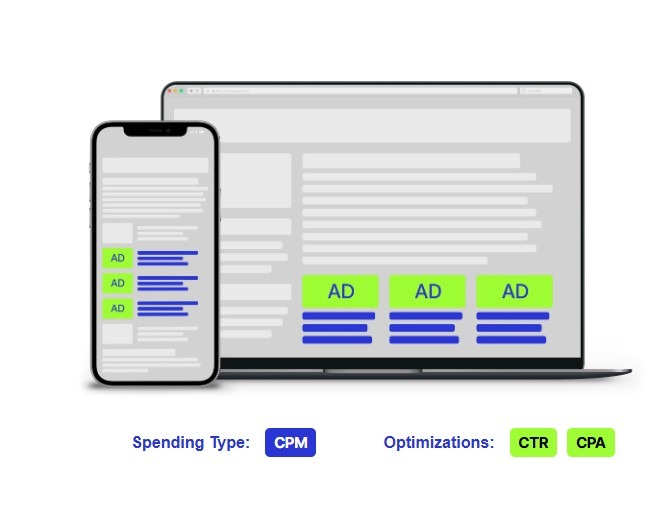
Native ads are designed to match the look and feel of surrounding content. They often appear in feeds, recommendation widgets, or editorial-style placements.
Native can work well for advertorials, product education, lead generation, and offers that need more explanation before conversion.
Video ads
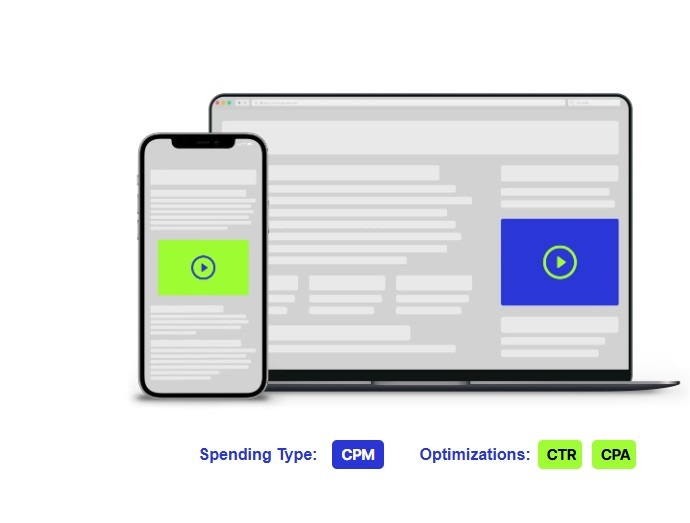
Video ads are useful when the message benefits from motion, sound, or storytelling. They can support awareness, product demos, app campaigns, and retargeting.
Push notification ads
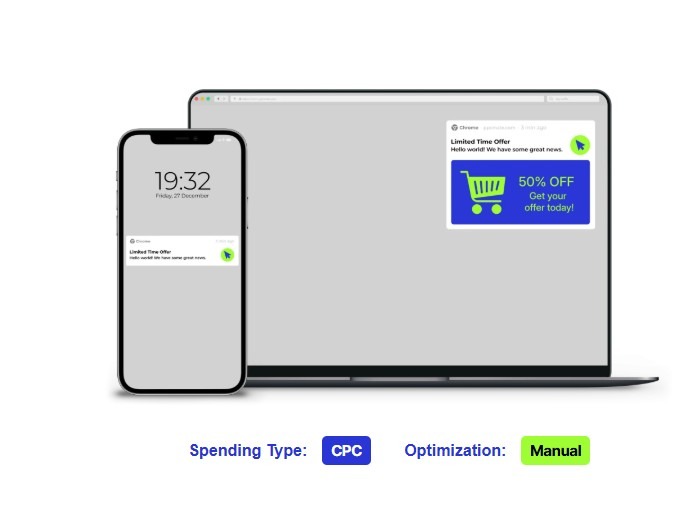
Push notification ads appear as notification-style messages on user devices or browsers, based on available inventory and consent rules.
They can be effective for direct-response campaigns because they create fast engagement. Clear copy, relevant offers, and tight targeting are important.
Pop-under ads
Pop-under ads open a landing page behind the active browser window or in a separate browsing context.
They are often used for high-volume traffic, offer testing, lead generation, and affiliate campaigns. Advertisers should watch bounce rate, conversion quality, and source performance.
DSP Pricing Models Explained
DSP pricing affects how you pay for traffic and how you measure success. The right model depends on your goal, tracking setup, and risk tolerance.
CPM
CPM means cost per thousand impressions. You pay for every 1,000 ad impressions.
This model is often used for awareness, reach, retargeting, and campaigns where visibility matters. CPM can also work for performance campaigns when tracking is strong.
CPC
CPC means cost per click. You pay when a user clicks the ad.
This model is useful when the main goal is traffic. It can help advertisers control visit costs, but click quality still matters. A low CPC is not useful if the traffic does not convert.
CPA optimization
CPA means cost per acquisition or cost per action. In DSP buying, CPA optimization uses conversion data to improve bidding and targeting toward signups, purchases, installs, or leads.
This model is best for conversion-focused campaigns with proper tracking. The DSP needs enough data to understand which sources and placements are more likely to convert.
Self-Serve DSP vs Managed DSP
Advertisers can often choose between self-serve and managed service. The right option depends on experience, time, budget, and need for control.
| Model | Best For | Advantages | Considerations |
| Self-serve DSP | Hands-on media buyers, affiliates, agencies, and in-house teams | More control over targeting, bids, creatives, budgets, and optimization | Requires time, testing skill, and campaign monitoring |
| Managed DSP | Advertisers who want platform support or campaign help | Expert setup, guidance, optimization support, and less daily management | Less direct control than self-serve and may require higher spend |
| Hybrid approach | Growing teams that want control plus support | Buyer control with strategic help when needed | Works best when goals, tracking, and expectations are clear |
Self-serve is usually better for buyers who want to test quickly and control every setting. Managed service is useful when advertisers want guidance or have limited internal resources.
The service model choice should match how your team works. Affiliates may prefer self-serve speed, while brands may value support.
Common DSP Use Cases
DSPs are flexible because they support different goals, formats, and pricing models.
Common use cases include:
- E-commerce campaigns: Drive product traffic, retarget visitors, and optimize toward purchases or ROAS.
- Affiliate marketing: Test offers across geos, formats, and sources while tracking CPA, EPC, and conversion rate.
- Media buying teams: Manage multi-format campaigns with source-level control and live reporting.
- App install campaigns: Target mobile users by device, OS, geo, connection, app environment, and supply source.
- Brand awareness: Use display, video, and native formats to reach broad or category-specific audiences.
- Lead generation: Test landing pages, forms, and traffic sources while optimizing toward qualified leads.
- Retargeting: Bring back users who showed interest but did not convert.
- Market testing: Compare geos, formats, messages, and audience segments before increasing spend.
A DSP becomes more valuable when the advertiser knows what action matters and has tracking in place to measure it.
How to Choose the Right DSP
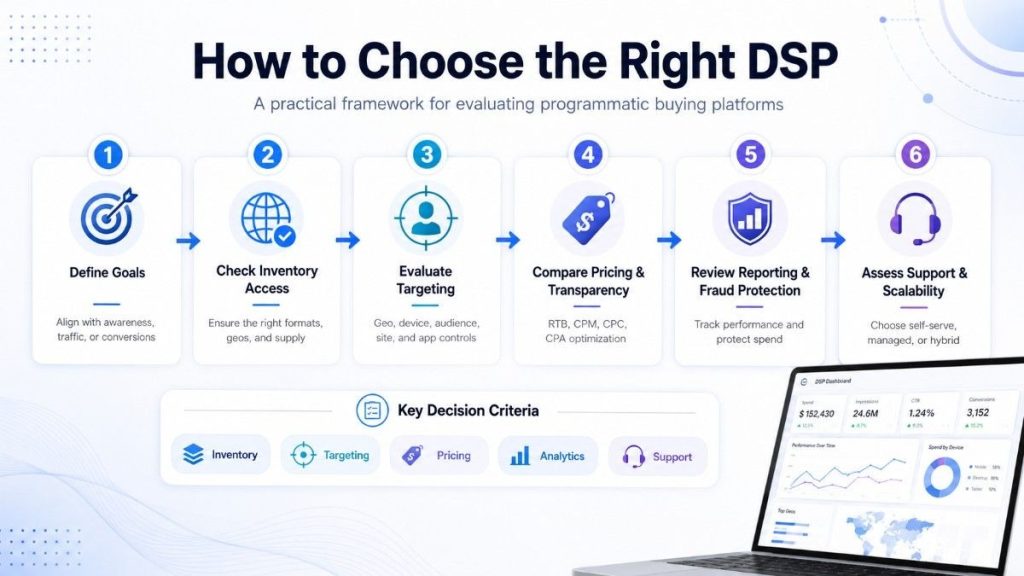
Choosing a DSP should not be based only on reach or low prices. The right platform should match your campaign goals, buying style, and optimization needs.
Before choosing a DSP, review these areas:
- Inventory access: Does the platform offer the traffic types, geos, channels, and formats you need?
- Targeting depth: Can you target by geo, device, OS, source, app, site, category, and supply partner?
- Pricing models: Does it support CPM, CPC, CPA optimization, fixed pricing, or RTB?
- Ad formats: Can you buy display, native, video, push, pop-under, or other relevant formats?
- Reporting: Can you track spend, impressions, clicks, CTR, conversions, CPA, ROAS, source quality, and frequency?
- Optimization tools: Can you adjust bids, budgets, placements, creatives, and targeting during live campaigns?
- Fraud protection: Does it help detect invalid traffic and control low-quality sources?
- Support model: Do you need self-serve control, managed support, or both?
- Tracking setup: Does the DSP support the conversion tracking your business needs?
A strong DSP should help answer practical buying questions. Which sources convert? Which devices waste spend? Which goes scale? Which placements should be blocked or whitelisted?
If the platform does not help you make those decisions, it will be harder to improve performance.
How PPCmate Helps Advertisers Buy Programmatic Traffic
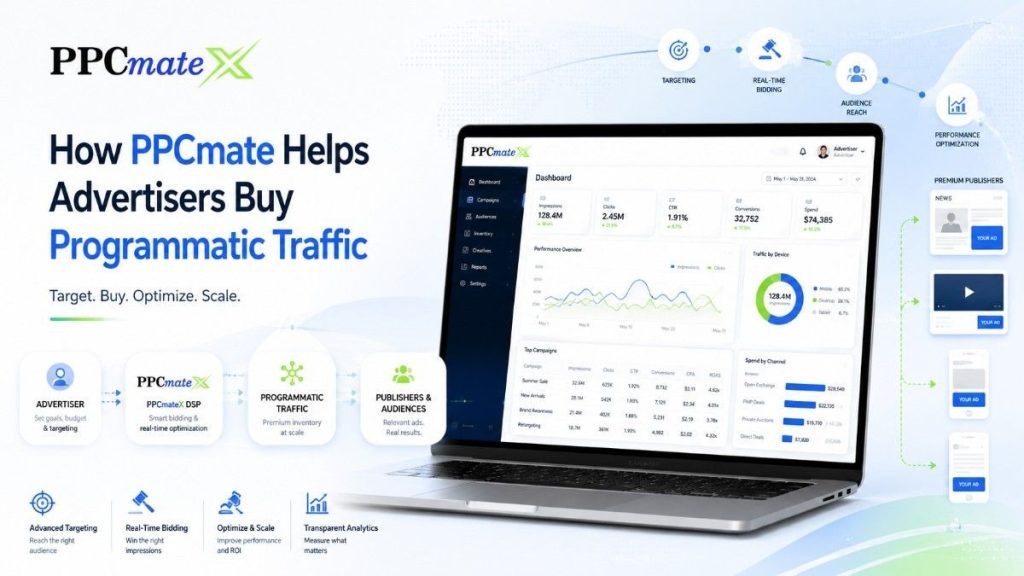
PPCmate helps advertisers buy programmatic traffic with flexible controls for targeting, formats, pricing, and campaign management.
The platform is useful for advertisers who want to test and optimize traffic across channels without managing separate tools for every format.
Advertisers can use PPCmate to:
- Launch campaigns across multiple ad formats
- Target users by geo, device, OS, language, source, app, website, and supply partner
- Test CPM, CPC, and conversion-focused buying strategies
- Manage budgets, bids, pacing, and frequency
- Review reporting and analytics from one platform
- Improve traffic quality with source controls and fraud protection tools
- Use self-serve control or managed campaign support
PPCmate is not just about reaching more inventory. The value is in giving advertisers practical controls to decide what to buy, block, and scale.
You can start with controlled budgets, compare formats, review source-level results, and use the data to make stronger buying decisions.
Ready to Launch Programmatic Ads With More Control?
PPCmate gives advertisers a flexible DSP for buying targeted traffic across multiple channels, formats, and pricing models.
Whether you want hands-on self-serve control or managed campaign support,connecting with PPCmate helps you launch, track, and optimize programmatic campaigns from one platform.
FAQs
1. Is a DSP suitable for small advertisers?
Yes, a DSP can work for small advertisers if they start with clear goals, tight targeting, and controlled budgets. The key is to test gradually instead of buying broad traffic too quickly.
2. How long does it take to see results from a DSP campaign?
Early traffic data can appear quickly, but meaningful performance trends usually need enough impressions, clicks, and conversions. Most advertisers should allow time for testing creatives, sources, bids, and targeting before judging results.
3. What should advertisers prepare before launching a DSP campaign?
Advertisers should prepare creatives, landing pages, tracking links, conversion goals, target geos, budget limits, and acceptable CPA or ROAS targets. A clear testing plan makes campaign decisions faster and more accurate.
4. Can a DSP help reduce wasted ad spend?
Yes, a DSP can reduce wasted spend through targeting, frequency caps, bid controls, reporting, and source-level optimization. Advertisers still need to monitor campaigns and block low-performing traffic regularly.
5. Can PPCmate work as a DSP for programmatic advertising?
Yes, PPCmate gives advertisers DSP-style tools to buy, manage, and optimize programmatic traffic from one platform. Advertisers can control targeting, budgets, bids, formats, and campaign performance without managing each publisher directly.
6. What ad formats can advertisers buy through PPCmate?
PPCmate supports multiple programmatic ad formats, including display, native, video, push notification, and pop-under ads. This helps advertisers test different traffic types based on campaign goals, audience behavior, and performance data.
7. Does PPCmate support real-time campaign optimization?
Yes, PPCmate allows advertisers to monitor campaign performance and adjust bids, budgets, targeting, and sources while campaigns are live. This helps reduce wasted spend and improve results based on real campaign data.
8. What targeting options does PPCmate offer advertisers?
PPCmate supports targeting by geo, device, operating system, language, connection type, IP, IAB category, website, app, source, and supply partner. Advertisers can also use whitelist targeting to focus campaigns on approved traffic sources.