Mobile vs Desktop Traffic: How to Split Budget Across Devices
Most campaigns buy mobile and desktop traffic at the same time, but very few buyers decide on purpose how much of the budget each device should get. The split usually just happens: whichever device the supply leans toward ends up taking most of the spend. This guide explains how mobile and desktop traffic tend to differ, how to test both fairly, and a step-by-step method for moving budget toward the device that actually earns it.
Why Device Deserves Its Own Budget Decision
A campaign report that blends every device into one line gives you an average, and averages are where device differences disappear. If mobile is converting well and desktop is not, or the other way round, a blended campaign can look merely acceptable while one half of the spend is doing all the work.
Device also changes more than the screen size. It changes the context the user is in, the creative that fits, the landing page experience, and the targeting options that matter. Treating device as a budget decision, rather than a checkbox you tick during setup, is one of the simplest ways to stop paying average prices for uneven results.
Supply decides the split if you do not
In an open auction, budget flows to wherever there is available inventory that matches your targeting and bid. If one device has far more supply in your GEO and format, it will absorb most of the spend by default. That is a volume outcome, not a performance outcome, and it is worth correcting deliberately once you have data.
How Mobile and Desktop Traffic Typically Differ
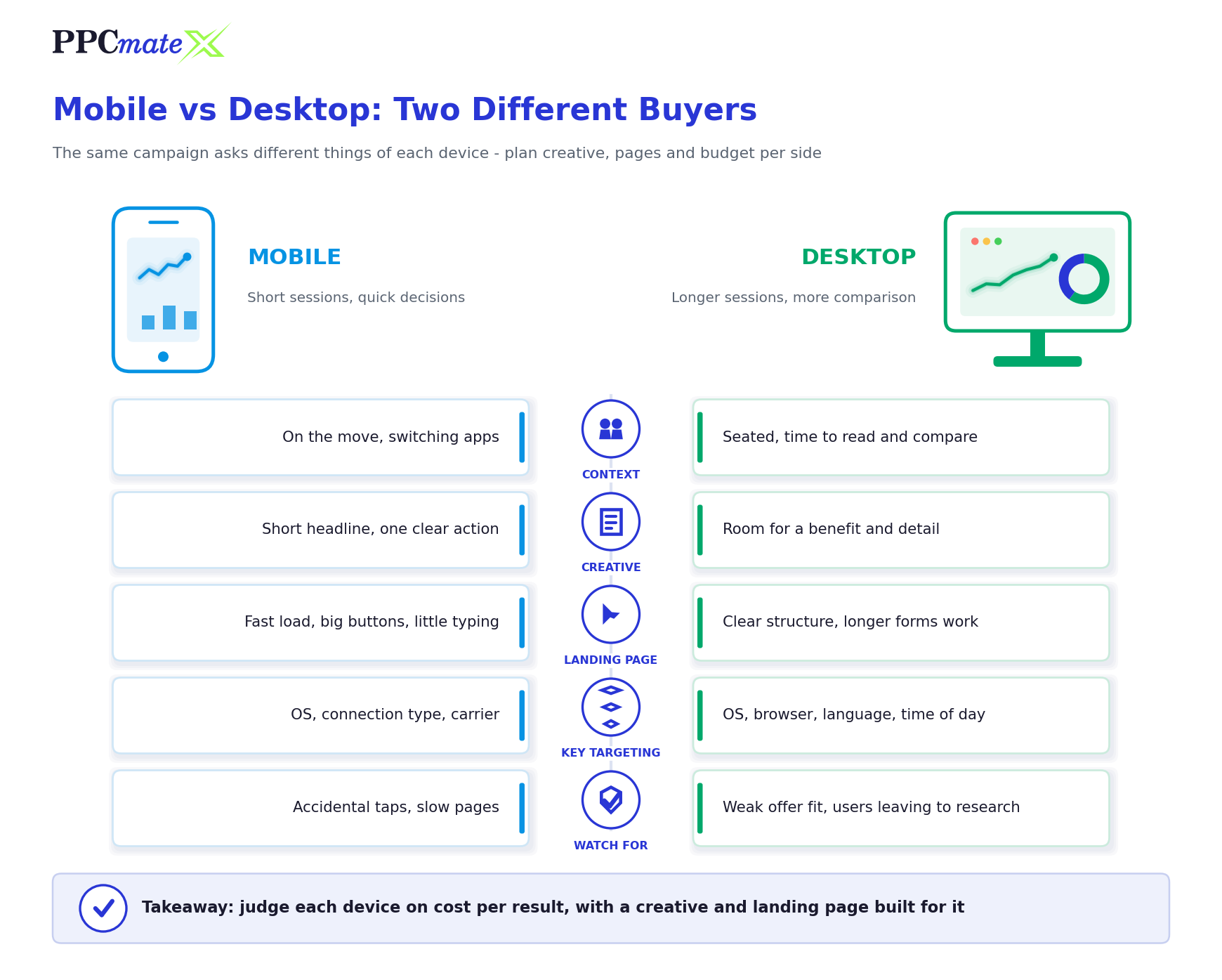
No two offers behave identically, so treat the table below as a set of patterns to test against rather than rules. The point is that each device tends to ask something different of your campaign.
| Area | Mobile traffic | Desktop traffic |
| User context | Short sessions, on the move, frequent switching between apps | Longer sessions, often seated, more time to read and compare |
| Creative that fits | Short headline, one clear action, legible at small sizes | Room for a benefit statement and more detail |
| Landing page need | Fast load, thumb-friendly buttons, minimal typing | Clear structure, can support longer forms and comparison content |
| Offers that often lean this way | App installs, mobile subscriptions, short lead forms, impulse purchases | Software downloads, B2B and high-consideration purchases, long forms |
| Targeting layers that matter most | OS, OS version, connection type, carrier | OS, browser, language, time of day |
| Main risk to watch | Accidental clicks and slow pages that lose users before load | Weak offer fit and users who leave to research elsewhere |
Start With the Offer, Not the Device
Before you spend anything, look at what the user has to do after the click. The conversion action is usually the strongest early signal of which device should get the larger starting share.
- Is the offer device-specific? An Android app install cannot convert on a desktop browser, and a Windows software download will struggle on a phone. If the offer only works on one device, the split decision is already made.
- How much effort does the conversion take? A one-tap subscription or a short email form suits mobile. A multi-step application, a quote request or a detailed checkout often completes more easily on a larger screen.
- How long is the decision? Impulse-friendly offers tend to work on mobile. Purchases that involve comparison or research often see users return later, sometimes on a different device.
- Is the landing page equally good on both? If the page was built desktop-first and simply shrinks on a phone, mobile results will reflect the page, not the audience.
- What does the traffic format favour? Some formats and sources carry a heavier share of one device, which affects both available volume and price.
If the answers point clearly toward one device, start with a larger share there and a smaller test share on the other. If they do not, start evenly and let the data decide.
How to Split Budget Across Devices, Step by Step
The method below works for any format. It keeps the test fair, keeps the decision tied to cost per result rather than traffic volume, and avoids the common trap of switching a device off before it has been properly measured.
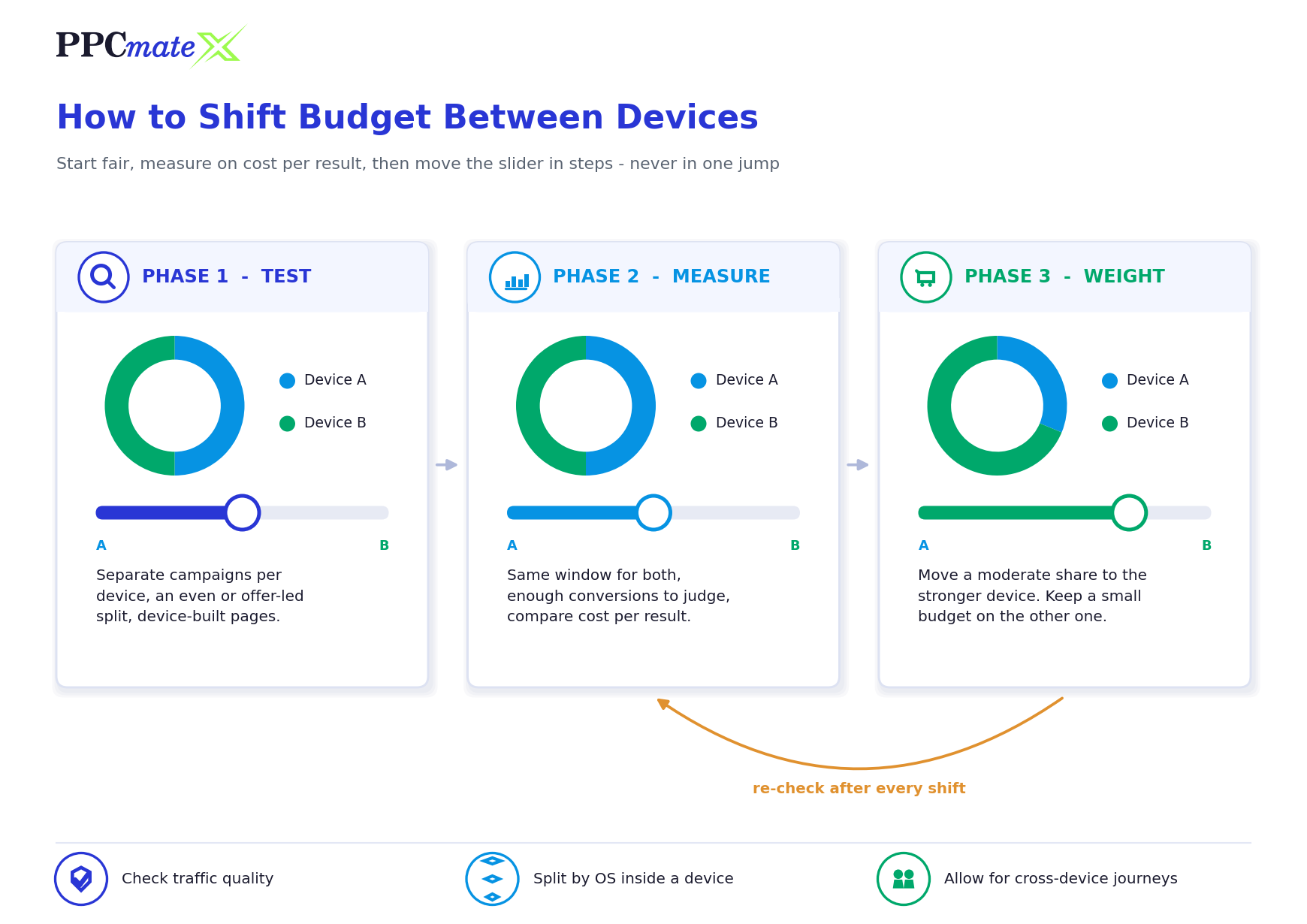
- Separate devices into their own campaigns or line items. This is what makes device-level bids, budgets, creatives and reporting possible. A single mixed campaign lets one device quietly subsidise the other.
- Give each device a test budget large enough to judge. Size it so each device can realistically produce several conversions at your target cost. A device that has only spent a small amount and has no conversions yet is unproven, not failed.
- Match creative and landing page to the device. Use shorter copy and a fast, thumb-friendly page on mobile, and give desktop users the extra detail they have room to read. Otherwise you are testing a mismatch, not a device.
- Make sure conversions are tracked per device. Confirm that your postback or tracking integration reports results back to the campaign that bought the click, so each device carries its own outcome data.
- Compare cost per result over the same window. Use a window long enough to cover your normal conversion delay, and compare devices on cost per conversion or return, not on click-through rate or cost per click alone.
- Shift budget in steps toward the stronger device. Move a moderate share at a time rather than all at once, and keep a smaller maintenance budget on the weaker device so you can see if it improves.
- Re-check after every shift, then go one level deeper. Confirm the stronger device held its cost per result at the higher budget, then look inside each device by OS, browser, connection type and source for the next round of adjustments.
Why stepwise shifts beat a single big move
Cost per result rarely stays flat as budget grows. When you push much more spend into one device, the campaign has to win more auctions, often on less efficient inventory or at higher prices. Moving budget in steps lets you see the point where the extra spend stops paying for itself, and gives you room to pull back without having lost the other device’s data entirely.
Look Inside Each Device, Not Just Between Them
“Mobile” and “desktop” are broad buckets. Once the top-level split is working, most of the remaining gains usually sit in the segments inside each device.
Operating system
iOS and Android users can behave differently on the same offer, and so can Windows and macOS users. OS also affects which offers are even eligible, especially for app installs and software downloads. Splitting by OS is often the first useful cut after device.
Tablet traffic
Tablets sit between the two: a larger screen than a phone, but often used casually. Some offers treat tablets like desktop, others like mobile. Rather than assuming, test tablets as their own segment once you have enough volume to read them.
Connection type and browser
On mobile, users on Wi-Fi and users on mobile data can respond differently, particularly for heavier landing pages or downloads. On desktop, browser segments can reveal pages that render poorly or tracking that breaks in a specific browser. Both are worth checking before you blame the device as a whole.
Sources within each device
A device can look weak simply because a few poor placements are dragging it down. Before cutting a device’s budget, run the same source review you would run on any campaign. Our guide on how to read a source-level report walks through that process row by row.
How Traffic Format Changes the Split
The same device logic applies across formats, but each format shifts the practical details.
- Push ads reach users on both phones and computers, and the notification experience differs by device and browser. We cover the format-specific setup in how to target mobile and desktop users with push ads.
- Pop-under ads open a full page behind the active window, so landing page speed and layout on each device matter even more than usual. See the pop-under ads guide for format-level strategy.
- Display and native ads depend heavily on placement size and position, so the creative sizes you supply for each device directly limit where you can win.
- Video ads are sensitive to connection quality and whether sound is likely to be on, both of which vary by device and context.
Measuring Device Performance Fairly
A device split is only as good as the measurement behind it. Three issues distort device comparisons more than any other.
Cross-device journeys. A user might click an ad on a phone and complete the purchase later on a laptop. Depending on how your tracking works, that conversion may not be credited to the mobile click at all, which makes mobile look weaker than it really is. If your offer has a long decision cycle, keep this in mind before cutting mobile budget, and prefer tracking that follows the click ID through to the conversion.
Frequency differences. Mobile users can see the same ad many times across short sessions. Without a cap, a mobile campaign can burn budget on repeat exposures that add little. Setting device-appropriate limits is covered in our guide to frequency capping in programmatic advertising.
Traffic quality. Invalid or low-quality traffic can concentrate in particular device, OS or browser segments, and it inflates clicks without producing results. If one device shows plenty of clicks and almost no downstream activity, check quality before drawing a device conclusion. Our article on bot traffic vs low-quality traffic explains how to tell the two apart.
Common Mistakes to Avoid
- Letting supply volume set the split. The device with the most available inventory is not automatically the device with the best results.
- Judging devices on click-through rate. Mobile formats can attract accidental taps, so a higher CTR does not mean a better device. Compare cost per result.
- Using one landing page for both without checking mobile. A slow or awkward mobile page will make mobile look like a poor audience when the real problem is the page.
- Switching a device off after a small test. A device with little spend and no conversions has not been measured yet. Give it a fair sample first.
- Moving the whole budget in one step. Large jumps hide the point where extra spend stops being efficient and remove the data you need to compare.
- Ignoring tablets and OS segments. Broad device buckets can hide a strong OS or a weak browser that deserves its own treatment.
- Forgetting cross-device conversions. For considered purchases, mobile often starts the journey that desktop finishes.
Control Your Device Split on PPCmate X
PPCmate X is a self-serve DSP that lets advertisers target by device type, operating system, connection type, language and location, and run separate campaigns for each segment with their own bids and budgets across display, native, video, push and pop traffic. Pair that with conversion tracking through your tracker so every device carries its own results, and you can move budget based on cost per result rather than guesswork.
Frequently Asked Questions
Should I run mobile and desktop in separate campaigns?
In most cases, yes. Separate campaigns give each device its own bid, budget, creative and report, so strong results on one device cannot hide weak results on the other.
How should I split budget between mobile and desktop at the start?
Let the offer decide the starting point. If the conversion action clearly suits one device, give that device the larger share and keep a smaller test share on the other; if it does not, start evenly and adjust once each device has a fair sample.
Is mobile traffic cheaper than desktop traffic?
It depends on the GEO, format and source, and prices change with competition. What matters is not the cost per click or per impression but the cost per result each device delivers for your offer.
Which metric should decide the device split?
Use cost per conversion, or return on ad spend if you track revenue, measured over the same window for both devices. Click-through rate and cost per click are useful diagnostics but poor decision metrics on their own.
How much data do I need before shifting budget?
Enough for each device to have produced several conversions at your target cost, over a window that covers your normal conversion delay. Decisions made on a handful of clicks usually reflect noise rather than real device differences.
Should I stop buying the weaker device completely?
Not usually. Keep a smaller maintenance budget on it so you can spot improvement, test new creatives and segments, and avoid losing reach you may need when scaling.
Where does tablet traffic fit?
Tablets can behave like mobile or like desktop depending on the offer. Test them as their own segment once there is enough volume, rather than assuming which bucket they belong in.
Why does mobile look weak when my offer converts on desktop?
Often because users click on a phone and finish on a computer later. If your tracking cannot connect those steps, the conversion is credited elsewhere, so check your attribution before cutting mobile budget.