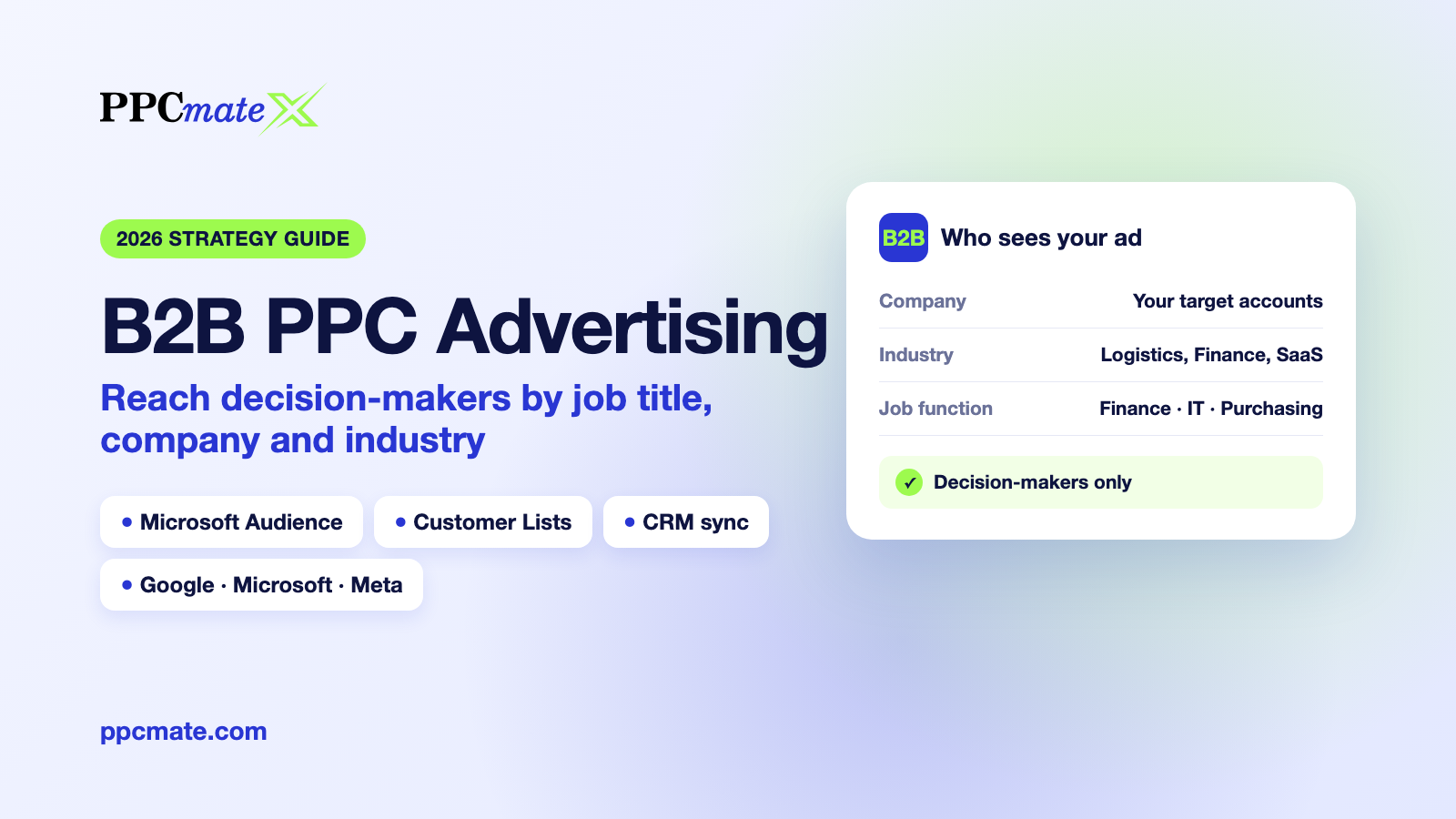
B2B PPC Advertising in 2026: How to Reach Decision-Makers by Job Title, Company and Industry
B2B PPC advertising is paid search and paid media aimed at the people who buy for a business: the finance lead who signs off on software, the IT manager choosing a vendor, the procurement team comparing suppliers. The audience is small, the sales cycle is long and a single customer can be worth thousands. That changes almost every rule of consumer PPC, from targeting to bidding to how you judge success.
For years, reaching those people precisely meant one expensive channel. In 2026 that is no longer true. Professional-profile targeting, customer lists and CRM data now work across Microsoft, Google and Meta, and a self-serve platform can run them from one account. This guide explains the strategy: which targeting layers exist, which channel fits which job, how to budget and how to measure. When you are ready to build, our step-by-step B2B setup guide walks through every screen.
What Is B2B PPC Advertising?
B2B PPC advertising means paying per click (or per impression) to put your ads in front of business buyers instead of consumers. It covers search ads that catch people researching your category, display and native ads that build awareness inside target accounts, and social ads that reach professionals while they browse.
Three things make it different from B2C PPC:
- Small, defined audiences. You might sell to a few hundred companies or a handful of job functions. Wasted impressions outside that group are pure cost.
- Several decision-makers. A purchase is usually approved by a group: a user, a budget owner and often IT or procurement. Your ads need to reach more than one person per account.
- Long sales cycles. A click today may turn into revenue months later, so judging campaigns on click-through rate or same-day conversions gives the wrong answer.
The 4 Layers of B2B Targeting
Modern B2B targeting is not one setting. It is four layers that you can combine, from the broadest to the most precise.
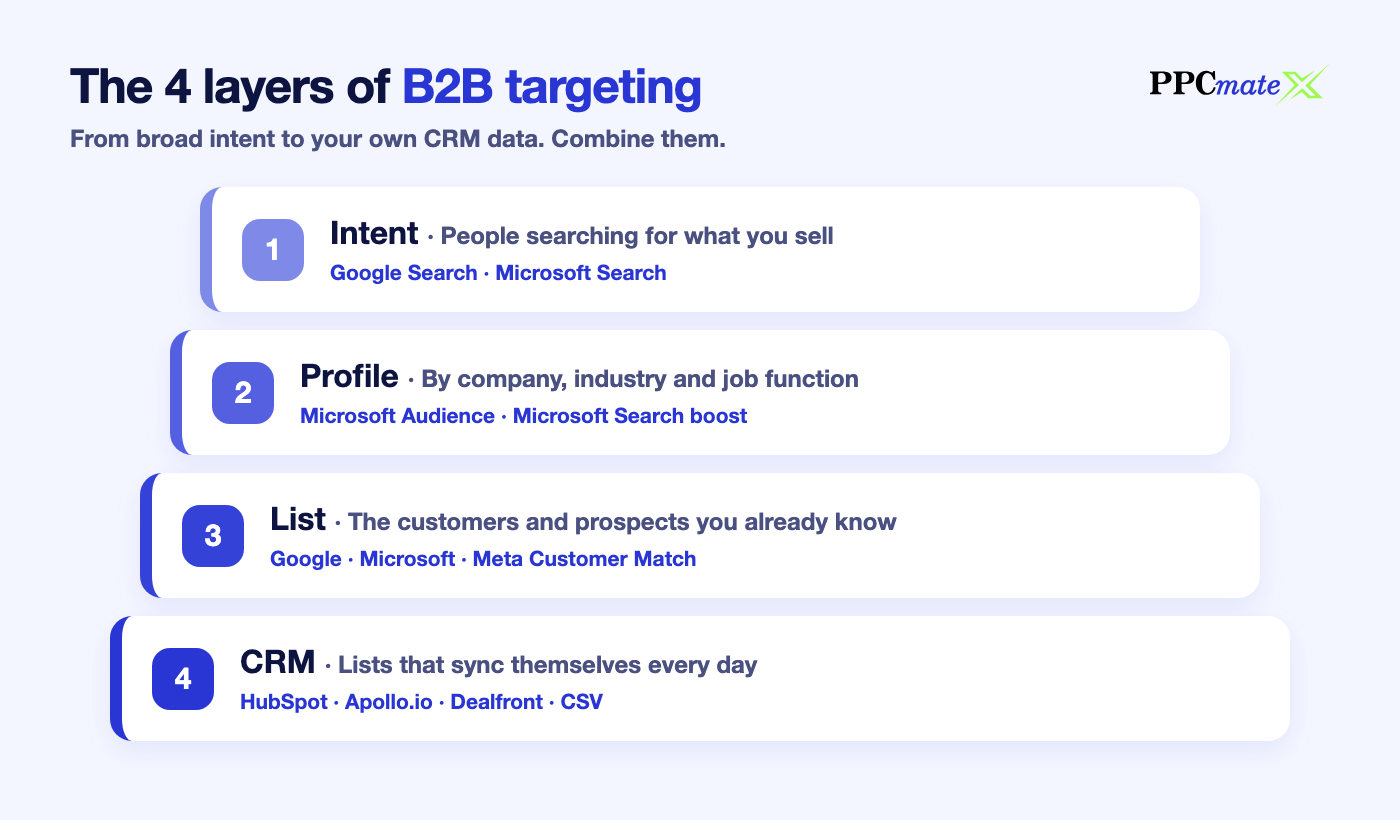
1. Intent: people searching for what you sell
Search ads on Google and Microsoft reach people who type your category into a search box. They are already in buying mode, which makes search the first channel for B2B leads and sales. The weakness: a search for “accounting software” comes from a freelancer as often as from a CFO.
2. Profile: people by company, industry and job function
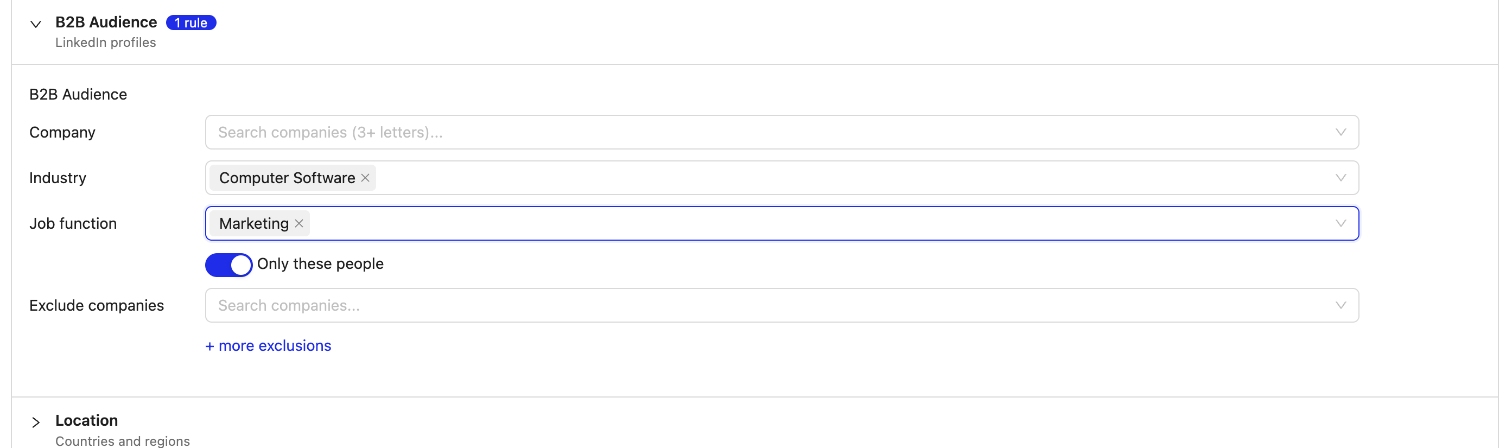
Microsoft Advertising can target people using their LinkedIn profile data: the company they work for, their industry and their job function. On PPCmate this powers Microsoft Audience campaigns, which show image ads on MSN, Outlook, Microsoft Edge and partner sites only to the profiles you choose. It also powers a B2B bid boost on Microsoft Search, which raises your bid when the searcher matches your chosen companies, industries or job functions.
3. List: the people you already know
Customer lists (Customer Match) let you upload the e-mails of customers, open opportunities or prospects. Google, Microsoft and Meta match them to their users, and you can then show ads only to that list, bid higher for them, exclude them, or, on Facebook and Instagram, find similar people with lookalikes.
4. CRM: lists that update themselves
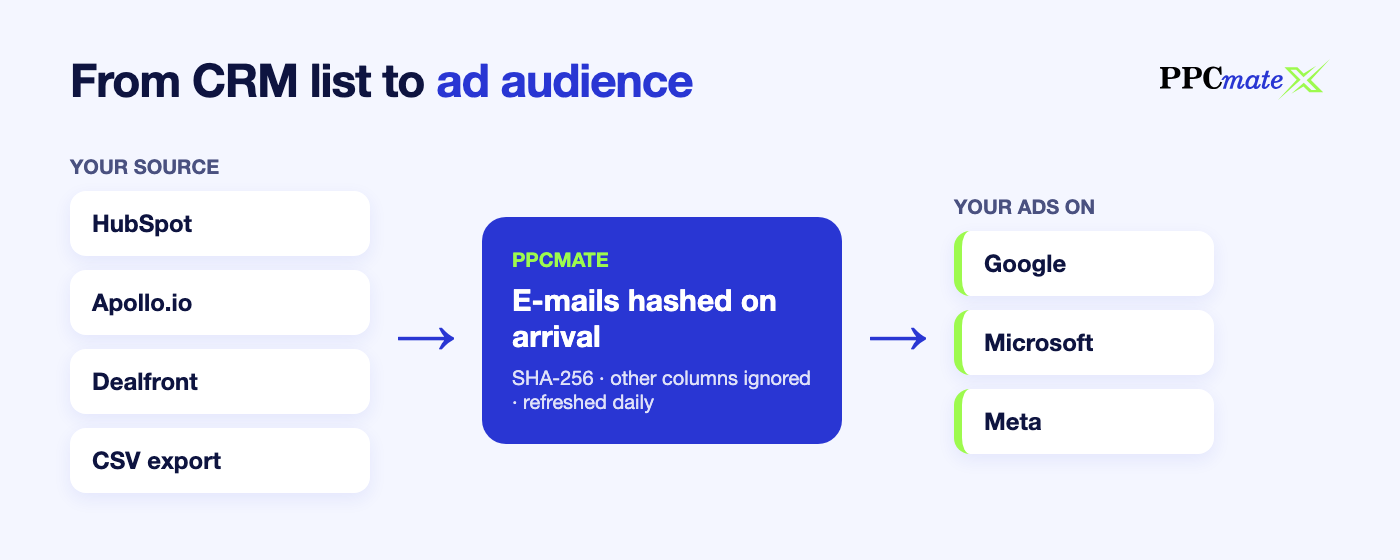
The most useful lists live in your CRM or B2B data tool, and they change every day. Connecting HubSpot, Apollo.io or Dealfront with your own API key keeps an ad audience in sync with a CRM list, so new prospects are targeted and closed deals can be excluded without anyone exporting a file.
Which Channel Fits Which B2B Job?
Each channel supports a different mix of the four layers. This is how they compare on PPCmate today:
| Channel | Best B2B job | Profile targeting (company / industry / job function) | Customer lists |
|---|---|---|---|
| Microsoft Audience | Reach target accounts and job functions with image ads | Yes: show only to chosen profiles, or bid higher for them | Yes |
| Microsoft Search | Capture category searches from the right companies | Bid boost of +20%, +50% or +100% for matching searchers | Yes |
| Google Search | Capture high-intent category and competitor searches | No | Yes (Customer Match) |
| Google Display | Stay visible to your prospect and customer lists | No | Yes (Customer Match) |
| Facebook and Instagram | Reach lookalikes of your best customers | No | Yes, plus lookalikes |
A strong default for most B2B advertisers is two campaigns running side by side: a Microsoft Audience campaign aimed at your target industries and job functions, and a search campaign (Google or Microsoft) that bids higher for the people already in your pipeline.
How to Build Your B2B Audience, Step by Step
- Write down your ideal customer profile. List the industries you win in, the company sizes and, most importantly, the 2–4 job functions that take part in the purchase.
- Start with intent. Run search ads on your category terms first. They show you the language buyers use and produce the first leads.
- Add the profile layer. Create a Microsoft Audience campaign for your job functions and industries. Keep “only these people” on for account-based campaigns, or turn it off to reach everyone and bid higher for your profiles when the audience is small.
- Upload or connect a list. Add customers and open opportunities as a Customer List. Lists need at least 300 people before the networks can use them.
- Exclude what you don’t want to pay for. Exclude existing customers from acquisition campaigns, and exclude competitors or industries that click without buying (Education is a common one).
- Retarget and expand. Use lists to stay visible to engaged accounts, and lookalikes on Facebook and Instagram to find new companies that resemble your best customers.
Using Your CRM and B2B Data Tools
Your CRM already knows who your buyers are. The question is how to use that data in advertising without handing it over to a third party.
- HubSpot: connect with a private app token that can read lists and contacts.
- Apollo.io: connect with an Apollo API key (Apollo’s API needs a paid Apollo plan).
- Dealfront: connect with a Dealfront API key. Dealfront charges its own credits for some contacts, so check your plan first.
- ZoomInfo or any other tool: export the list as a CSV and upload it. Only the e-mail column is read.
Choose daily updates and the ad audience follows the CRM list automatically. On PPCmate, e-mail addresses are hashed with SHA-256 the moment they arrive and every other column is ignored. We deliberately do not buy third-party company data: you connect your own source, so you stay in control of the data and the consent behind it.
One honest expectation: B2B lists match fewer people than consumer lists, because many prospects are known by their work e-mail and work e-mails match ad accounts less often than personal ones. Treat lists as a precision layer on top of profile and intent targeting, not as your only source of reach.
Writing B2B Ads That Decision-Makers Click
Precise targeting only pays off if the ad speaks to the person you reached. Business buyers scan quickly and ignore anything that sounds like consumer advertising.
- Write for one role at a time. A finance lead cares about cost and risk; an IT manager cares about integration and security. Separate campaigns per job function let each ad speak one language.
- Lead with the outcome, not the feature. “Close the books two days faster” beats “Automated reconciliation module”.
- Name the audience. Headlines such as “For finance teams in logistics” tell the right person the ad is for them and quietly filter out everyone else.
- Offer a next step that fits the cycle. Early in the journey, a guide, benchmark or checklist converts better than “Book a demo”. Save the demo offer for lists of engaged accounts.
- Match the landing page to the ad. Send each role to a page that answers its question, with a short form. Every extra field costs leads.
- Use clean, professional images. Product screens, diagrams and real people at work outperform stock photos with forced smiles. For Microsoft Audience ads, use a 1200 × 628 landscape image.
Budgeting and Bidding for B2B PPC
- Expect higher cost per click. Senior, narrowly defined audiences cost more than broad consumer traffic. That is normal: you are paying for relevance, and one customer can cover months of clicks.
- Budget for enough data. Give each campaign enough budget to collect a meaningful number of clicks before judging it. On PPCmate, Microsoft Audience campaigns start from $5 a day.
- Widen before you raise bids. If a very narrow audience serves slowly, add companies or job functions first, then raise the bid.
- Use bid boosts instead of hard limits when your profile audience is small. You keep volume and still pay more for the people who matter.
Measuring B2B PPC: Leads, Not Clicks
Click-through rate tells you very little in B2B. What matters is whether the right companies became leads, and whether those leads became pipeline.
- Track conversions with a pixel on your thank-you page or a postback from your CRM or tracker.
- Keep the click ID in your landing page URL so every lead can be tied back to the campaign that produced it, and add UTM tags so your own analytics shows the same campaigns.
- Report on pipeline. Compare campaigns by qualified leads and opportunities in your CRM, and give them the length of your sales cycle before you cut them.
7 Common B2B PPC Mistakes
- Targeting a whole industry when only two job functions buy.
- Judging campaigns by click-through rate instead of qualified leads.
- Paying to show acquisition ads to existing customers.
- Uploading a list once and never refreshing it.
- Sending business buyers to the homepage instead of a page that answers their question.
- Running one ad for every role, instead of speaking to the finance buyer and the technical buyer separately.
- Cutting campaigns after a week when the sales cycle is three months.
Frequently Asked Questions
What is B2B PPC advertising?
B2B PPC advertising is pay-per-click advertising aimed at business buyers rather than consumers. It uses search, display and social ads, targeted by search intent, company, industry, job function and customer lists, and is judged on qualified leads and pipeline rather than clicks.
Can I target ads by job title or company without LinkedIn Ads?
Yes. Microsoft Advertising uses LinkedIn profile data to target by company, industry and job function. On PPCmate you can run these Microsoft Audience campaigns, and a Microsoft Search B2B bid boost, from your PPCmate balance without your own Microsoft account.
What is the difference between profile targeting and customer lists?
Profile targeting reaches people who match the companies, industries and job functions you choose. Customer lists reach the specific people you already know, matched from the e-mails you upload or sync from your CRM.
How big does a B2B customer list need to be?
On PPCmate a list needs at least 300 people before the ad networks can use it. B2B lists usually match fewer people than consumer lists because work e-mails match ad accounts less often.
Which countries support B2B profile targeting?
Microsoft’s company, industry and job function targeting is available in the United States, United Kingdom, Canada, Australia, France and Germany.
Is it safe to connect my CRM?
On PPCmate you connect your own HubSpot, Apollo.io or Dealfront account with your own key and can disconnect at any time. E-mails are hashed with SHA-256 on arrival and other contact fields are ignored.
Start Your First B2B Campaign
B2B advertising no longer needs an enterprise budget or a separate account on every network. Pick your job functions, connect your list and launch from one place. Follow the step-by-step B2B setup guide to set up your first campaign, or browse the PPCmate help center for every B2B feature in detail.