This release keeps your campaigns running and connects PPCmate to the tools you already use. You hear about a stopped campaign straight away, with the fix ready, and AI Studio now makes ads for every channel. Here’s everything new.
1. Campaign Watch
PPCmate now checks your campaigns every hour. If one stops running, you get a “Your campaign isn’t running” message with the reason and a suggested fix. For bid problems, Fix and Start applies it and restarts the campaign in one click; for anything else, Open Checker shows you what to do.
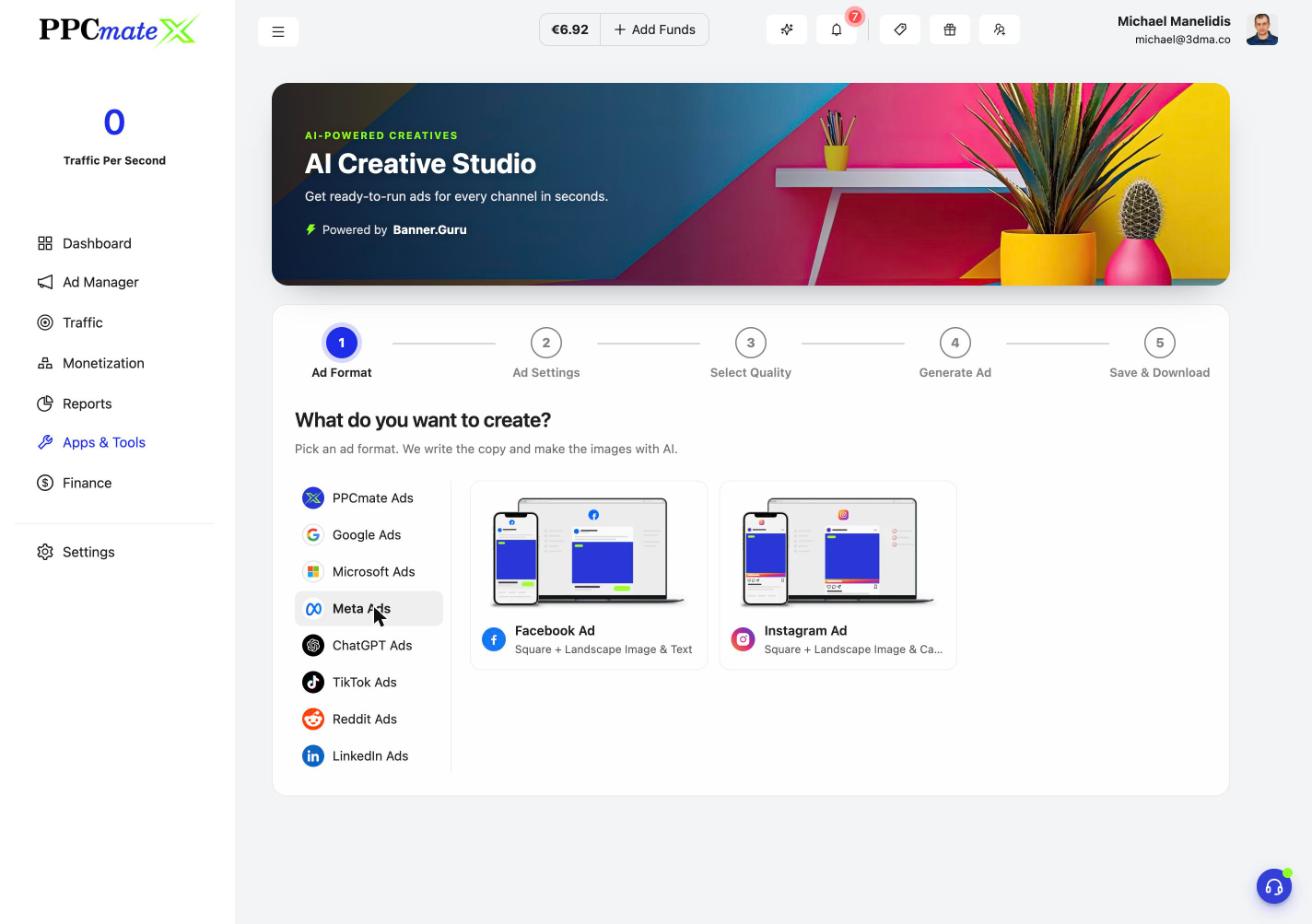
2. AI ads for every channel
AI Studio now makes Facebook, Instagram, LinkedIn, Reddit, ChatGPT, Google and Microsoft ads, as well as display banners, push and native. Every ad shows in its real platform frame at its real size, and you can use your own text, logo and business name.
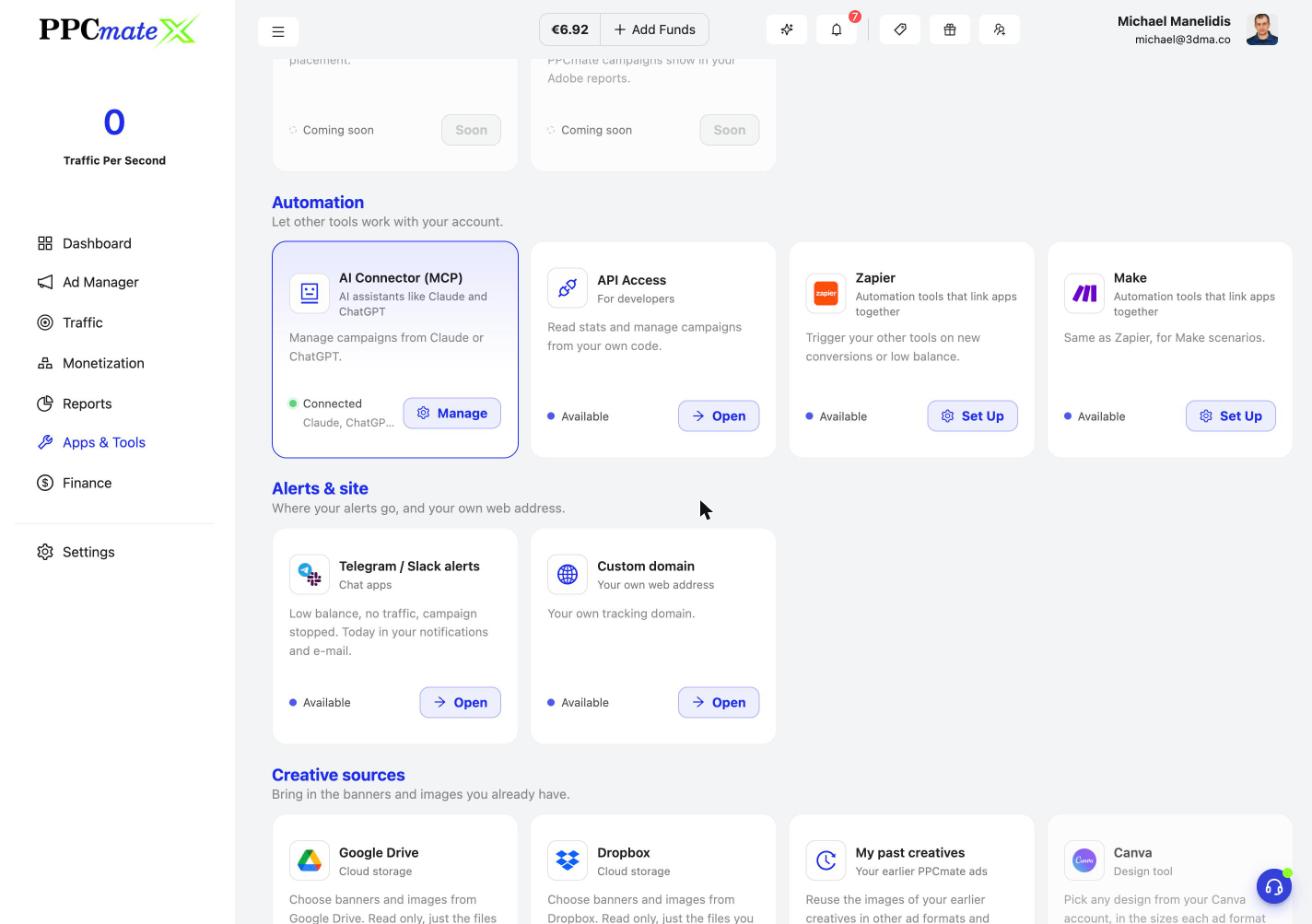
3. Zapier, Make and app installs
In Apps & Tools, Connected Apps, set up Zapier or Make to trigger your other tools on new conversions or a low balance. Running app campaigns? Connect AppsFlyer, Adjust or Branch and your installs count as conversions.
4. Suggest with AI everywhere
Every text field in the campaign form has an AI button: keywords (with monthly searches and bids), blocked keywords, callouts, ChatGPT topics and Reddit or YouTube interests. Keywords are now tidy checked lists with match type, searches and bid.
5. Know what ads pay on every channel
Google Search, Microsoft Search, ChatGPT, LinkedIn and Reddit campaigns get a What ads pay box with low, typical and high bids and Use buttons. Your bid gets one of four verdicts: below minimum, low, good or strong.
6. Campaign summary at a glance
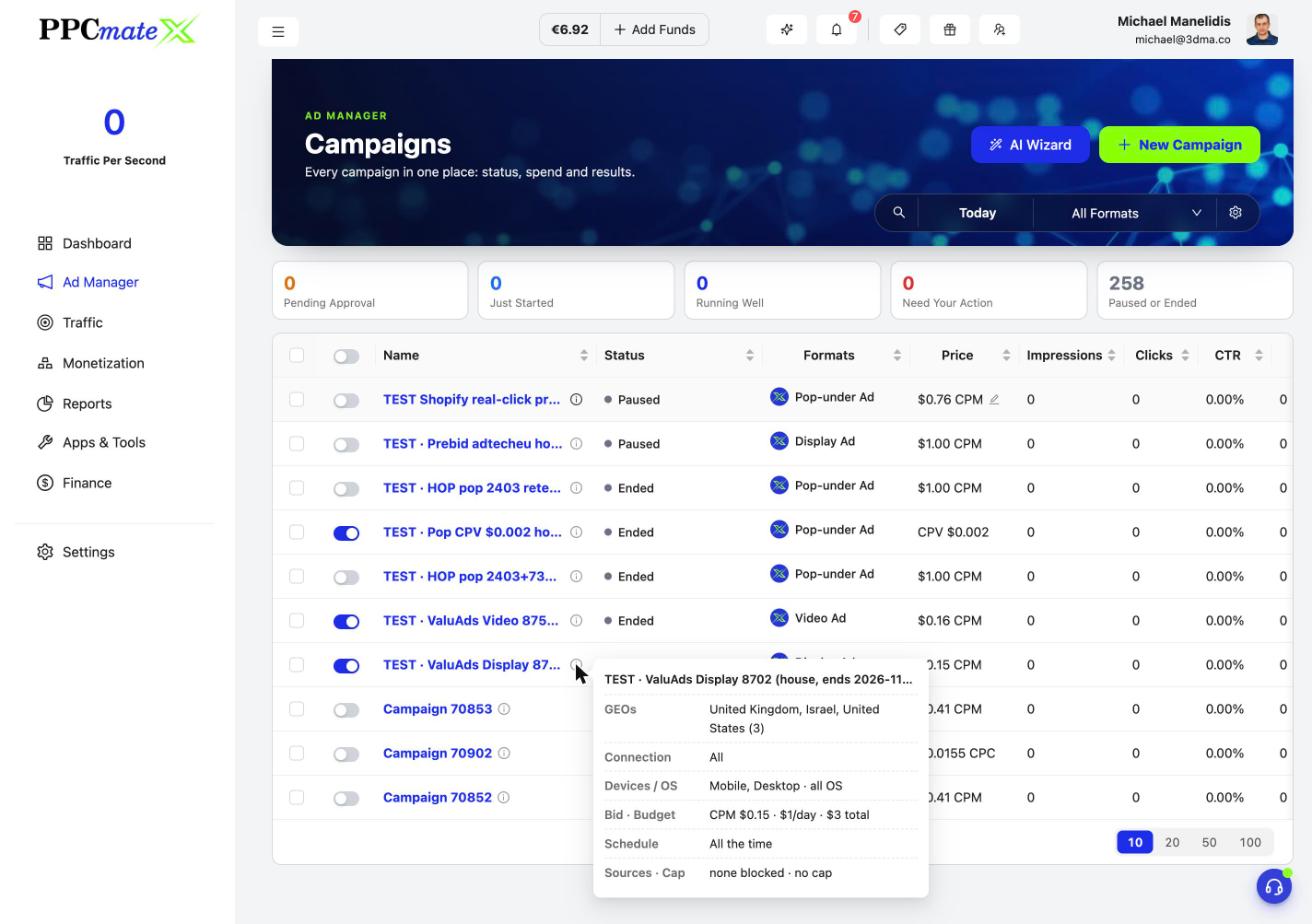
On the Campaigns list, hover a name or click the info icon to see a campaign’s countries, connection, devices, bid and budget, schedule and sources without opening it.
Also new
- Smarter rules: tags (up to 5), Import Rule from another campaign, Placement as a source type, Each Country level, Clicks (all time) and Stop At from -90% to +3000%.
- Orders sync with campaigns, with Spent and Remaining on the Orders list.
- Instant pages: the Dashboard, Reports, lists and Traffic pages come back at once when you return, then refresh quietly.
- All 23 languages reviewed by native speakers, with short menu names and your local VAT words.
- Inline bid edit now works for Smart pricing, ChatGPT AutoBid and Google auto strategies.
- Tidier campaign page: Keywords, Placements and Quality Receipt fold into bars, and the Bid Funnel shows its headers.
- Trackers: a conversion status badge, and a hint when you have more than one tracker.
- Dashboard map works even when the map service is slow.
- One calm loader per page, and the top bar stays visible while pages load.
Frequently asked questions
What's new in PPCmate in the 16 November 2026 release?
Campaign Watch alerts with a suggested fix; Zapier and Make connections; app-install tracking with AppsFlyer, Adjust and Branch; AI Studio ads for Facebook, Instagram, LinkedIn, Reddit, ChatGPT, Google and Microsoft; Suggest with AI in every text field; What ads pay bid boxes on every channel; rule tags and Import Rule; a campaign summary card; order auto-sync; instant pages; and all 23 languages reviewed by native speakers.
What is Campaign Watch?
PPCmate checks your campaigns every hour. If one stops running, you get a 'Your campaign isn't running' message with the reason and a suggested fix. For bid problems, Fix and Start applies the fix and restarts the campaign in one click.
Can I connect PPCmate to Zapier or Make?
Yes. Open Apps & Tools, then Connected Apps, and click Set Up on the Zapier or Make tile. You can trigger your other tools on new conversions or a low balance.
Can PPCmate track app installs?
Yes. Connect AppsFlyer, Adjust or Branch in Connected Apps and your installs are counted as conversions on your campaigns.
Which ads can AI Studio create?
Display banners, push notifications and native ads, plus Facebook, Instagram, LinkedIn, Reddit, ChatGPT, Google and Microsoft ads, each shown in its real platform frame. You can use your own text, logo and business name.
How do I get PPCmate product updates first?
Join the PPCmate Telegram channel at t.me/ppcmate. Every release is posted there as soon as it ships, and all changes are listed in the release notes at ppcmate.com/releases.