B2B Advertising on PPCmate: A Step-by-Step Guide
Selling to businesses is a different job from selling to consumers. You don’t want “everyone aged 25 to 54”. You want the finance team at a few hundred companies, the IT buyers in one industry, or the people already sitting in your CRM. PPCmate now has the tools for that: Microsoft Audience campaigns that target by company, industry and job function, customer lists that run on Google, Microsoft and Meta, and connectors that pull contact lists from HubSpot, Apollo.io and Dealfront.
This guide follows the order a B2B marketer would actually work in, from picking the goal to reading the results. Everything in this guide is available to every PPCmate advertiser.
What You Need Before You Start
- A PPCmate account with a balance. You don’t need your own Microsoft, Google or Meta ad account. PPCmate builds and runs the campaigns on those networks for you.
- A clear picture of your buyer: target companies, industries and the job functions that sign off on a purchase.
- An image ad: one landscape image (1200 × 628 recommended), a business name, short headlines and a description.
- Optional: a customer or prospect list. This can be a CSV export, or a HubSpot, Apollo.io or Dealfront account you can create an API key in.
- Optional but recommended: conversion tracking on your landing page or in your CRM, so you can judge the campaign on leads rather than just clicks.
Step 1: Pick the B2B Goal
Go to Campaigns → New Campaign. The picker starts by asking about your goal instead of an ad format.
- Choose a goal: Sales and leads, Website traffic, Brand awareness or App installs.
- Switch the audience to Businesses (B2B) instead of Consumers (B2C).
- Set your daily budget with the slider.
PPCmate then suggests up to three formats that fit that goal and budget. For B2B traffic and awareness goals, Microsoft Audience is one of the suggestions. For B2B sales and leads, search formats (Google Search, Microsoft Search) come first, because people searching for your category are already in buying mode. Where we have enough real click data, a suggestion shows an estimate of clicks per day for your budget. If you’d rather look at everything yourself, click See all formats.
Step 2: Create a Microsoft Audience Campaign
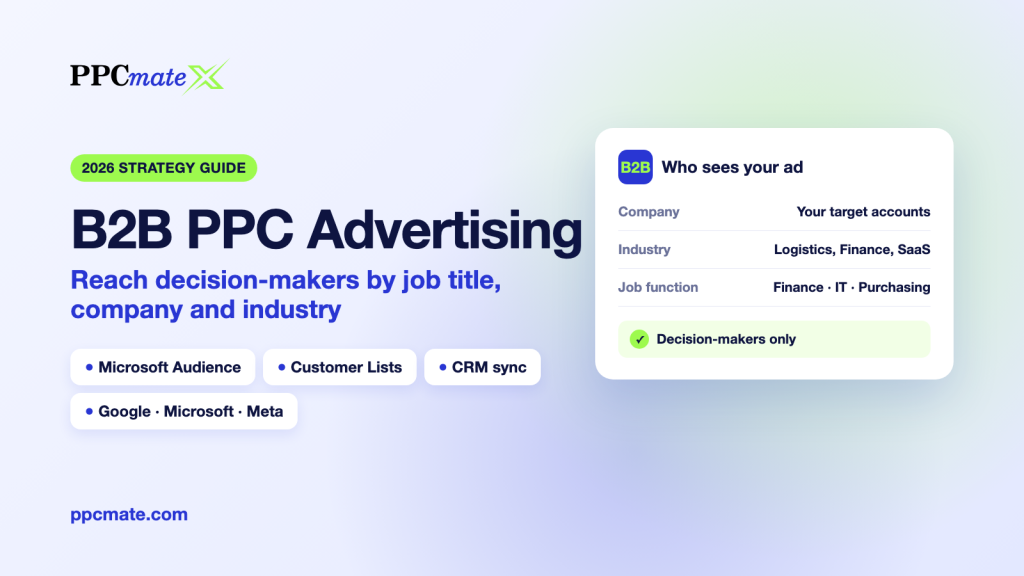
Microsoft Audience campaigns show image ads on MSN, Outlook, Microsoft Edge and Microsoft’s partner sites. What makes them useful for B2B is Microsoft’s LinkedIn profile targeting: you can aim ads at people by the company they work for, their industry and their job function.
2a. Choose who should see the ad
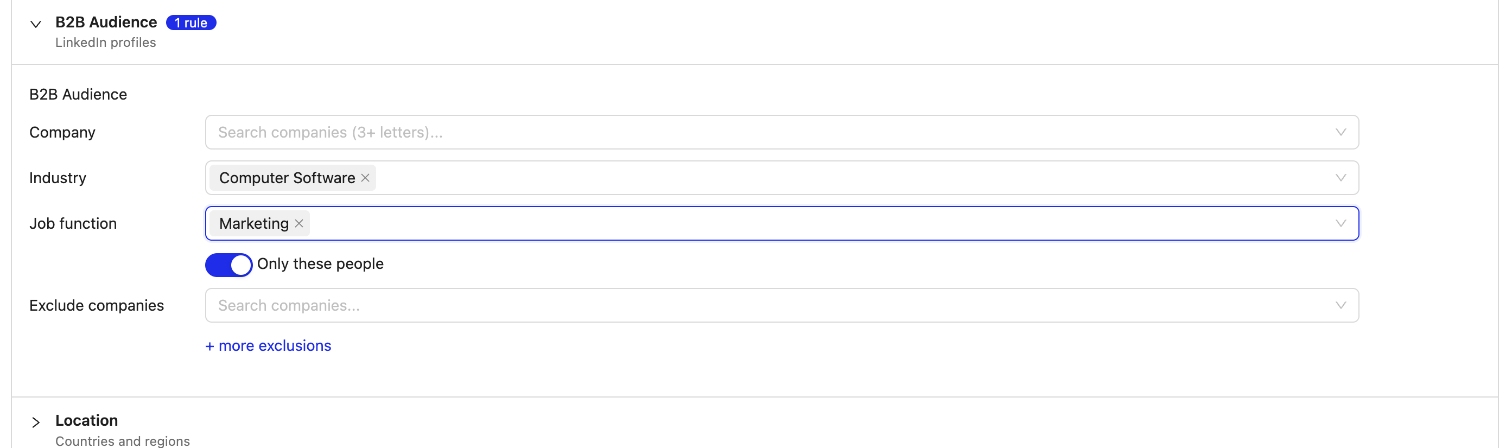
Open the B2B Audience section of the campaign form (under Targeting):
- Company: type at least three letters and pick companies from Microsoft’s list.
- Industry: pick one or more industries.
- Job function: pick the functions you sell to, such as Finance, Purchasing or Information Technology.
You need at least one company, industry or job function. B2B targeting works in six countries: the United States, United Kingdom, Canada, Australia, France and Germany.
2b. Target or bid higher
The Only these people switch decides how strict the targeting is:
- On (default): only people who match your picks see the ad. Use this for account-based campaigns with a tight list.
- Off: your ads can reach everyone, and the people you picked get a higher bid (+30% by default, adjustable). Use this when the audience you picked is small and you still want volume.
2c. Exclude who you don’t want
Under Exclude companies, add competitors and existing customers you don’t want to pay for. Click + more exclusions to exclude industries or job functions too. For example, you can exclude Education if students keep clicking.
2d. Build the ad, set budget and bid
- Image: 1200 × 628 recommended, at least 703 × 368. Microsoft crops other shapes from it.
- Business name (up to 25 characters), headlines (up to 30), a long headline and a description (up to 90 each).
- Budget: at least $5 a day. Max CPC: at least $0.30. Bidding is Enhanced CPC.
Save, and PPCmate creates the campaign on Microsoft. Microsoft reviews the ad before it starts serving. One honest note: clicks from senior B2B audiences cost more than clicks from broad consumer traffic, and a very narrow company list may serve slowly. If you see few impressions, add companies, widen the job functions or raise the CPC.
Step 3: Build a Customer or Prospect List
Profile targeting reaches people like your buyers. A list reaches the actual people you already know: open opportunities, past customers, webinar sign-ups, a prospect list from sales. There are three ways to build one.
Option A: Upload hashed e-mails
On Audiences → Connect Audience Data, click Upload IDs on the Any file tile and upload a CSV with one value per line: SHA-256 hashed e-mail addresses (or mobile device IDs). Tick the permission line to confirm these are your own customers who agreed to receive ads.
Option B: Upload a contact file
Not keen on hashing it yourself? On the same Any file tile, click Upload e-mails and drop in a normal CSV export from any tool. We read only the e-mail column, hash each address with SHA-256 as it arrives and skip every other column.
Option C: Connect your CRM or B2B data tool
In the CRM & B2B data section of Connect Audience Data, connect your own account with your own key:
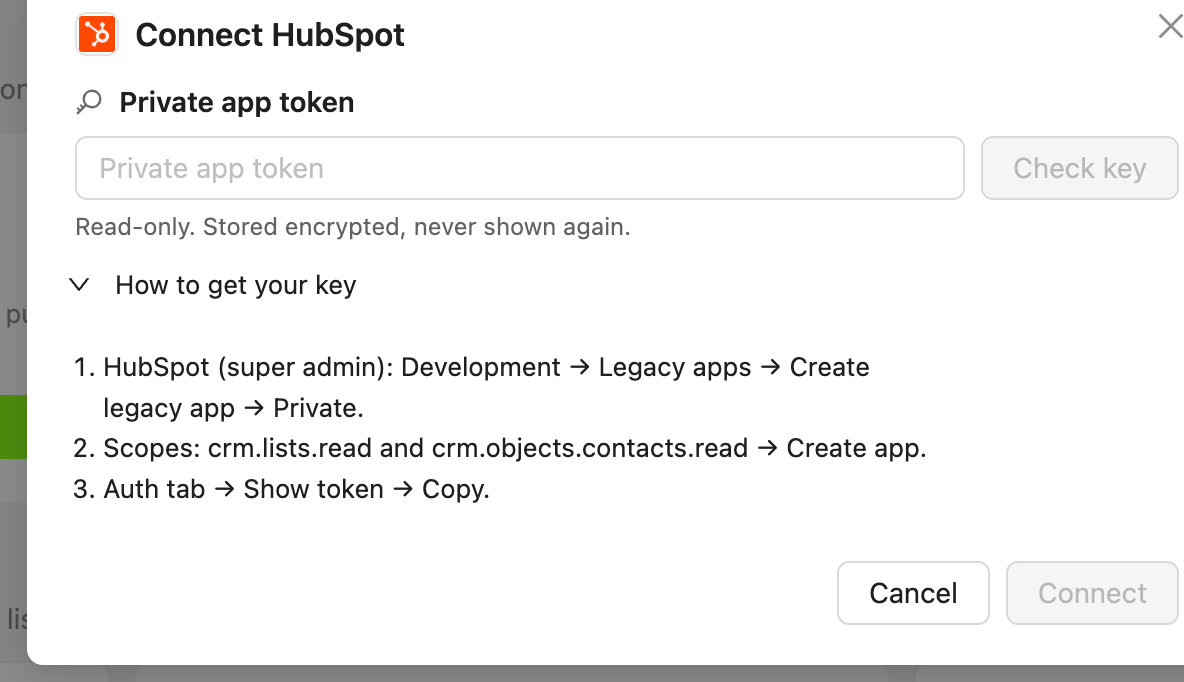
- HubSpot: a private app token with read access to lists and contacts.
- Apollo.io: an API key. Apollo’s API needs a paid Apollo plan.
- Dealfront: an API key. Dealfront charges its own credits for contacts you haven’t opened in the last 12 months, and the form warns you before you connect.
- ZoomInfo: coming later. For now, export the list from ZoomInfo as a CSV and use Option B.
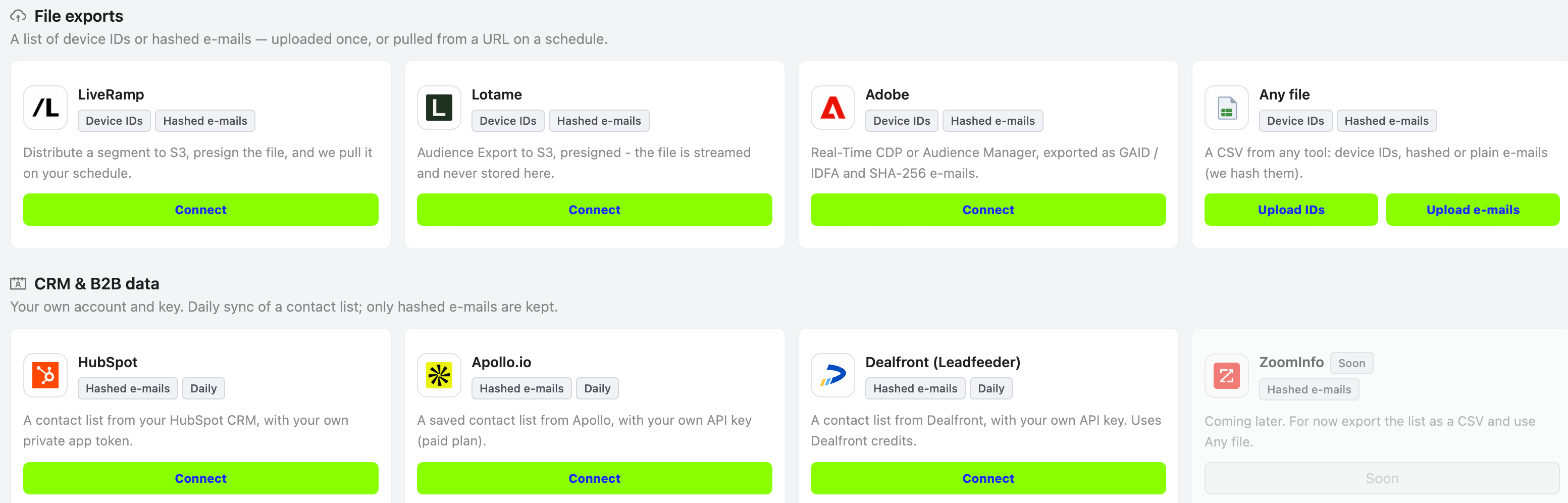
Click Check key, pick the list, choose Daily updates (or Once), tick the permission box and click Connect. The first copy takes a few minutes and shows as Preparing…. After that, the list refreshes every day, so new contacts in your CRM list are picked up automatically.
Lists need at least 300 people before the networks can use them. Expect lower reach than with consumer lists: people often sign up with their work e-mail, and work e-mails match ad accounts less often than personal ones.
Step 4: Use the List on Google, Microsoft and Meta
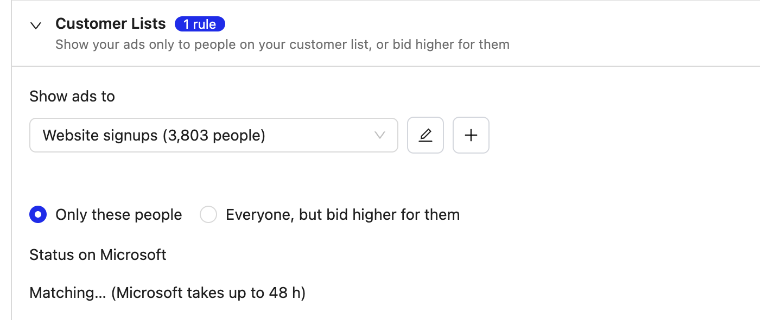
Each list can go to several networks. In the list’s upload window, under Also use on, tick the networks you want. Then, in a campaign, open the Customer Lists section and use Show ads to to choose the list and how to use it. Lists with nothing uploaded yet show greyed out as (empty - upload a list first).
- Only these people: the ad shows only to people on your list. The campaign waits until the network has matched the list, then starts on its own.
- Everyone, but bid higher for them (Google and Microsoft): the ad reaches everyone, with a higher bid for the people on your list.
- Find similar people (lookalike) (Facebook and Instagram): Meta finds new people who resemble your list, in the campaign’s countries. Pick Closest (1%) or Wider (5%).
| Network | Campaigns | Matching time | Status |
|---|---|---|---|
| Google (Customer Match) | Google Search, Google Display | 6 to 48 hours | Live for all |
| Microsoft (Customer Match) | Microsoft Search, Microsoft Audience | Up to 48 hours | Live for all |
| Meta (Custom Audiences + lookalikes) | Facebook, Instagram | Up to 24 hours | Live for all |
A good B2B pattern is to combine the two approaches: a Microsoft Audience campaign aimed at job functions in your target industries, plus a Google Search campaign that bids higher for the people already in your pipeline. If you’re new to lookalikes, our explainer on lookalike audiences covers how they work.
Step 5: Track Conversions
B2B clicks are expensive, so judge them on leads, not on click-through rate.
- Add a conversion tracker for the campaign: a pixel on your thank-you page, or a postback from your CRM or tracker.
- Keep PPCmate’s click ID in your landing page URL, so each lead can be tied back to the campaign that produced it.
- Add UTM tags too, so your own analytics shows the same campaigns side by side.
Conversion tracking for Google clicks is live. Counting conversions from Microsoft and Meta clicks is rolling out, so in the meantime check those campaigns against your own analytics and CRM. If you use a third-party tracker, see our guide to postback tracking with Voluum, RedTrack and Binom.
Step 6: Read the Results and Adjust
- Campaign Health Check tells you whether the campaign is live on the network, waiting for review or refused, and why.
- Reports show spend, impressions, clicks and conversions by campaign and day.
- On the Audiences page, hover over a list to see how many people each network matched, or why a list is still waiting.
Give a new B2B campaign a few days before judging it. If impressions are low, widen the targeting first and raise the bid second. If clicks come in but leads don’t, look at the landing page and the job functions you picked before you touch the budget.
How We Handle Your Data
We store e-mail addresses only as SHA-256 hashes. When you upload a contact file or connect a CRM, each address is hashed the moment it arrives, and the readable address is never kept. Every list needs your confirmation that the people on it are your own contacts and that you may use them for advertising. API keys are stored encrypted and never shown again. If you disconnect a source, the key is erased and the audience is deleted, also from Google, Microsoft and Meta. Section 14 of our privacy policy describes how lists are shared with connected advertising platforms.
For click-by-click help with each feature, including connecting HubSpot, Apollo.io and Dealfront and what every list status means, see the B2B Advertising section of the PPCmate help center.
Frequently Asked Questions
Do I need a LinkedIn, Microsoft or Google ad account?
No. PPCmate runs the campaigns on Microsoft, Google and Meta for you and charges your PPCmate balance. The company, industry and job function targeting comes from LinkedIn profile data that Microsoft makes available in its own ad platform.
Which countries does B2B targeting work in?
Company, industry and job function targeting on Microsoft Audience works in the United States, United Kingdom, Canada, Australia, France and Germany.
How big does my customer list need to be?
Plan for at least 300 people. Microsoft uses a list from about 300 matched people. Google needs about 1,000 matched people for Search and about 100 for Display. Meta only shows a size range and doesn’t show very small lists.
Why is my matched count lower than my list?
Networks can only match people who use the same e-mail address with them. B2B lists are mostly work addresses, and those match less often than personal ones. A match rate well below 100% is normal.
Does PPCmate see my CRM contacts?
We read only the e-mail field of the list you choose, hash it straight away and keep the hash. No other fields are copied.
Do I need a paid plan with my CRM or data tool?
HubSpot works with a private app token on any plan. Apollo.io’s API needs a paid Apollo plan, and Dealfront charges its own credits for contacts you haven’t opened in the last 12 months. A direct ZoomInfo connection is coming soon; until then, export a CSV from ZoomInfo and upload it as a contact file.