Push ads can help advertisers reach users with short, direct messages on mobile and desktop devices. They are useful for traffic, lead generation, app installs, e-commerce offers, affiliate campaigns, and retargeting.
A push ad network connects advertisers with publishers that have push traffic available. Instead of building your own subscriber list, you can buy traffic through the network, set targeting, upload creatives, and optimize results from one platform.
Key Takeaways
- A push ad network helps advertisers buy push traffic from publisher sources.
- Push ads usually include a title, message, icon, image, URL, and CTA.
- Targeting, tracking, and source-level optimization are key to better results.
- Start with a small test budget before scaling.
- Review CTR, CPC, conversions, CPA, and source quality before increasing spend.
What Is a Push Ad Network?
A push ad network is a platform where advertisers buy push notification traffic. The network connects advertisers with publisher inventory and helps deliver ads to users who match campaign rules.
Push ads are short messages that appear like notifications. They can drive fast clicks because they appear directly on a user’s device or browser. Advertisers often use targeted push traffic for time-sensitive offers, lead generation, affiliate campaigns, and product promotions.
How Push Ads Work
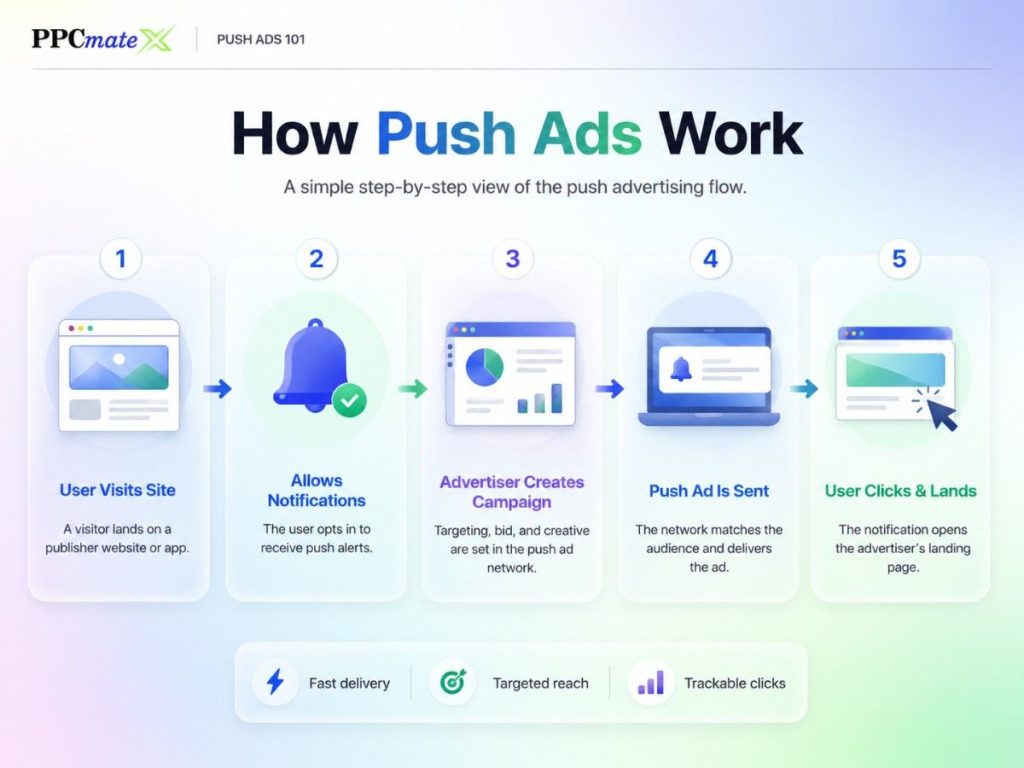
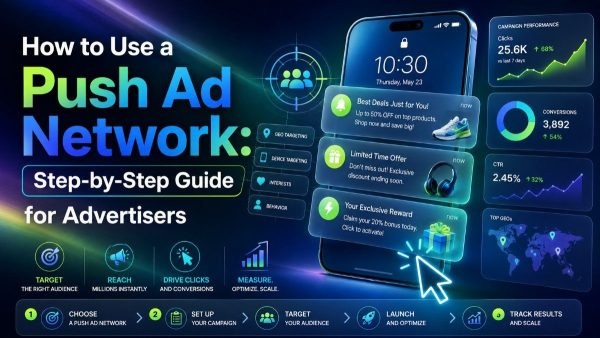
Push ads usually follow a simple flow:
- A user allows notifications on a website or app.
- The publisher makes that user available through a push ad network.
- The advertiser creates a campaign with targeting, bids, and creatives.
- The network sends the ad to users who match the campaign settings.
- The advertiser tracks clicks, conversions, and traffic quality.
Some networks also offer in-page push. This format looks like a push notification but appears inside a website page. It can reach users without a browser subscription, which makes it useful for broader reach and some iOS traffic.
Classic Push vs In-Page Push
| Type | How it works | Best for |
| Classic push | Sent to users who opted in to receive notifications | Direct-response campaigns, retargeting, fast clicks |
| In-page push | Appears on the page and does not require subscription | Wider reach, iOS traffic, content-style campaigns |
Advertisers often test both formats. Classic push can work well when the offer needs direct attention. In-page push can work well when you want a native-style message inside the browsing experience.
How to Use a Push Ad Network Step by Step
Step 1: Set a Clear Campaign Goal
Before you launch, decide what action matters most.
Common goals include:
- Website visits
- Leads
- Sales
- App installs
- Signups
- Retargeting clicks
- Affiliate conversions
Do not start with “more traffic” as the only goal. A push campaign needs a clear success metric, such as target CPA, conversion rate, or return on ad spend.
Step 2: Choose the Right Offer and Landing Page
Push ads work best when the offer is easy to understand. Users should know why they clicked within a few seconds.
Your landing page should:
- Match the ad message
- Load fast on mobile
- Show one clear CTA
- Avoid too many distractions
- Track conversions properly
For mobile campaigns, strong landing page fit matters. Device, OS, and connection quality can affect results, so use mobile buying basics before scaling traffic.
Step 3: Pick Targeting Settings
Targeting helps you avoid buying broad traffic that does not fit your offer.
Start with basic targeting:
- Country or region
- Device type
- Operating system
- Browser
- Language
- Connection type
- Carrier or ISP
- Source or publisher segment
For early tests, avoid making targeting too narrow. You need enough traffic to collect data. After you see results, tighten targeting around the best-performing segments.
Step 4: Choose a Pricing Model and Budget
Many push campaigns use CPC because advertisers pay for clicks. Some platforms may also support CPM or CPA-focused optimization.
Set limits before launch:
- Daily budget
- Total budget
- Bid amount
- Frequency cap
- Test budget per geo or source
Start small. The goal of the first test is not to scale fast. The goal is to find which creatives, geos, devices, and sources can produce useful data.
Step 5: Create Push Ad Creatives
Push ads are small, so every element matters.
A strong push ad usually includes:
- Short title
- Clear message
- Relevant icon
- Simple image
- Direct CTA
- Accurate landing page URL
Keep the title clear. A user should understand the offer quickly. Use the description to explain the benefit, not to add vague hype.
Push ads can also be compared with other formats when planning creative angles. For example, push and native may both feel less disruptive than standard banners, but push ads are more direct and notification-style.
Step 6: Set Up Tracking Before Launch
Tracking should be ready before the campaign goes live.
At minimum, track:
- Clicks
- Conversions
- Conversion rate
- CPA
- Revenue
- Source ID
- Device and OS
- Campaign and creative ID
Use UTM tags, tracking pixels, or postback URLs where possible. Without tracking, you may see clicks but not know which traffic actually converts.
Step 7: Launch a Small Test
Launch with a controlled budget. Test one main variable at a time.
A simple first test can include:
- 1 offer
- 1 landing page
- 2–4 creatives
- 1–3 geos
- 1 device group
- Clear daily spend limit
Let the campaign collect enough clicks before making major changes. Pausing too early can remove sources before you have useful data.
Step 8: Read the First Results
Review performance by source, device, OS, geo, and creative.
Important metrics include:
| Metric | What it tells you |
| CTR | Whether the creative gets attention |
| CPC | How much each visit costs |
| CVR | How well traffic converts |
| CPA | Cost per lead, sale, install, or signup |
| ROI/ROAS | Whether the campaign is profitable |
| Source quality | Which placements should be scaled or blocked |
High CTR is helpful, but it is not enough. A creative can get clicks and still fail if users do not convert.
Step 9: Optimize Bids, Sources, and Creatives
Optimization is where push campaigns improve.
Common actions include:
- Pause weak creatives
- Increase bids on strong sources
- Lower bids on expensive segments
- Block low-quality sources
- Build whitelists from converting sources
- Test new images and titles
- Adjust frequency caps
- Split campaigns by device or geo
Use performance data instead of guesses. If one source spends without conversions, block or reduce it. If one source converts well, test more budget carefully.
Step 10: Scale What Works
Scale only after you find stable results.
You can scale by:
- Raising daily budget
- Expanding to similar geos
- Adding more creatives
- Testing related offers
- Creating whitelist campaigns
- Testing other ad formats
When push traffic works, it can also support a wider media plan. Some advertisers compare push and pop traffic to test different levels of volume, cost, and user intent.
Common Push Ad Network Mistakes
Avoid these mistakes:
- Launching without conversion tracking
- Using broad targeting too early
- Testing too many variables at once
- Judging only by CTR
- Ignoring source-level data
- Sending users to slow landing pages
- Scaling before CPA is stable
- Using misleading creatives
Push ads can drive fast traffic, but they still need careful testing. Good campaigns are built from small tests, clean data, and steady optimization.
How PPCmate Helps Advertisers Use Push Ads
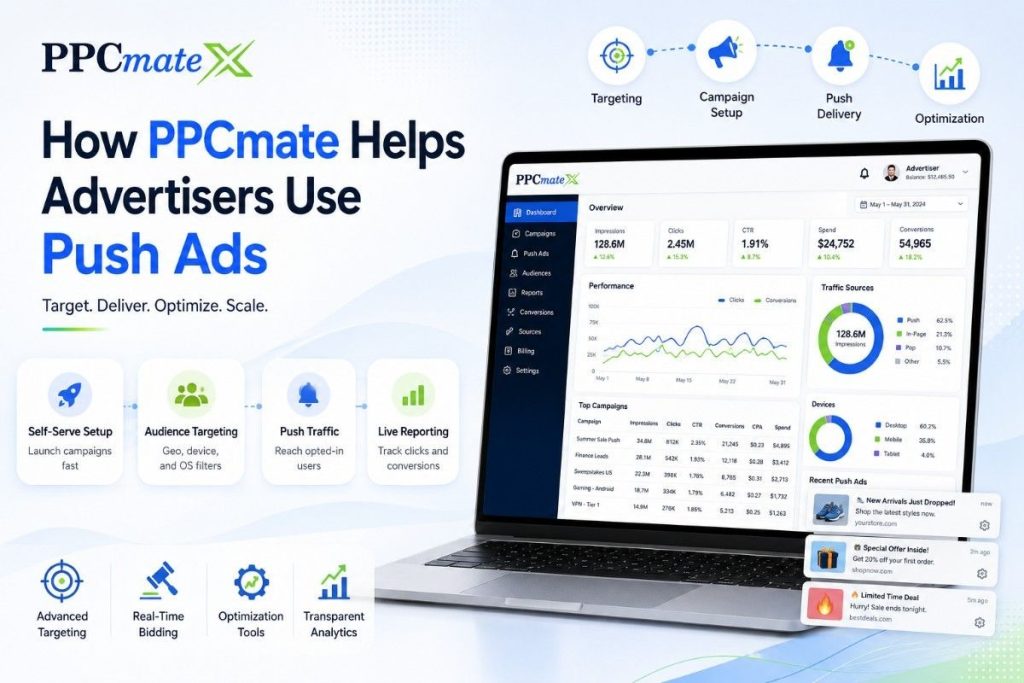
PPCmate helps advertisers run push notification campaigns with CPC buying, mobile and desktop reach, text/banner/link creatives, and manual optimization controls. Its push page positions the format around immediate clicks, high engagement, and direct user attention.
Advertisers can also combine push with other PPCmate formats like pop-under traffic, native placements, display campaigns, and video traffic when they need broader testing across the funnel.
Ready to Launch Push Ads With More Control?
PPCmate gives advertisers a flexible way to buy push notification traffic across mobile and desktop devices. You can test creatives, control budgets, target useful segments, review performance data, and optimize campaigns from one platform.
Whether you are an affiliate, agency, e-commerce team, or media buyer, PPCmate helps you launch, track, and improve push ad campaigns with more control.
FAQs
What is a push ad network?
A push ad network is a platform where advertisers buy push notification traffic from publisher sources. It helps manage targeting, bids, creatives, budgets, and reporting.
Are push ads good for beginners?
Yes, push ads can work for beginners if the campaign starts with a small budget, clear targeting, simple creatives, and proper tracking.
What pricing model is common for push ads?
CPC is common because advertisers pay when users click. Some platforms may also support CPM or CPA-focused optimization.
What should I test first in a push campaign?
Start by testing creatives, geos, devices, and landing page performance. Do not test too many variables at the same time.
How do I improve push ad performance?
Improve performance by tracking conversions, blocking weak sources, increasing bids on strong segments, testing new creatives, and scaling only after results are stable.