M
Display ads and banner ads are closely related, but they are not exactly the same.
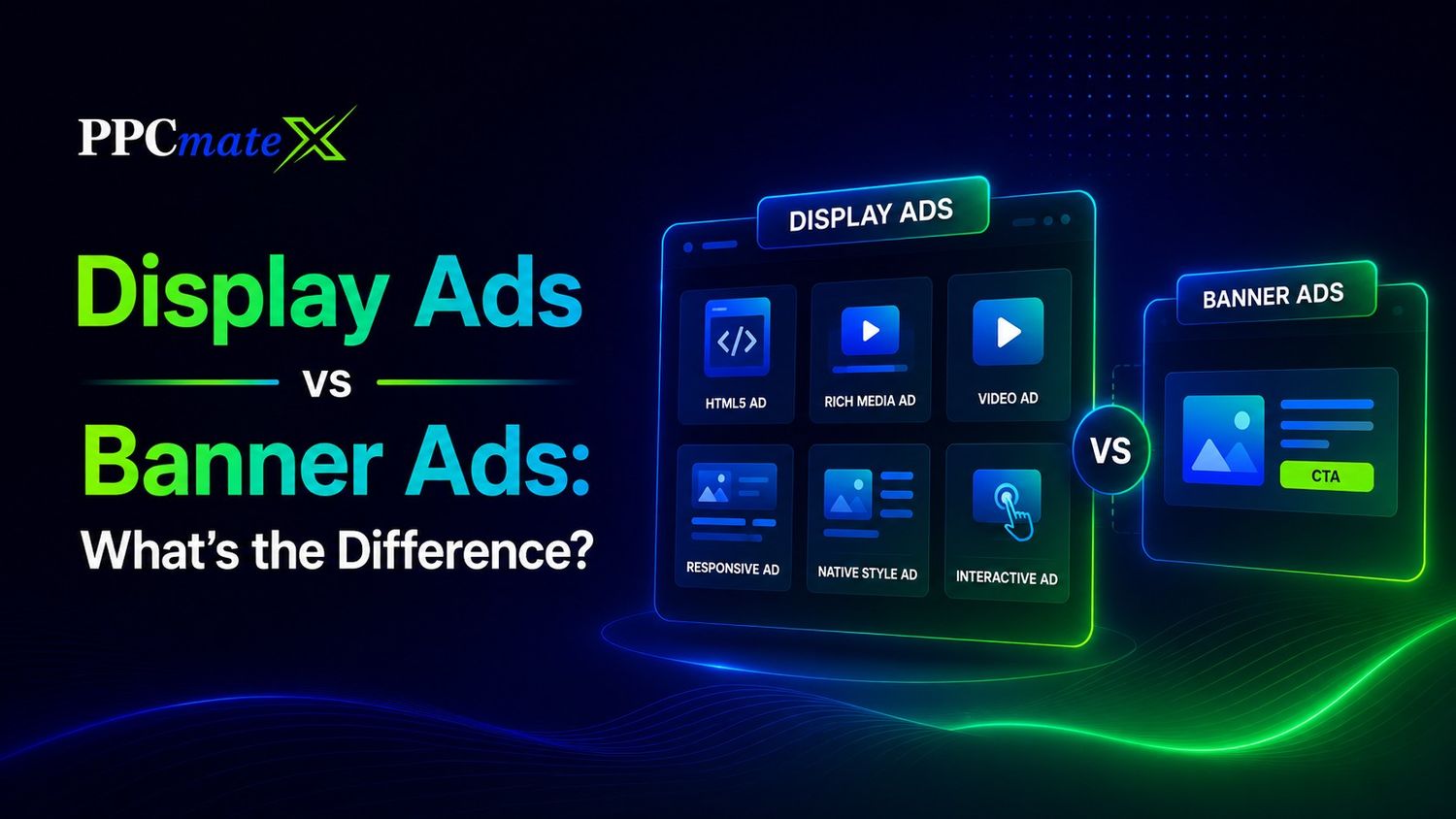
When comparing Display Ads vs Banner Ads: What’s the Difference, the key point is that a banner ad is one type of display ad. Display ads are the larger category. They can include banners, HTML5 ads, rich media, responsive ads, native-style visual ads, and video placements.
For advertisers, this difference matters because it affects creative design, targeting, budget control, and campaign performance.
Key Takeaways
- Display ads are the broader ad category.
- Banner ads are a specific display ad format.
- Banner ads are usually rectangular image, GIF, or HTML5 units.
- Display ads can include banners, rich media, video, responsive ads, and interactive creatives.
- Banner ads are best for simple messages, retargeting, and broad reach.
- Display ads give advertisers more format flexibility and campaign control.
- The best choice depends on the goal, creative assets, audience, placement, and budget.
What Are Display Ads?
Display ads are visual advertisements that appear across websites, mobile apps, and digital platforms. They typically combine images, headlines, logos, and calls to action to capture attention and encourage users to click. Advertisers use visual ad placements to reach audiences while they browse content, compare products, shop online, read articles, or use mobile applications.
These ads support a wide range of marketing goals, including brand awareness, website traffic, lead generation, e-commerce sales, affiliate promotions, app installs, retargeting, and product launches. Display campaigns can run through ad networks, DSPs, direct publisher partnerships, or programmatic platforms, giving advertisers flexibility in how they buy, target, and optimize traffic.
Common Display Ad Formats
Display advertising can include many formats:
| Display Format | What It Means | Best For |
| Static banner | Fixed image ad | Simple offers and brand reach |
| Animated GIF | Moving image ad | More visual attention |
| HTML5 ad | Interactive or animated creative | Stronger engagement |
| Responsive display ad | Ad adjusts to placement size | Wider inventory coverage |
| Rich media ad | Interactive creative experience | Product demos and engagement |
| Video display ad | Visual ad with motion | Awareness and explanation |
| Interstitial ad | Full-screen placement | High visibility campaigns |
A Complete Display Ads guide can help advertisers plan formats, targeting, bidding, and optimization before launching.
What Are Banner Ads?
Banner ads are rectangular ads placed inside digital pages or app placements.
They are one of the oldest and most common display ad formats.
A banner ad usually appears:
- At the top of a page
- In the sidebar
- Between content sections
- At the bottom of a page
- Inside mobile app screens
Banner ads can be static, animated, or built in HTML5. They are often used because they are simple to create, easy to scale, and supported by most traffic sources.
Advertisers who want better banner creative should keep the message short, make the CTA clear, and match the landing page to the offer.
Display Ads vs Banner Ads: Core Difference
The main difference is scope.
Display ads are the full category. Banner ads are one format inside that category.
| Factor | Display Ads | Banner Ads |
| Meaning | Broad visual ad category | Specific rectangular ad format |
| Formats | Banner, HTML5, rich media, video, responsive | Static, GIF, or HTML5 banner |
| Placement | Websites, apps, publisher inventory, digital channels | Page header, sidebar, footer, in-content, app slots |
| Creative flexibility | Higher | More limited |
| Buying method | CPM, CPC, CPA, programmatic, direct | Mostly CPM or CPC |
| Best use | Awareness, retargeting, traffic, engagement, conversions | Simple offers, retargeting, wide reach |
| Main strength | More format and targeting options | Fast launch and easy scaling |
| Main limit | Needs more planning and testing | Limited space and lower message depth |
Simple Way to Understand the Difference
Think of display advertising as a toolbox that contains different creative formats and placement options. Banner ads are one tool inside that toolbox, designed to deliver a simple visual message across websites and apps. They represent a specific format rather than an entirely separate advertising channel.
A banner can be part of a display campaign, but a display campaign does not have to rely only on banners. Advertisers can also use responsive ads, HTML5 creatives, rich media units, and video placements. This broader range of formats gives display campaigns more flexibility for different marketing goals and audience behaviors.
That is why many advertisers compare banner ads with other display formats instead of treating them as two separate channels. The real decision is often about choosing the right creative format within a display strategy. Understanding this relationship helps advertisers select formats that match campaign objectives, budgets, and user intent.
How Display Ads Work
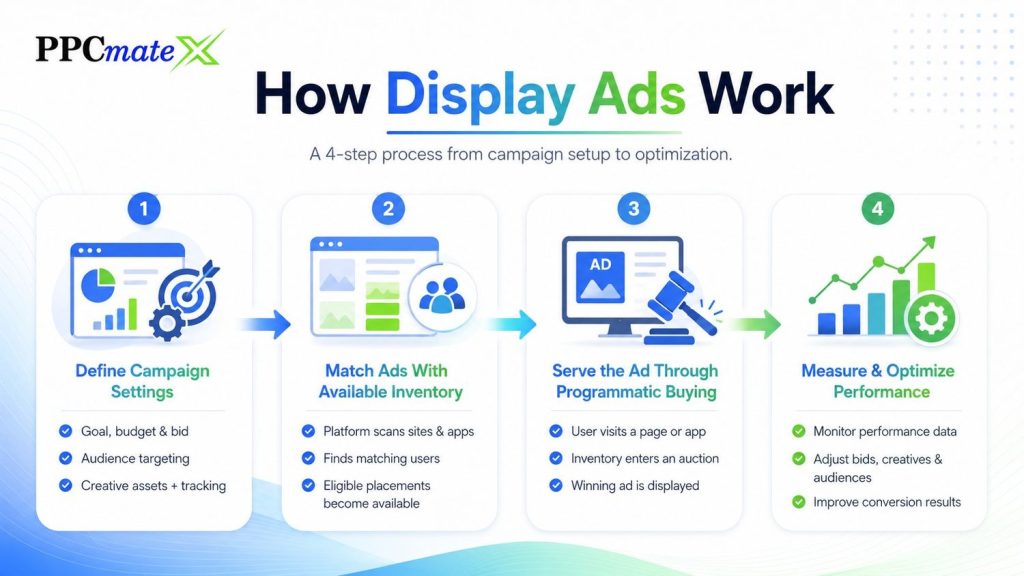
Display ads work by matching campaign settings with available ad placements.
Step 1: Define Campaign Settings
Before an ad can be shown, the advertiser sets the key campaign parameters:
- Campaign goal
- Brand awareness
- Traffic generation
- Lead generation
- Sales or conversions
- Budget and bid
- Daily or total budget
- CPM, CPC, or CPA bidding strategy
- Audience targeting
- Geographic location
- Device type
- Audience segments
- Traffic sources or placements
- Creative assets
- Banner ads
- HTML5 creatives
- Responsive display ads
- Landing page destination
- Tracking setup
- Conversion tracking
- Analytics integration
- Performance measurement tools
Step 2: Match Ads With Available Inventory
Once the campaign is active, the advertising platform scans available ad placements across websites and apps.
The system compares the advertiser’s targeting settings with users who are currently browsing. Only users who match the campaign criteria become eligible to see the ad.
Step 3: Serve the Ad Through Programmatic Buying
In many display campaigns, ad delivery happens automatically through real-time bidding (RTB).
During this process:
- A user visits a website or app.
- Available ad inventory enters an auction.
- Advertisers compete based on targeting and bid settings.
- The winning ad is displayed to the user.
Step 4: Measure and Optimize Performance
After impressions begin, advertisers monitor campaign performance and make adjustments based on data.
Key optimization areas include:
- Traffic source quality
- Bid levels
- Audience segments
- Device performance
- Creative variations
- Conversion rates
A clear view of display ad delivery helps advertisers understand why targeting, bid levels, and source quality can change performance.
When to Use Display Ads
Use display ads when you need more flexibility than a standard banner can provide.
Display ads work well when:
- You want to test multiple creative formats.
- You need reach across websites and apps.
- You want to retarget past visitors.
- You need more control over targeting and traffic sources.
- Your offer benefits from visual explanation.
- You want to compare banners, HTML5, native, or video formats.
Display ads are often a strong fit for e-commerce, finance, apps, software, travel, lead generation, and affiliate offers.
Display Ads Are Best For
- Broad awareness
- Product visibility
- Retargeting
- Multi-format testing
- Funnel support
- Programmatic buying
- Source-level optimization
For campaigns that need both reach and control, a programmatic buying setup can help advertisers manage placements, bids, and formats from one platform.
When to Use Banner Ads
Use banner ads when your message is simple and visual.
Banner ads work best when:
- The offer is easy to understand.
- The CTA is direct.
- You need low-friction creative production.
- You want broad reach.
- You are running retargeting.
- You need fast A/B testing.
- You want to test traffic before using richer formats.
Banner ads are useful for flash sales, coupons, app offers, affiliate campaigns, brand reminders, and limited-time promotions.
Banner Ads Are Best For
- Simple offers
- Retargeting
- Brand reminders
- Fast campaign launches
- Broad traffic testing
- Low-cost awareness
- Landing page testing
The main rule is simple: do not overload a banner ad. Use one message, one visual idea, and one CTA.
Display Ads vs Banner Ads for Different Goals
| Campaign Goal | Better Choice | Why |
| Fast traffic test | Banner ads | Simple to create and launch |
| Brand awareness | Display ads | More formats and placements |
| Retargeting | Banner ads or display ads | Both can remind past visitors |
| Product demo | Display ads | Video or rich media can explain more |
| E-commerce sale | Banner ads | Clear offer and CTA work well |
| App install | Display ads | More mobile and responsive options |
| Lead generation | Display ads | Better targeting and format testing |
| Affiliate offer testing | Banner ads | Fast creative testing and traffic scaling |
Display Ads vs Banner Ads vs Search Ads
Display and banner ads reach users while they browse websites, apps, and online content. Search ads reach users when they actively type a query into a search engine.
The biggest difference is user intent. Search ads capture existing demand, while display and banner ads help create awareness, influence consideration, and support retargeting efforts.
Advertisers comparing search and display should focus on where the user is in the buying journey rather than looking only at the ad format.
| Factor | Display & Banner Ads | Search Ads |
| User Intent | Passive browsing | Active searching |
| Primary Goal | Awareness, consideration, retargeting | Demand capture and conversions |
| Ad Format | Visual creatives, banners, HTML5, rich media | Text-based search ads |
| Targeting | Audience, interests, placements, devices, geo | Keywords and search intent |
| Best Funnel Stage | Top and middle funnel | Middle and bottom funnel |
| Typical Strength | Broad reach and brand visibility | High-intent traffic |
Use search ads when users are already looking for a product, service, or solution. Use display or banner ads when you want to reach potential customers earlier in the journey, stay visible during consideration, or bring previous visitors back to your site.
Display Ads vs Native Ads
Native ads are also part of the wider paid traffic mix, but they look more like content recommendations, while display ads are designed to stand out visually.
| Factor | Display Ads | Native Ads |
| Appearance | Clearly identifiable as ads | Matches the look and feel of surrounding content |
| User Experience | More promotional and direct | More content-focused and less disruptive |
| Branding | Strong brand visibility | Softer brand presentation |
| Click Intent | Often driven by offers and CTAs | Often driven by curiosity and content interest |
| Best Use Cases | Awareness, retargeting, promotions | Content marketing, lead nurturing, discovery campaigns |
A native and display mix can help when a campaign needs both direct visual reach and softer content-based discovery.
Use display ads when you want clear branding and direct action. Use native ads when the offer needs more explanation before the click.
What to Track in Display and Banner Campaigns
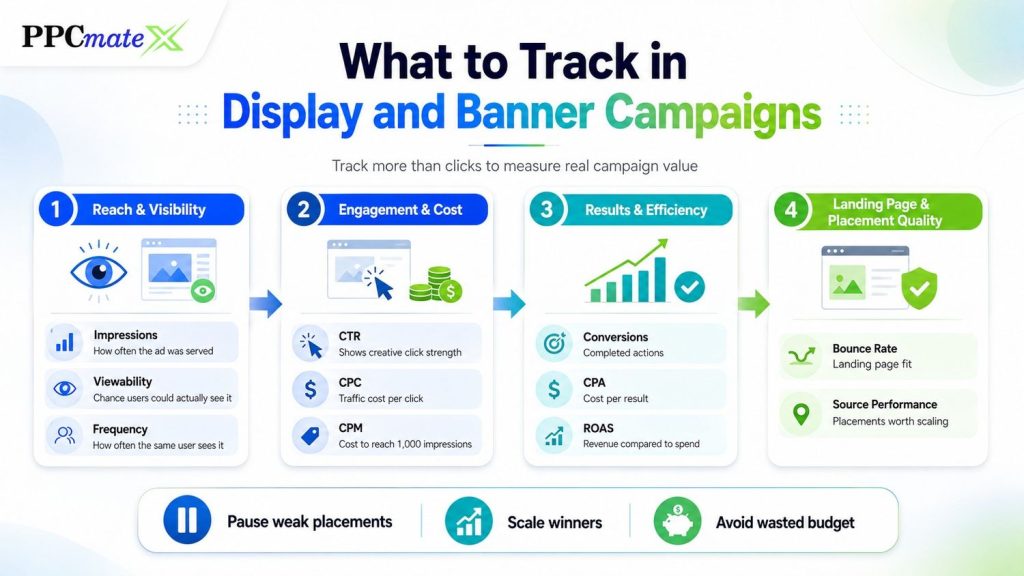
Do not judge display or banner ads by clicks alone.
Clicks show interest, but conversions show real campaign value.
Track these metrics:
| Metric | Why It Matters |
| Impressions | Shows how often the ad was served |
| Viewability | Helps judge whether users had a real chance to see the ad |
| CTR | Shows creative click strength |
| CPC | Shows traffic cost |
| CPM | Shows reach cost |
| Conversions | Shows completed actions |
| CPA | Shows cost per result |
| ROAS | Shows revenue compared to spend |
| Bounce rate | Shows landing page fit |
| Source performance | Shows which placements are worth scaling |
| Frequency | Shows how often the same user sees the ad |
A strong performance metrics plan helps advertisers pause weak placements, scale winners, and avoid wasted budget.
How to Choose Between Display Ads and Banner Ads
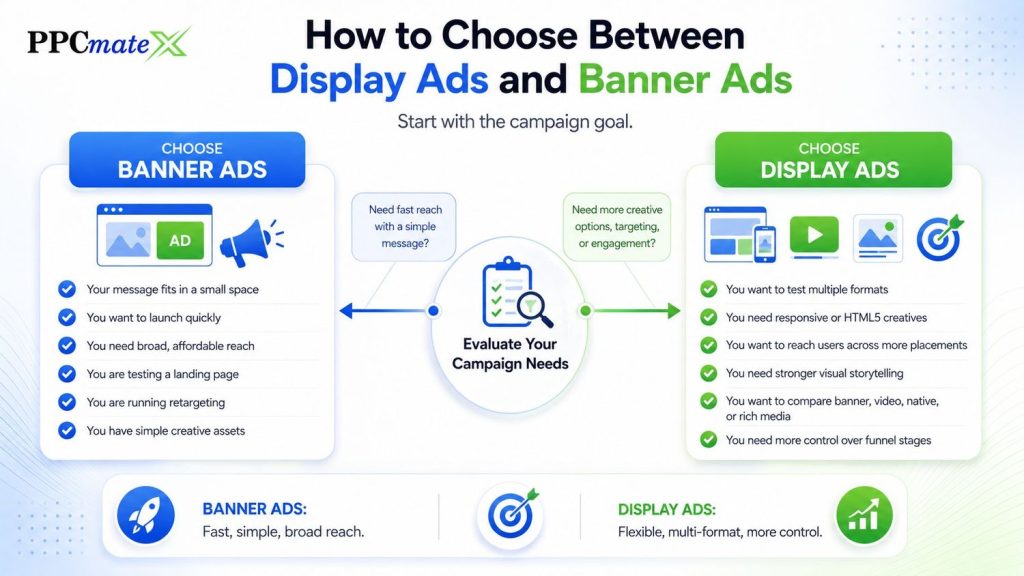
Start with the campaign goal.
If the goal is fast reach with a simple message, banner ads can be enough.
If the goal needs more creative formats, deeper targeting, or stronger engagement options, use a wider display campaign.
Choose Banner Ads If
- Your message fits in a small space.
- You want to launch quickly.
- You need broad, affordable reach.
- You are testing a landing page.
- You are running retargeting.
- You have simple creative assets.
Choose Display Ads If
- You want to test multiple formats.
- You need responsive or HTML5 creatives.
- You want to reach users across more placements.
- You need stronger visual storytelling.
- You want to compare banner, video, native, or rich media.
- You need more control over funnel stages.
Common Mistakes to Avoid
Avoid these mistakes when running display or banner campaigns:
- Treating banner ads and display ads as separate channels
- Using too much text in the creative
- Sending every ad to the same landing page
- Ignoring mobile sizes
- Running without conversion tracking
- Judging performance only by CTR
- Not checking source-level results
- Showing the same ad too often
- Using a landing page that does not match the ad
- Scaling before the data is stable
Better user experience also matters. Advertisers can reduce wasted impressions by planning less disruptive ads that are clear, relevant, and not over-shown.
Best Practice Checklist
Before launching any display or banner campaign, take a few minutes to review the fundamentals. A strong setup helps reduce wasted spend, improves data quality, and makes optimization easier once traffic starts flowing.
With U.S. digital ad revenue reaching $294.6 billion in 2025, advertisers need a clean launch checklist so budget, tracking, creative quality, and traffic sources are controlled before spend begins.
Focus on these key areas:
- Clear campaign goal and success metric
- One main message per creative
- Short headline and strong CTA
- Landing page that matches the ad promise
- Mobile-friendly design and correct ad sizes
- Tracking pixels or conversion tracking in place
- Budget limits and bidding strategy configured
- Source-level reporting enabled
- Frequency controls to avoid ad fatigue
- A plan for creative testing and optimization
It is also important to keep the launch process simple. Many advertisers start with banner ads to gather performance data quickly because they are easy to produce and test.
Once winning audiences, placements, and messages are identified, richer display formats such as HTML5, responsive, or interactive ads can be introduced to improve engagement and scale results.
Ready to Launch Programmatic Ads With More Control?
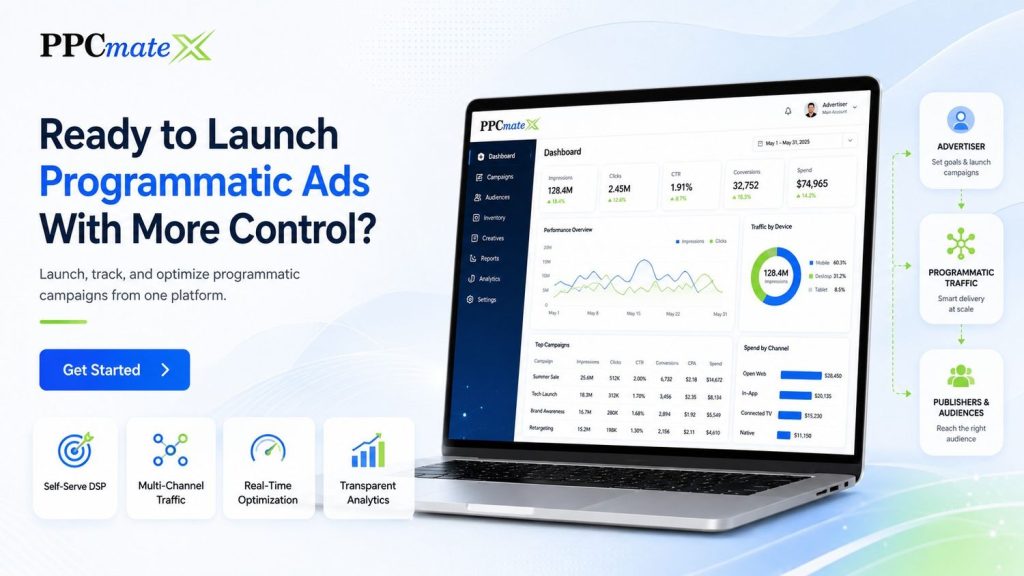
PPCmate gives advertisers a flexible DSP for buying targeted traffic across multiple channels, formats, and pricing models.
Whether you want hands-on self-serve control or managed campaign support, PPCmate helps you launch, track, and optimize programmatic campaigns from one platform.
FAQs
Are banner ads the same as display ads?
No. Banner ads are one type of display ad. Display ads are the broader category that can include banners, HTML5 ads, responsive ads, rich media, video, and other visual formats.
Are banner ads still effective?
Yes. Banner ads can still work when the targeting, creative, placement, and landing page match the campaign goal. They are especially useful for retargeting, simple offers, and broad reach.
Are display ads better than banner ads?
Not always. Display ads offer more format options, but banner ads can be faster and easier to test. The better choice depends on the offer, budget, audience, and campaign goal.
What is the best format for display ads?
There is no single best format. Static banners work well for simple messages. HTML5 and rich media can work better when the campaign needs motion or interaction. Video can help when the product needs explanation.
Should advertisers use both display and banner ads?
Yes. Many advertisers use banner ads as part of a larger display strategy. This makes it easier to test simple creatives first, then scale into other formats when the data supports it.