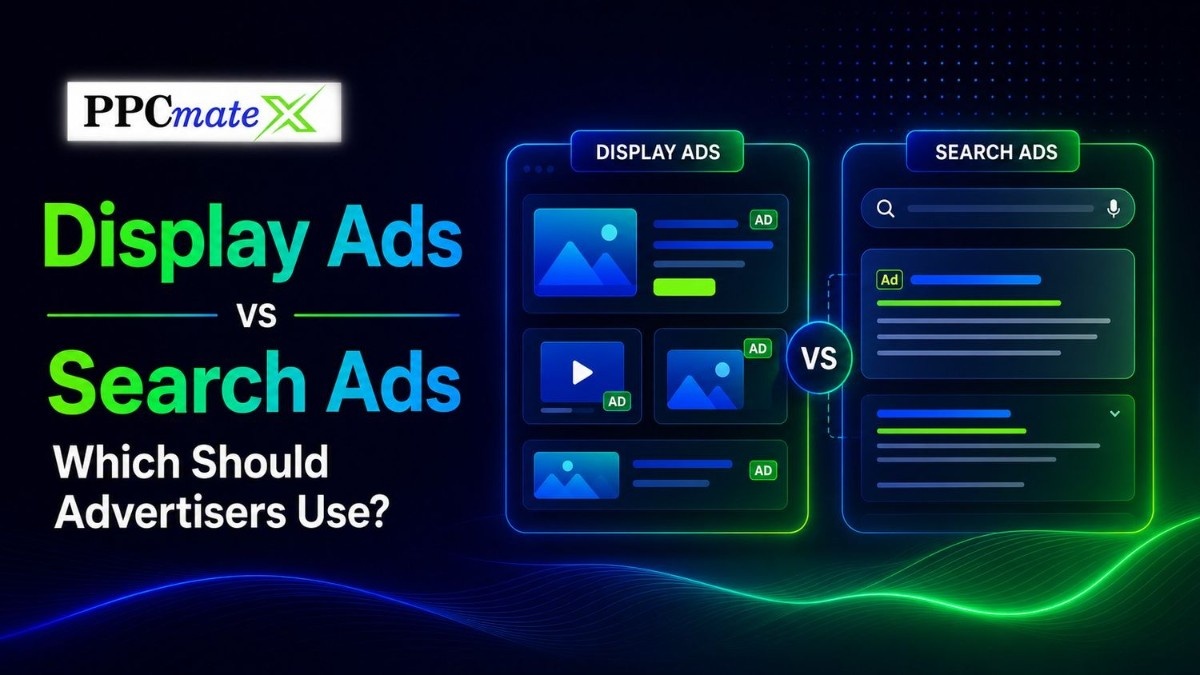
Display ads and search ads both help advertisers buy traffic, reach customers, and drive conversions. But they work in different ways.
Search ads capture people who are already looking for something. Display ads reach people while they browse websites, apps, and online content.
For advertisers, media buyers, affiliates, e-commerce teams, and agencies, the best choice depends on campaign goal, budget, audience intent, and how much scale is needed.
Key Takeaways
- Search ads are best for high-intent users who are actively searching.
- Display ads are best for reach, awareness, retargeting, and visual offers.
- Search ads usually depend on keywords and text copy.
- Display ads depend more on audience targeting, placements, creatives, and frequency control.
- Many advertisers get better results by using both formats together.
- The right choice should be based on CPA, ROAS, conversion quality, and source-level data.
What Are Display Ads?
Display ads are visual advertisements that appear across websites, mobile apps, online publications, and other digital platforms. Instead of waiting for users to search for a product or service, display ads help advertisers reach people while they browse content, read articles, watch videos, or use apps.
These ads can include images, banners, animations, HTML5 creatives, and clear calls to action, making them effective for building brand awareness, promoting offers, and bringing potential customers back through retargeting campaigns.
They often include:
- Banner images
- HTML5 creatives
- Short text
- Brand visuals
- Call-to-action buttons
- Landing page links
Display ads are useful when advertisers want to reach users before they search, while they compare options, or after they visit a website.
A deeper look at display advertising concepts can be found in the Complete Display Ads guide, which breaks down formats, targeting, bidding, tracking, and optimization strategies used in real campaigns.
What Are Search Ads?
Search ads are paid advertisements that appear at the top or bottom of search engine results pages when users search for specific keywords or phrases.
Advertisers bid on relevant keywords, and their ads are shown to people who are actively looking for products, services, or information related to those terms. Because search ads target users with clear intent, they are often effective for driving clicks, leads, and conversions.
They usually include:
- A headline
- A short description
- A display URL
- Extensions or extra links
- A landing page link
Search ads are based on keywords. When a user searches for a phrase related to the advertiser’s product or service, the ad can appear.
Search ads work well when users already know what they want.
Display Ads vs Search Ads: Main Difference
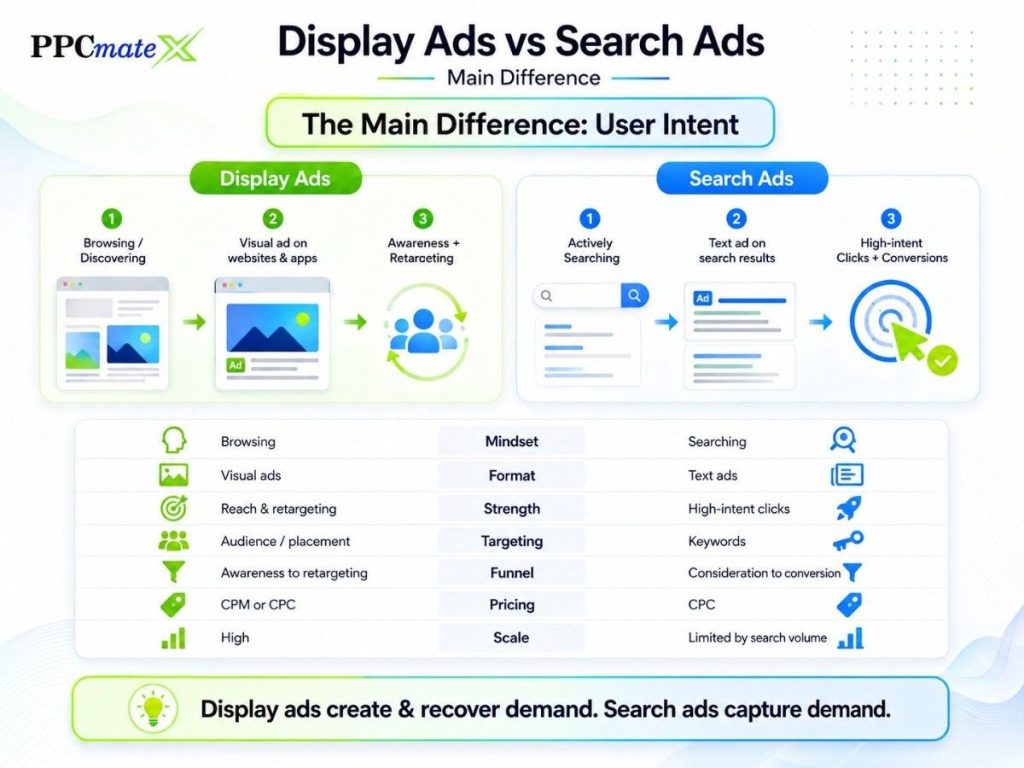
The main difference is user intent.
| Factor | Display Ads | Search Ads |
| User mindset | Browsing or discovering | Actively searching |
| Format | Visual ads | Text-based ads |
| Main strength | Reach and retargeting | High-intent clicks |
| Targeting | Audience, source, geo, device, placement | Keywords and search terms |
| Best funnel stage | Awareness to retargeting | Consideration to conversion |
| Common pricing | CPM or CPC | CPC |
| Creative need | Strong visuals and CTA | Strong headline and offer |
| Scale potential | High | Limited by search volume |
Search ads capture demand. Display ads create and recover demand.
That is why advertisers should not always treat them as competitors. They often work better as part of the same paid traffic strategy.
When Should Advertisers Use Display Ads?
Use display ads when the goal is to reach more users, build awareness, or bring visitors back.
Display ads are a strong fit for:
- E-commerce product offers
- Affiliate campaigns
- App install campaigns
- Brand awareness
- Retargeting
- Seasonal promotions
- Visual products
- Broad geo testing
- Traffic source testing
Display ads are especially useful when the audience is not searching yet. The ad can introduce the offer before the user has clear buying intent.
PPCmate’s visual ad placements support banners and HTML5 creatives across desktop, mobile, and tablet traffic.
Display Ads Work Best When
- The offer is easy to understand
- The creative is clear
- The landing page matches the ad
- Targeting is controlled
- Frequency caps are used
- Weak sources are paused
- Winning sources are scaled slowly
When Should Advertisers Use Search Ads?
Use search ads when users already show clear intent.
Search ads are a strong fit for:
- Local services
- Emergency services
- High-intent product searches
- B2B demo requests
- Software comparisons
- Branded search campaigns
- Bottom-funnel lead generation
Search ads work well when the keyword shows a clear need.
For example, a user searching “best accounting software for small business” is closer to action than someone reading a general business article.
Search Ads Work Best When
- Keywords show buying intent
- The offer solves an urgent problem
- The landing page answers the search query
- The budget can support competitive CPCs
- Conversion tracking is active
- Negative keywords are used to reduce waste
Display Ads vs Search Ads by Campaign Goal
| Campaign Goal | Better Choice | Why |
| Fast lead capture | Search ads | Users are already looking |
| Brand awareness | Display ads | Wider reach across websites and apps |
| Retargeting | Display ads | Brings back previous visitors |
| High-volume testing | Display ads | More traffic and placement options |
| Local urgent demand | Search ads | Strong search intent |
| E-commerce sales | Both | Display promotes, search captures |
| App installs | Display ads | Visual creative can explain the app |
| Affiliate offers | Display ads | Useful for testing geos and audiences |
| Branded demand | Search ads | Protects high-intent brand searches |
How Display and Search Ads Work Together
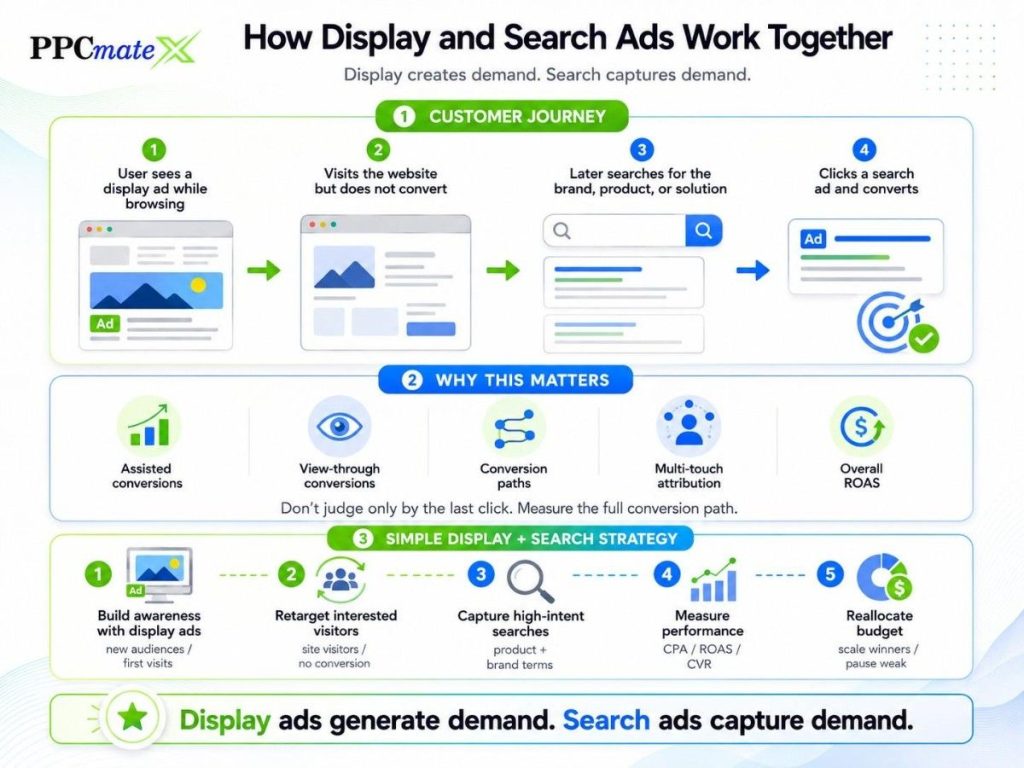
Display and search ads work best when they support each other throughout the customer journey.
How the Customer Journey Often Works
- A user sees a display ad while browsing online.
- The user visits the website but does not convert.
- Later, the user searches for the brand, product, or solution.
- The user clicks a search ad and completes the conversion.
If advertisers only measure the final search click, display ads may appear less valuable than they actually are.
Why This Matters
Advertisers should look beyond last-click attribution and review:
- Assisted conversions
- View-through conversions
- Conversion paths
- Multi-touch attribution data
- Overall ROAS
PPCmate’s guide on display ad value explains how display campaigns can influence conversions even when they are not the final click.
A Simple Display + Search Strategy
Step 1: Build Awareness With Display Ads
Use display ads to:
- Reach new audiences
- Introduce your offer
- Generate initial interest
- Drive first-time website visits
Step 2: Retarget Interested Visitors
Show display ads to users who:
- Visited your website
- Viewed products
- Engaged with content
- Left without converting
Step 3: Capture High-Intent Searches
Run search ads for:
- Product keywords
- Service keywords
- Brand terms
- Comparison searches
This helps capture users who are actively looking for a solution.
Step 4: Measure Performance
Compare key metrics such as:
- CPA
- ROAS
- Conversion rate
- Lead quality
- Revenue generated
Step 5: Reallocate Budget
Based on performance:
- Increase spend on profitable campaigns
- Pause weak audiences or keywords
- Scale winning traffic sources
- Continue testing new opportunities
This approach allows display ads to generate demand while search ads capture demand, creating a stronger full-funnel advertising strategy.
Targeting Differences
Display ads and search ads use different targeting signals.
Display Ad Targeting
Display ads can target users by:
- Country
- Region or city
- Device
- Operating system
- Browser
- Language
- Website or app source
- Supply partner
- Audience interest
- Retargeting list
- Time of day
- Whitelist or blacklist
Advertisers who need more buying control can use programmatic display buying to test traffic across placements and optimize by performance.
Search Ad Targeting
Search ads usually target by:
- Keywords
- Match types
- Negative keywords
- Location
- Device
- Audience layer
- Ad schedule
- Search intent
- Landing page relevance
Search targeting starts with what the user types. Display targeting starts with who the user is, where they are, and what placement they are viewing.
Creative Differences
Search ads rely on words. Display ads rely on visuals.
| Creative Element | Display Ads | Search Ads |
| Headline | Short and visual-supporting | Main click driver |
| Image | Important | Usually not required |
| CTA | Button or text cue | Text-based |
| Brand element | Strong role | Smaller role |
| Message style | Simple and visual | Intent-focused |
| Testing focus | Image, size, CTA, audience | Headline, keyword, offer |
For display campaigns, image quality matters. PPCmate’s guide on better ad images can support creative testing when visual performance is weak.
Metrics to Track
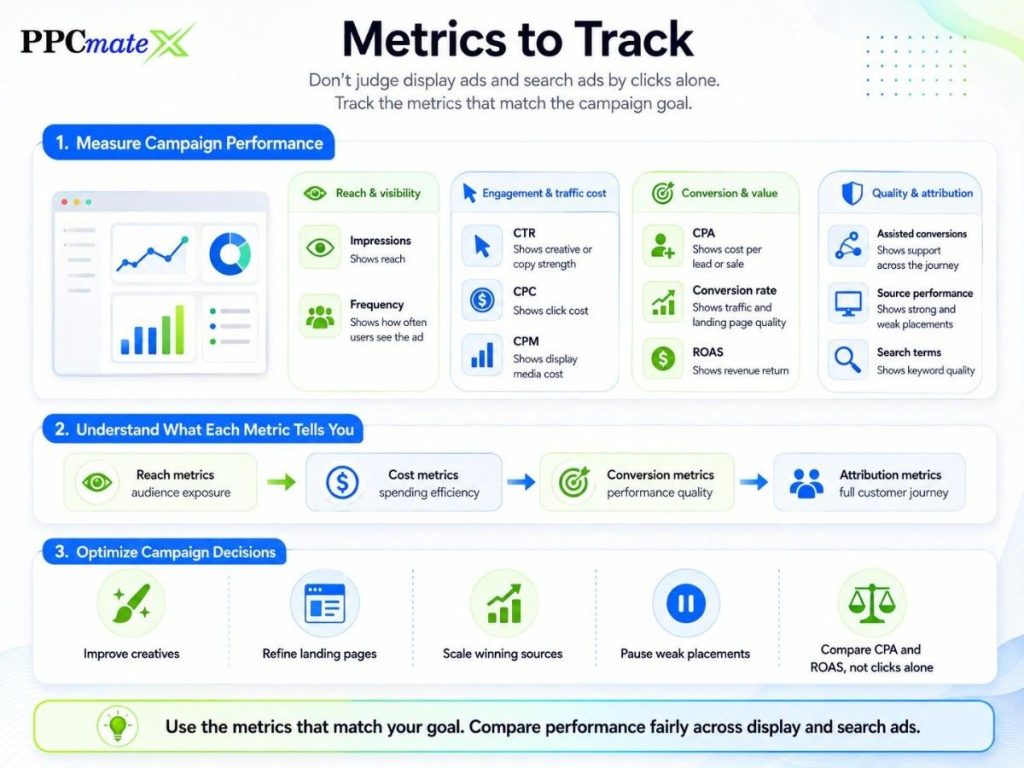
Do not judge display ads and search ads by clicks alone.
Track the metrics that match the campaign goal.
| Metric | Why It Matters |
| Impressions | Shows reach |
| CTR | Shows creative or copy strength |
| CPC | Shows click cost |
| CPM | Shows display media cost |
| CPA | Shows cost per lead or sale |
| Conversion rate | Shows traffic and landing page quality |
| ROAS | Shows revenue return |
| Assisted conversions | Shows support across the journey |
| Source performance | Shows strong and weak placements |
| Search terms | Shows keyword quality |
| Frequency | Shows how often users see the ad |
A clean reporting setup helps advertisers compare both formats fairly. PPCmate’s guide to online ad metrics connects paid campaign measurement with CTR, CPA, CPC, conversion rate, and ROI.
Common Mistakes to Avoid
Avoid these mistakes when comparing display ads vs search ads:
- Expecting display ads to convert like high-intent search ads
- Judging display only by last-click conversions
- Running search ads without negative keywords
- Using weak visuals for display campaigns
- Sending all traffic to one landing page
- Ignoring mobile and desktop differences
- Not using frequency caps
- Scaling before enough data is collected
- Comparing CPC without checking CPA or ROAS
Display ads and search ads are different tools. They should be measured by their role in the funnel.
Which Should Advertisers Use?
Use search ads when demand already exists and users are actively searching.
Use display ads when you need reach, awareness, retargeting, visual promotion, or more scalable traffic testing.
Use both when you want a stronger full-funnel strategy.
A practical budget split can look like this:
| Situation | Suggested Focus |
| New offer with little demand | More display |
| High-intent product or service | More search |
| E-commerce retargeting | Display plus search |
| Affiliate testing | Display first |
| Local lead generation | Search first |
| Brand growth campaign | Display first |
| Competitive search CPCs | Test display for lower-cost reach |
The best answer is not always display or search. The best answer is the format that brings profitable conversions at the right cost.
Ready to Launch Programmatic Ads With More Control?
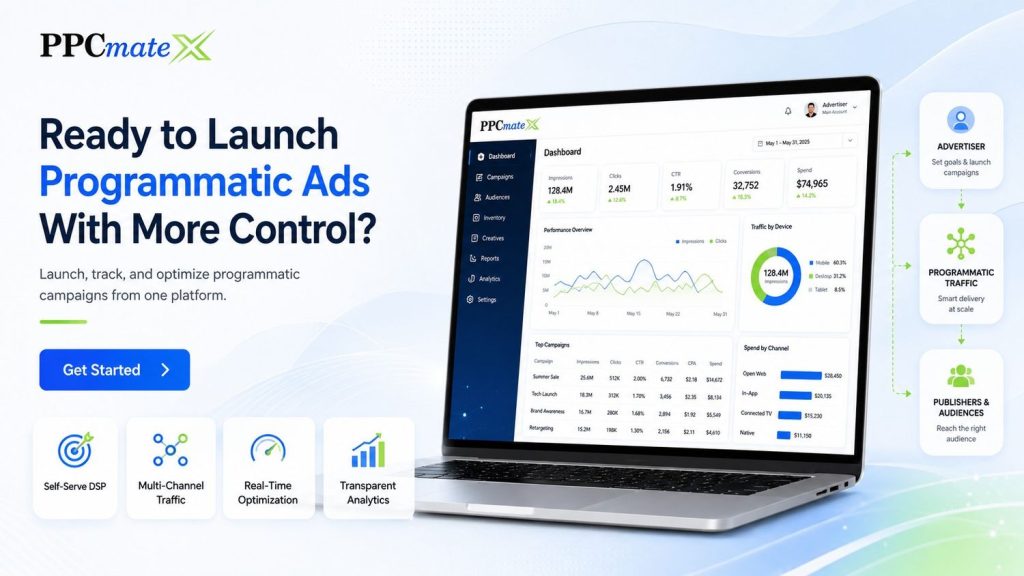
PPCmate gives advertisers a flexible DSP for buying targeted traffic across multiple channels, formats, and pricing models.
Whether you want hands-on self-serve control or managed campaign support, PPCmate helps you launch, track, and optimize programmatic campaigns from one platform.
FAQs
Are display ads better than search ads?
Not always. Display ads are better for reach, awareness, retargeting, and visual offers. Search ads are better when users are already searching with clear intent.
Are search ads better for conversions?
Search ads often convert well because users are actively looking for something. But display ads can also support conversions through retargeting and assisted paths.
Can display ads increase search performance?
Yes. Display ads can introduce users to a brand or offer before they search later. This is why assisted conversions and path data matter.
Which is cheaper: display ads or search ads?
Display ads often have lower media costs, especially on CPM buying. Search ads can cost more per click because high-intent keywords are competitive.
Should small advertisers use display ads?
Yes, if they start with clear targeting, controlled budgets, strong creatives, and conversion tracking. Small tests are safer than broad launches.
Should advertisers run display and search ads together?
Yes, when budget allows. Display can build and recover demand. Search can capture users who are ready to act.
What is the main keyword for this topic?
The main keyword is “display ads vs search ads.” It should appear naturally in the title, introduction, comparison sections, and FAQs.