This release is about getting it right the first time. YouTube ads ask for their video before you save, the Campaign Checker turns every suggestion into a one-click fix, and campaigns on other ad platforms tell you when a country is missing. Here’s everything new.
1. YouTube ads: video first, postal codes too
Pick YouTube Ad (16:9) or YouTube Shorts Ad (9:16) in New Creative and the form now asks for the video up front: upload an MP4 or MOV, bring one from Higgsfield, Dropbox or Google Drive, or paste a link to a public or unlisted YouTube video. A YouTube ad can’t be saved without one, so it never goes out half-built.
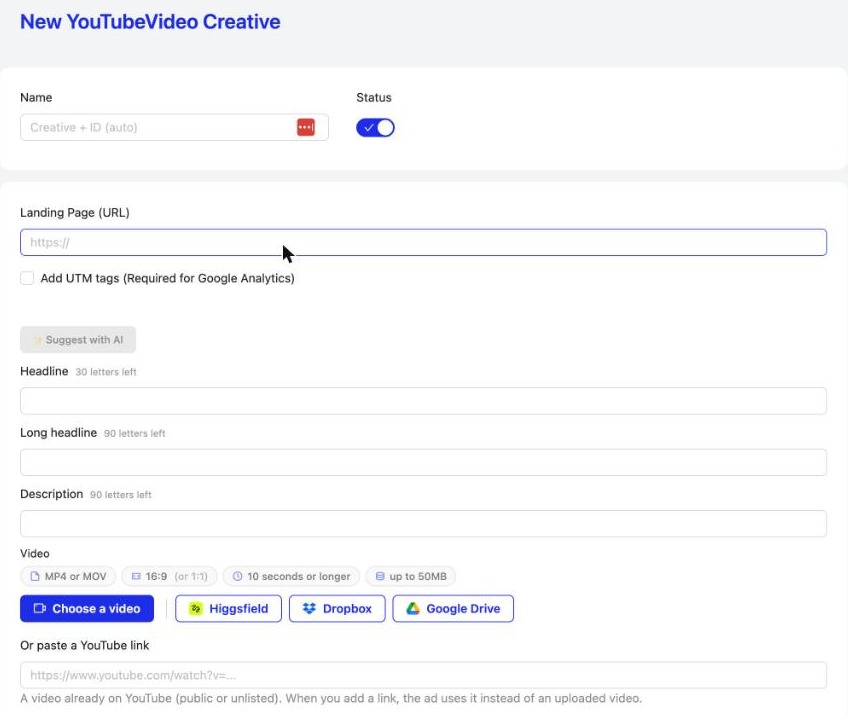
YouTube and Demand Gen campaigns can now target postal codes, and the creatives list names YouTube ads YouTube, so they’re easy to find.
2. A Campaign Checker that fixes things
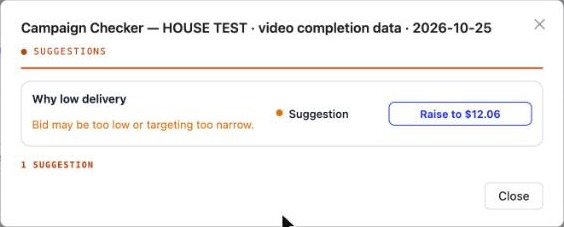
Why no traffic and Suggested fixes are now rows like every other check: a short reason, and a button that applies the fix straight away, with Undo if you change your mind.
3. Every ad platform asks for a country
On Google, ChatGPT and the other ad platforms, a campaign needs at least one country. Until you pick one, the Location group turns red and opens by itself. Keywords on Search and Context on ChatGPT, now required, are marked the same way, so you see what’s missing before you save.
4. Offer Wall: Mainstream or Adult, and a closer look
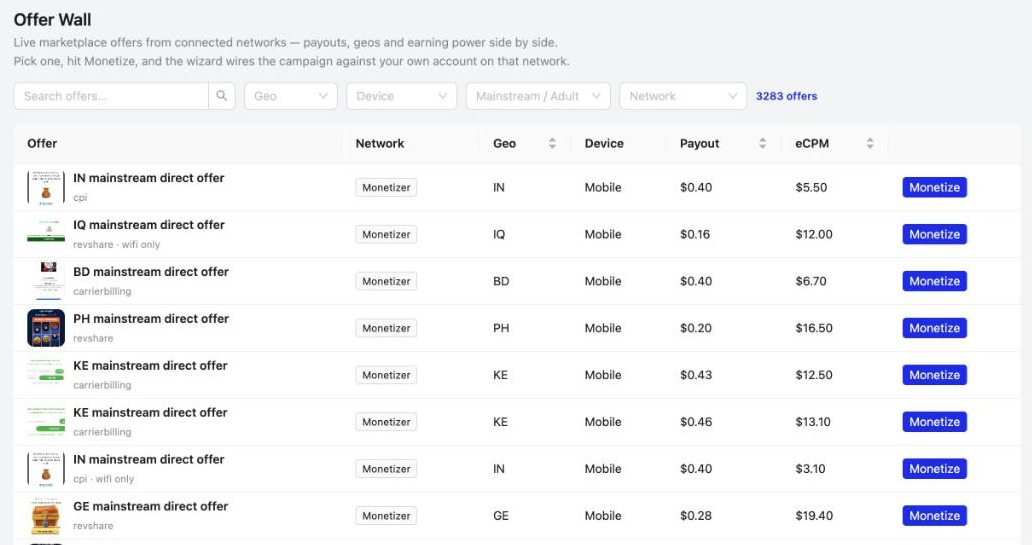
The Offer Wall has a Mainstream / Adult filter next to Geo and Device, and you can click any offer’s picture to zoom in before you hit Monetize.
5. Cleaner tables everywhere
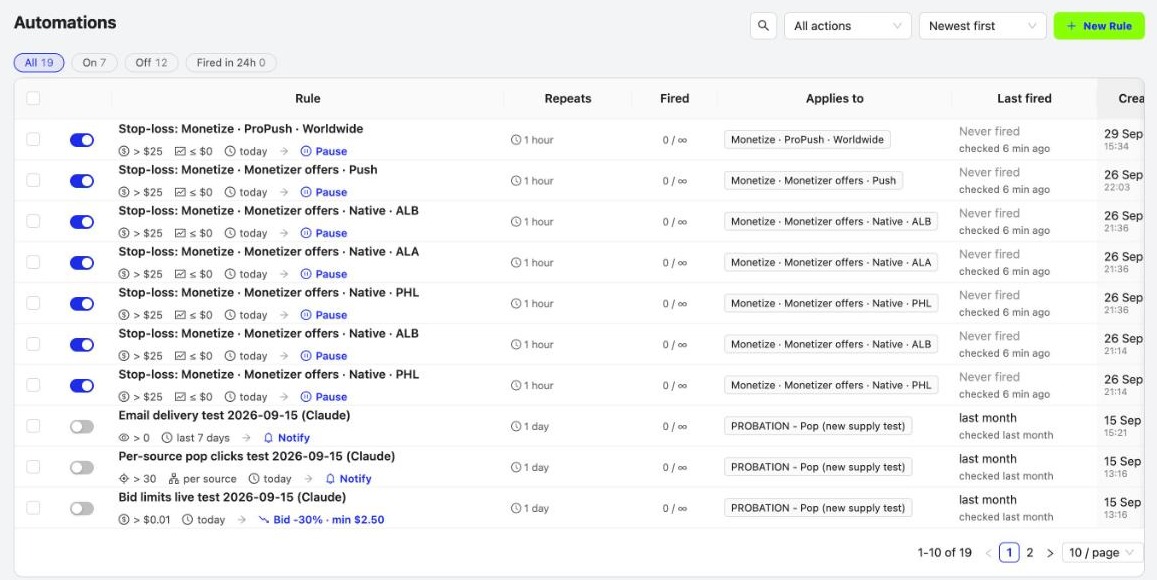
Automations, Optimizations, Source Lists, Bid Strategies, Audiences, AI Search Lists, Multi-User, Invoices and Notifications now look like Campaigns: one header row with the title on the left and search, filters and buttons on the right, the same compact table, and the same row skeleton while they load.
Also new
- Better on phones: the dashboard puts Technology and Media side by side with Traffic by Location below, with no stray side-scrolling and less empty space at the end of each page.
- Connect App from Audiences: a button that takes you straight to Connected Apps.
- Refreshed PPCmate emails: centered titles, our social links and app badges in the footer, and replies go to a named sender.
Frequently asked questions
What's new in PPCmate in the 28 October 2026 release?
YouTube Video and Shorts ads now ask for a video (upload or YouTube link), YouTube and Demand Gen campaigns can target postal codes, the Campaign Checker shows Why no traffic and Suggested fixes as rows with a one-click fix and Undo, Google, ChatGPT and the other ad platforms mark Location until you pick a country, the Offer Wall has a Mainstream / Adult filter and picture zoom, tables across the app share one clean header, the dashboard works better on phones, Audiences has a Connect App button and PPCmate emails have a refreshed layout.
How do I create a YouTube ad on PPCmate?
Go to Creatives, New Creative, pick YouTube Ads and choose YouTube Ad (16:9) or YouTube Shorts Ad (9:16). Add your landing page, headlines and description, then upload a video (MP4 or MOV, 10 seconds or longer, up to 50MB) or paste a link to a public or unlisted YouTube video. The ad can't be saved without a video.
Can I target postal codes on YouTube and Demand Gen?
Yes. YouTube and Demand Gen campaigns now accept postal codes in Location, the same way Google Search does.
What does the Campaign Checker suggest now?
When a campaign is delivering slowly or not at all, the Checker shows the reason as a row, like its other checks, with a button that applies the suggested fix at once, for example raising the bid or checking your targeting. You can undo the change straight away.
Why is Location red on my Google or ChatGPT campaign?
Campaigns on third-party ad platforms need at least one country. Until you pick one, the Location group is marked red and opens by itself, so you can see what's missing before you save.
How do I filter the Offer Wall?
Use the Mainstream / Adult filter next to Geo and Device at the top of the Offer Wall, and click an offer's picture to see it larger.
How do I get PPCmate product updates first?
Join the PPCmate Telegram channel at t.me/ppcmate. Every release is posted there as soon as it ships, and all changes are listed in the release notes at ppcmate.com/releases.
Get updates first
Every PPCmate release goes to our Telegram channel the moment it ships. Join PPCmate on Telegram →
See every change in the release notes, or start a campaign and try it today.