This release puts you in charge of what you see and how you pay. Your dashboard is now yours to arrange, Pop-under campaigns can be priced per view, and AI Optimization moves to the front of the campaign form with three clear goals. Here’s what’s new.
1. Your dashboard, your way
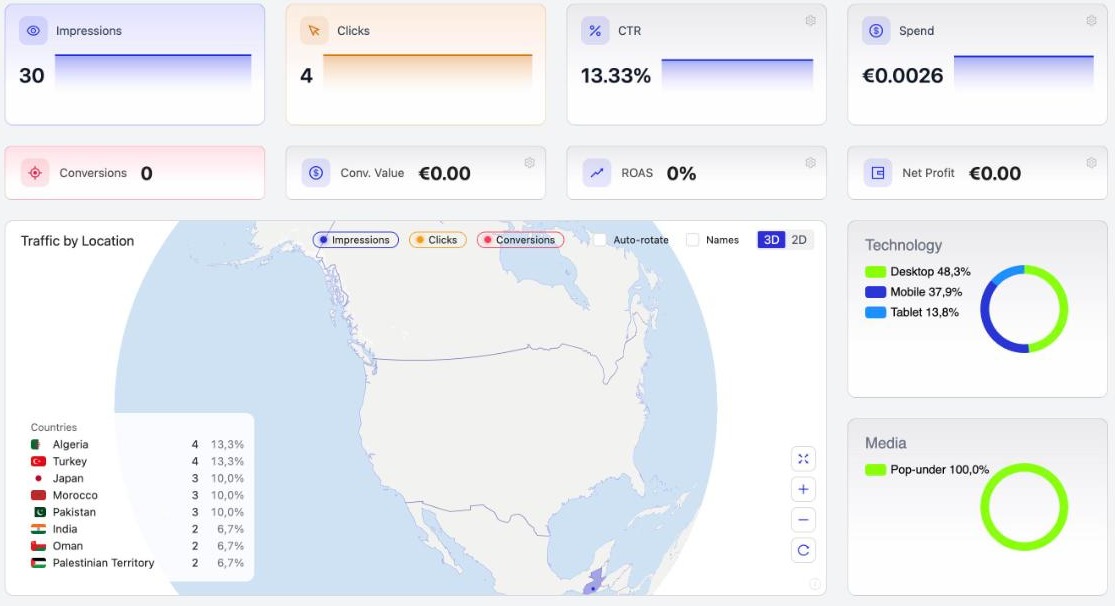
Every card on the dashboard now has a small gear. Keep the fixed cards, add up to six of your own, choose which metric each one shows, drag them into the order you like, pick a preset and choose what the map shows. Your layout is saved to your account, so it’s there every time you sign in.
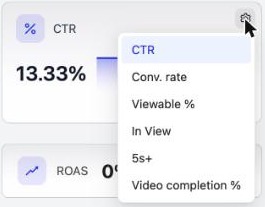
Each card’s menu lists only the metrics that fit it, from CTR and conversion rate to Viewable %, time in view and video completion:
2. CPV pricing for Pop-under
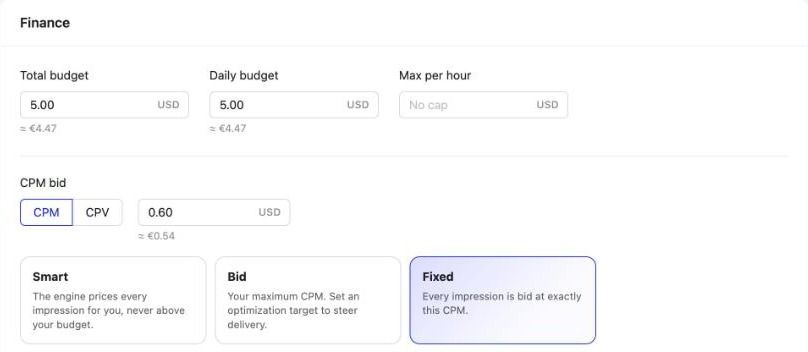
Affiliates think in cost per view, so now you can too. In a Pop-under campaign’s Finance step, switch the price from CPM (per 1,000 impressions) to CPV (per single view).
The Campaigns list has a new Price column showing each campaign’s price in its own unit, and Reports has a Cost per view column you can add from Table settings.

3. AI Optimization, right at the start
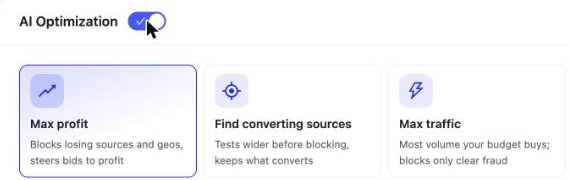
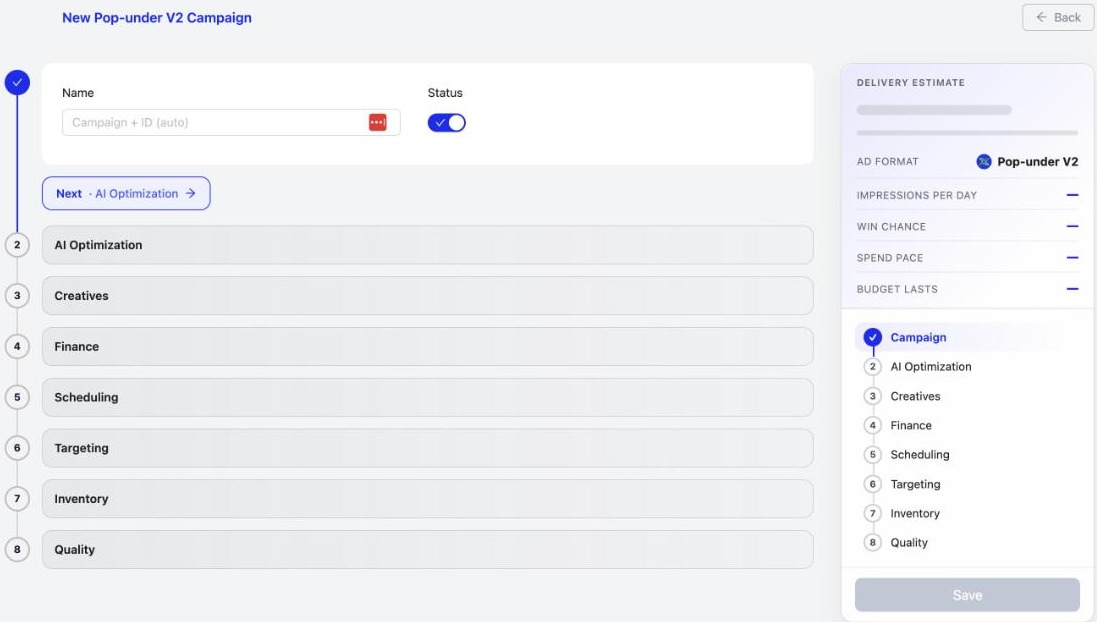
AI Optimization is now step 2 of the campaign form, straight after you name your campaign. Switch it on and pick the goal that fits:
- Max profit: blocks losing sources and geos, and steers bids to profit.
- Find converting sources: tests wider before blocking, and keeps what converts.
- Max traffic: buys the most volume your budget allows, and blocks only clear fraud.
4. A campaign form that won’t let you down
Save and Update now stay grey until the form is ready, so a campaign that couldn’t run never gets saved by accident. The Campaign Checker runs on every save, Finance accepts a total budget or a daily budget, and saved campaigns get a folded Backfill URL step for your landing-page fallback.
5. A clearer New Creative flow
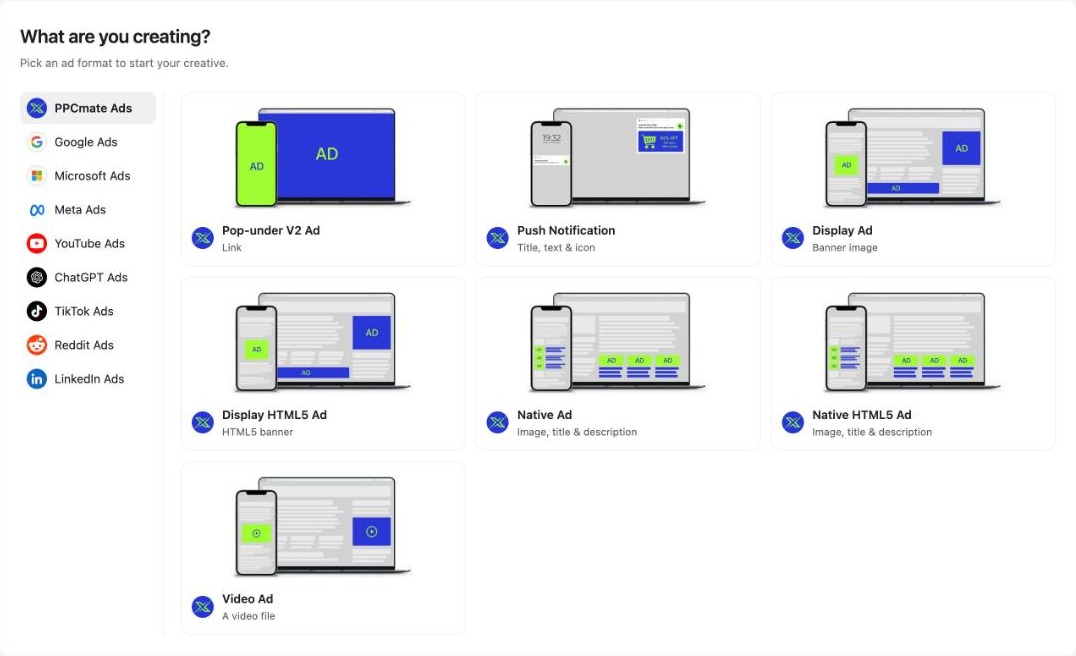
New Creative now opens on one simple question: What are you creating? Pick the network and the format, then follow the steps, Format, Name, Traffic Type and Ad Content. A new creative gets a name automatically, so you can start with the ad itself.
6. Apps & Tools in one place
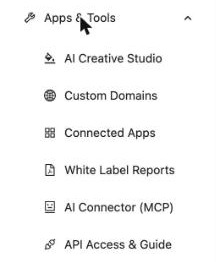
AI Creative Studio, Custom Domains, Connected Apps, White Label Reports, the AI Connector and API Access are now grouped under Apps & Tools in the left menu, one click away.
Also new
- Clearer statuses: the Campaigns list says Paused first, and tells you when a campaign has “No ads yet” or “All ads paused”.
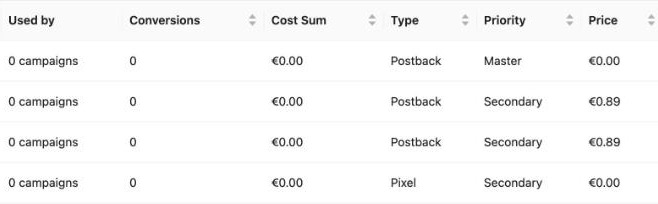
- Trackers show where they’re used: a “Used by” column counts the campaigns on each tracker, and editing a tracker has a cleaner, step-by-step layout.
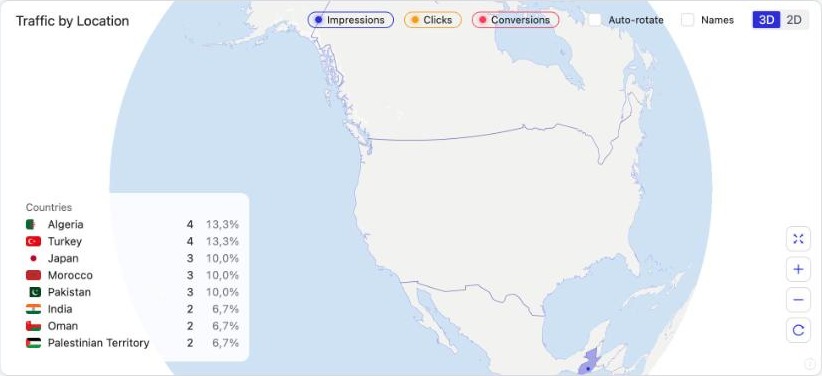
- The globe shows every city: impression, click and conversion dots by city, at every zoom.
- A fairer “Bid too low” check: it now judges the bid you actually pay, including source bid raises, so it no longer warns on campaigns that are winning.
Frequently asked questions
What's new in PPCmate in the 25 October 2026 release?
A dashboard you can arrange yourself, CPV (cost per view) pricing for Pop-under campaigns, AI Optimization goals as step 2 of the campaign form, a form that only lets you save when it's ready, a clearer New Creative flow, an Apps & Tools menu, a Price column and clearer statuses in the Campaigns list, trackers that show where they're used, city dots on the dashboard globe, and a fix to the Bid too low check.
Can I customise the PPCmate dashboard?
Yes. Use the gear on the dashboard and on each card: keep the fixed cards and add up to six of your own, choose which metric each card shows, drag them into the order you like, pick a preset and choose what the map shows. Your layout is saved to your account.
What is CPV pricing on PPCmate?
CPV means cost per view. On Pop-under campaigns you can switch the price from CPM (per 1,000 impressions) to CPV (per single view) in the Finance step. The Campaigns list shows each campaign's price, and Reports has a Cost per view column you can add from Table settings.
Which AI Optimization goals can I choose?
Max profit blocks losing sources and geos and steers bids to profit; Find converting sources tests wider before blocking and keeps what converts; Max traffic buys the most volume your budget allows and blocks only clear fraud. You pick the goal in step 2 of the campaign form.
Why is the Save button grey on my campaign?
Save and Update now stay grey until the form passes its checks, so you can't save a campaign that wouldn't run. The step that still needs something is marked, and the Campaign Checker runs on every save.
Where are Custom Domains, Connected Apps and the AI Connector now?
They're grouped under Apps & Tools in the left menu, together with AI Creative Studio, White Label Reports and API Access & Guide.
How do I get PPCmate product updates first?
Join the PPCmate Telegram channel at t.me/ppcmate. Every release is posted there as soon as it ships, and all changes are listed in the release notes at ppcmate.com/releases.
Get updates first
Every PPCmate release goes to our Telegram channel the moment it ships. Join PPCmate on Telegram →
See every change in the release notes, or start a campaign and try it today.