This release is about feel. PPCmate has a fresh new look, opens almost twice as light, and the everyday things (picking dates, building rules, asking the AI assistant) take fewer clicks. Here’s everything new.
1. A fresh new look
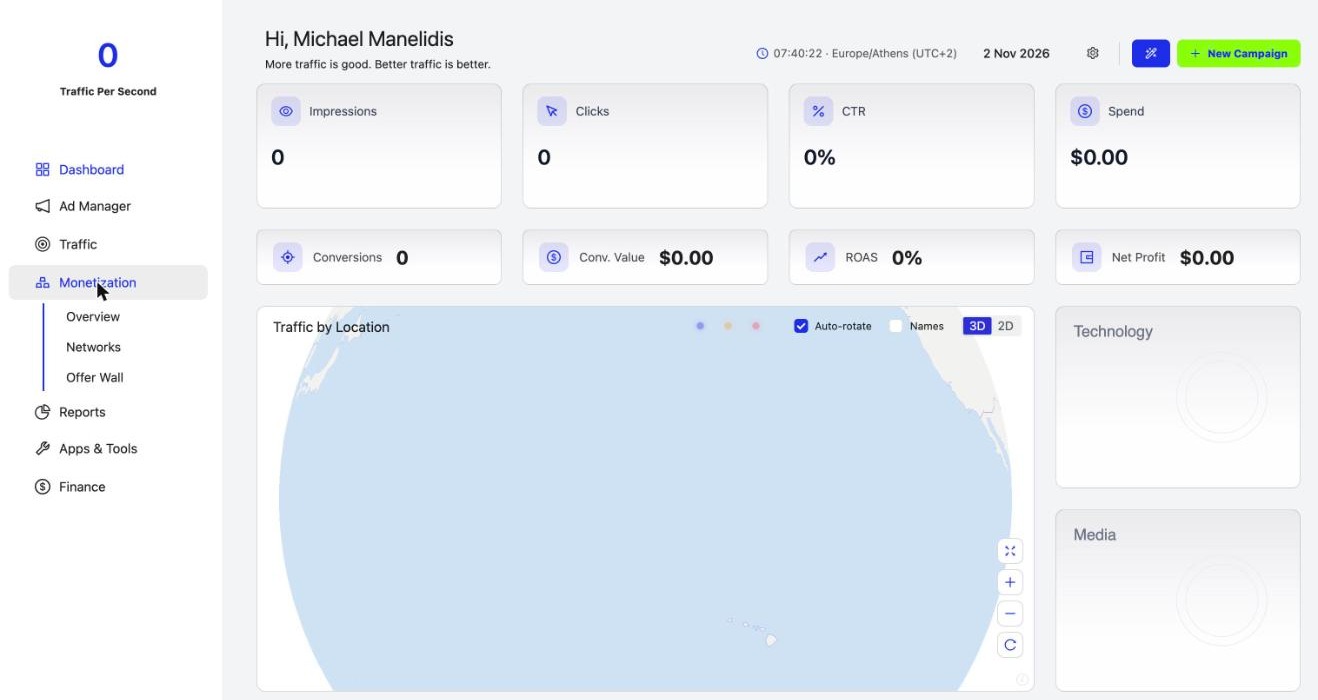
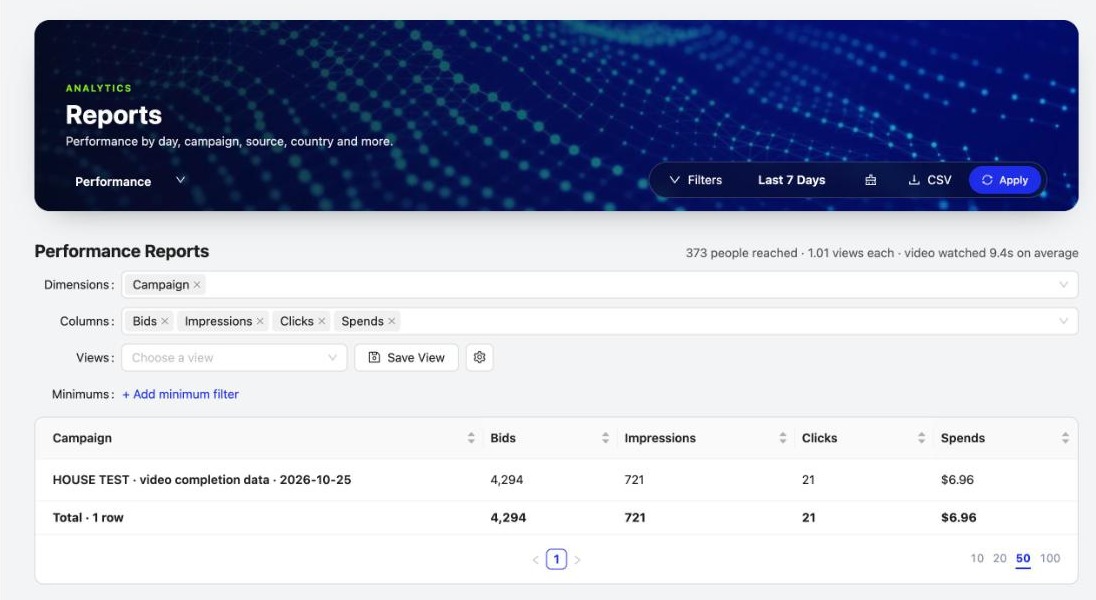
Every page now opens with a picture header with its title and tools, the left menu is restyled and animates as you move between pages, and every list and report puts the name in bold with a link in the first column, so the thing you’re looking for stands out.
2. A redesigned AI assistant
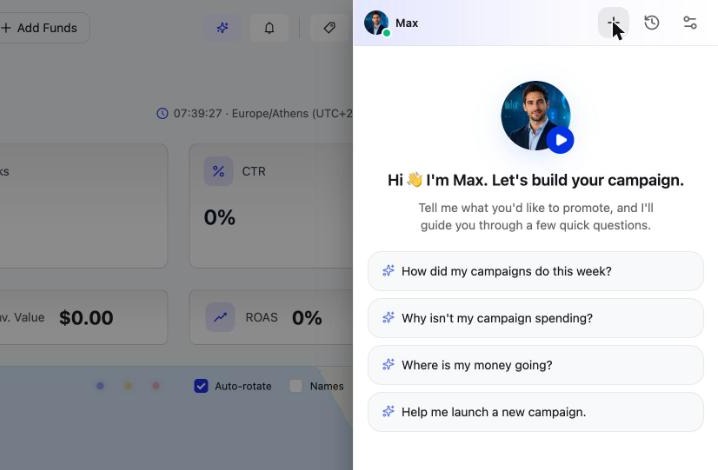
The AI assistant panel has a new look, with quick questions to start from. Its header now has bigger New chat, History and a new Settings button, where you can turn voice on or off, choose how long answers are, pick a language or clear your history.
3. A faster app
The app’s main download is almost half the size it was (919 KB down to 519 KB), so pages open sooner, most of all on phones and slower connections.
4. Quick date chips everywhere
Reports, the Dashboard and every list page now use named ranges like Today, Yesterday and Last 7 days. The calendar opens only for Custom, and reports update as soon as you change something.
5. New Rule as a full page
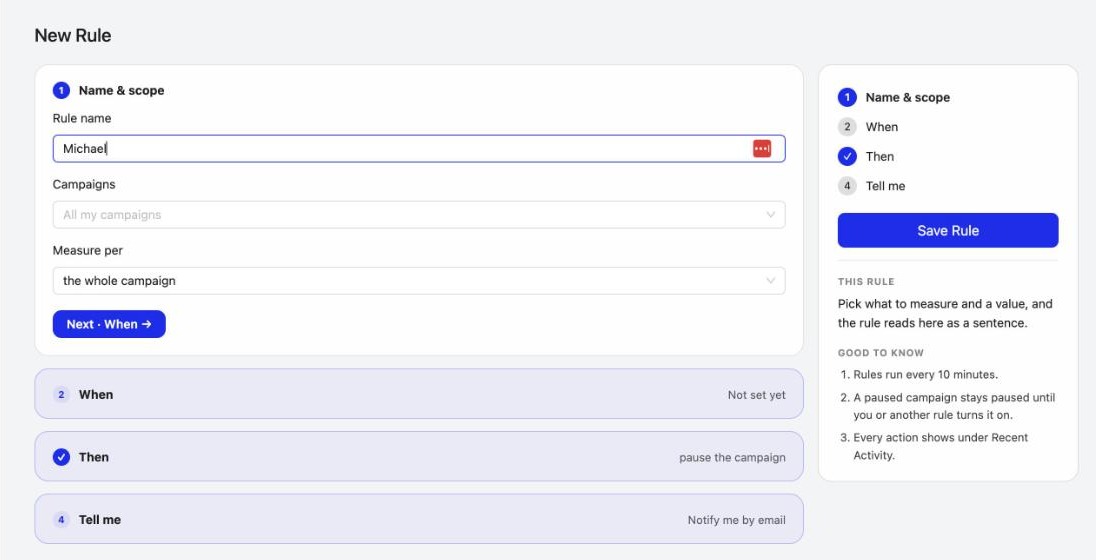
Building a rule is now a full page in four steps: Name & scope, When, Then, Tell me. Finished steps fold into a one-line summary, and the side panel reads your rule back as a sentence. The Automations list now splits each rule into Rule, When and Then columns.
6. Monetization, redesigned
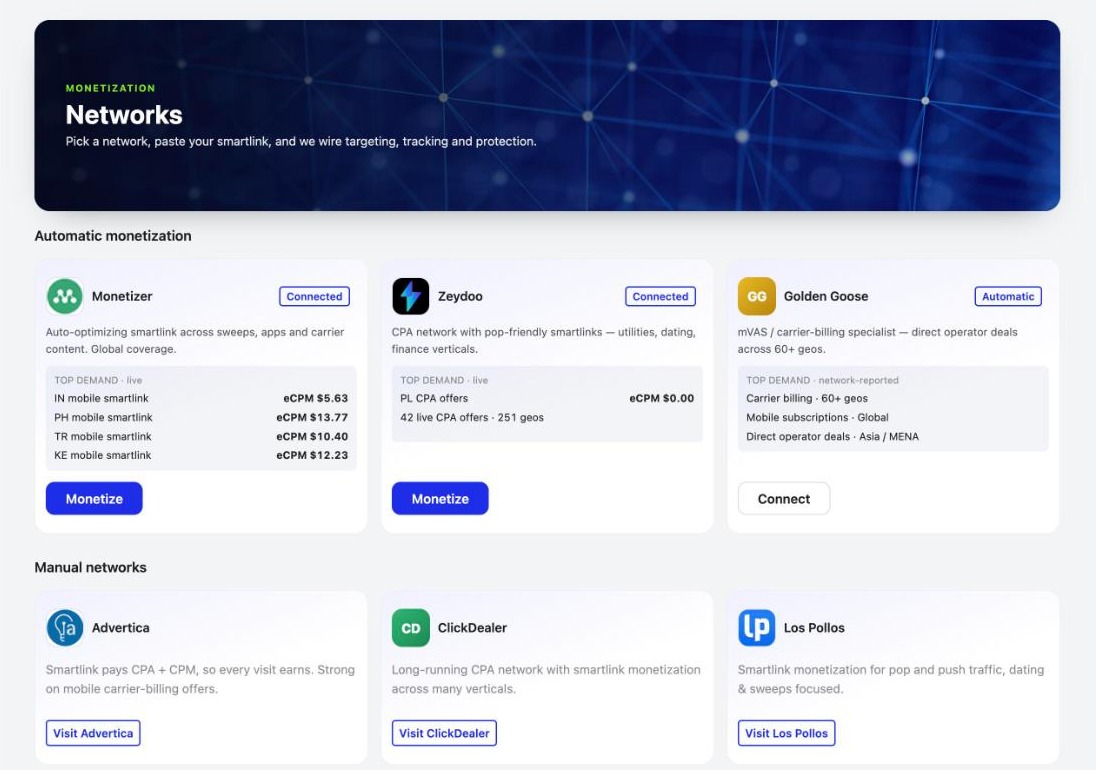
The Monetization pages have new headers and bigger offer pictures. Networks are split into Automatic ones you connect and then monetize in a click, and Manual ones with logos and a link to each network. The Offer Wall has a cleaner look too.
Also new
- Source Volume rule: automations can act on how much traffic a single source sends.
- Status changes in your notifications: when a campaign’s status changes, the bell tells you. The Campaigns list now shows your newest campaigns first.
- Websites & Apps: AI Search Lists are now called Websites & Apps, with selection bars like Automations. Source Lists get the same bar and show the list ID.
- Better translations: Spanish, Portuguese, French, German and Russian were fully reviewed.
- 90-day minimum website age for Google, Microsoft and other walled gardens; the Checker tells you before you submit.
Frequently asked questions
What's new in PPCmate in the 2 November 2026 release?
A fresh new look with picture headers on every page and a new animated menu; a faster app; quick date chips on Reports, the Dashboard and every list; New Rule as a full page; redesigned Monetization pages; a Source Volume rule; status changes in your notifications; Websites & Apps lists; better translations; a redesigned AI assistant with its own Settings; and a 90-day minimum website age for Google, Microsoft and other walled gardens.
Why does PPCmate load faster now?
The main download of the app is almost half the size it was (from 919 KB to 519 KB), so pages open sooner, most of all on slower connections and phones.
How do I pick a date range in Reports?
Click a named range such as Today, Yesterday or Last 7 days. The calendar only opens when you pick Custom, and the report updates as soon as you change anything.
What is the Source Volume rule?
It lets an automation rule act on how much traffic a single source sends, so you can cap or react to one source without touching the rest of the campaign.
What can I change in the AI assistant's Settings?
Open the AI assistant and click the Settings button in its header to turn voice on or off, choose how long answers are, pick a language or clear your chat history.
Why can't my new website run on Google or Microsoft yet?
Google, Microsoft and the other walled gardens need websites that are at least 90 days old. The campaign Checker tells you before you submit, so you can use an older domain or run the campaign on the open web in the meantime.
How do I get PPCmate product updates first?
Join the PPCmate Telegram channel at t.me/ppcmate. Every release is posted there as soon as it ships, and all changes are listed in the release notes at ppcmate.com/releases.
Get updates first
Every PPCmate release goes to our Telegram channel the moment it ships. Join PPCmate on Telegram →
See every change in the release notes, or start a campaign and try it today.