
Push notification monetization lets a website earn money from visitors who choose to receive browser notifications. Instead of placing more banners on your pages, you build a list of subscribers, and an ad network sends them short, clickable messages from advertisers. You are paid for the traffic those messages generate.
It can be a useful extra revenue stream, but it is not right for every site, and it only works long-term if you treat subscribers with respect. This guide explains how web push works, which sites it suits, how to set it up, and how to keep your audience’s trust while you do it.
What is a web push notification?
A web push notification is a small message that the browser shows outside the page, usually in the corner of a desktop screen or in the notification tray of a phone. It typically has a title, a line of text, an icon and sometimes a larger image. Clicking it opens a landing page.
The key point is that notifications can only be sent to people who have explicitly allowed them. Modern browsers show a permission dialog, and the site cannot send anything until the user clicks “Allow”. The browser API behind this is documented on MDN’s Notification.requestPermission() page. Users can also revoke permission at any time from the browser’s site settings.
How push monetization works
- You add a script to your site. The ad network gives you a JavaScript tag (and often a service worker file) to install.
- Visitors see a permission request. Some accept, most ignore or block it.
- Subscribers join a list. Each subscription is tied to a browser and device, not to a name or email address.
- Advertisers buy push traffic. They target by country, device, operating system and other filters, and their messages are delivered to matching subscribers.
- You earn from the results. Revenue depends on how many active subscribers you have, where they are, and how they engage with the messages.
Because the notification appears outside your page, it does not take space from your content and is not affected by on-page ad layout. That is the main reason publishers use it alongside other formats.
Which websites push monetization suits
Push works best where visitors arrive in large numbers, often from search or social, and do not necessarily come back through your homepage. It fits less well where your brand relationship with readers is the core asset.
| Site type | Fit | Why |
|---|---|---|
| Entertainment, downloads, tools, streaming guides | Usually good | High volumes of one-time visitors; little existing loyalty to protect |
| News and blogs with mixed audiences | Possible, with care | Works if prompts are not aggressive and ad content stays clean |
| Brand, B2B or membership sites | Usually poor | Third-party ads in a notification can confuse users about who is messaging them |
| Sites for children or sensitive topics (health, finance advice) | Avoid | Higher regulatory and reputational risk; ad content may not be appropriate |
If you already send your own notifications (for example, new article alerts), think carefully before adding advertising messages to the same audience. Mixing the two can quickly drive unsubscribes.
User experience: how to ask for permission properly
The permission prompt is the moment users judge you. Browsers have become stricter about sites that ask too early or too often. Chrome, for example, can show quieter prompts for sites that many users block, and Google’s guidance on push notification permission UX on web.dev recommends asking in context rather than on page load.
Practical rules:
- Do not trigger the prompt the instant someone lands. Let them read or scroll first, if your ad network’s script allows a delay.
- Be honest about what subscribers will get. If the notifications will include offers from third parties, do not imply they are only your site updates.
- Never disguise the prompt as a required step, such as “Click Allow to prove you are not a robot” or “Allow to continue watching”. This is deceptive, harms trust, and can get your site flagged by browsers and ad networks.
- Make it easy to leave. Explain on a help or privacy page how to turn notifications off in the browser settings.
Consent and regulation basics
This is not legal advice, but every publisher should know the basics:
- Browser permission is not the whole story. In the EU and UK, privacy and electronic communications rules (GDPR and ePrivacy/PECR) may require a lawful basis and clear information for storing identifiers on a device and sending marketing messages. Check with a qualified advisor for your markets.
- Update your privacy policy. State that you use a push notification service, what data it processes, who the provider is, and how users can withdraw consent.
- Respect withdrawal. Once a user blocks notifications, they must stop. Do not try to re-subscribe them through tricks.
- Watch ad content. You are responsible for the experience on your site. Choose a partner that reviews advertiser messages and lets you report problems.
How to get started
The exact steps depend on your ad network. On the PPCmate publisher platform, push notification ads are one of the listed formats alongside pop-under, native, display and video (see the PPCmate publishers page). The basic flow looks like this:
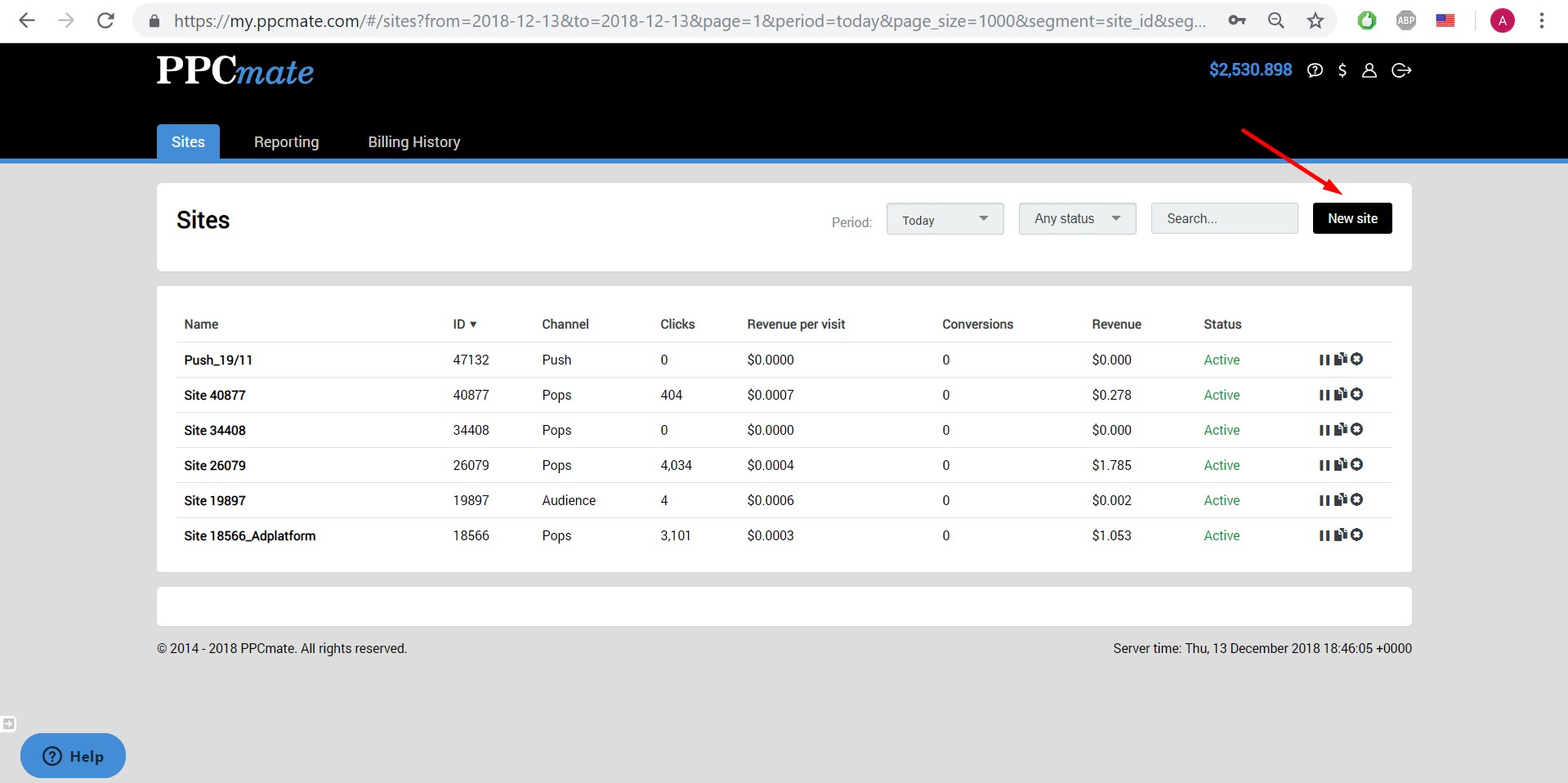
1. Click the “New Site” button
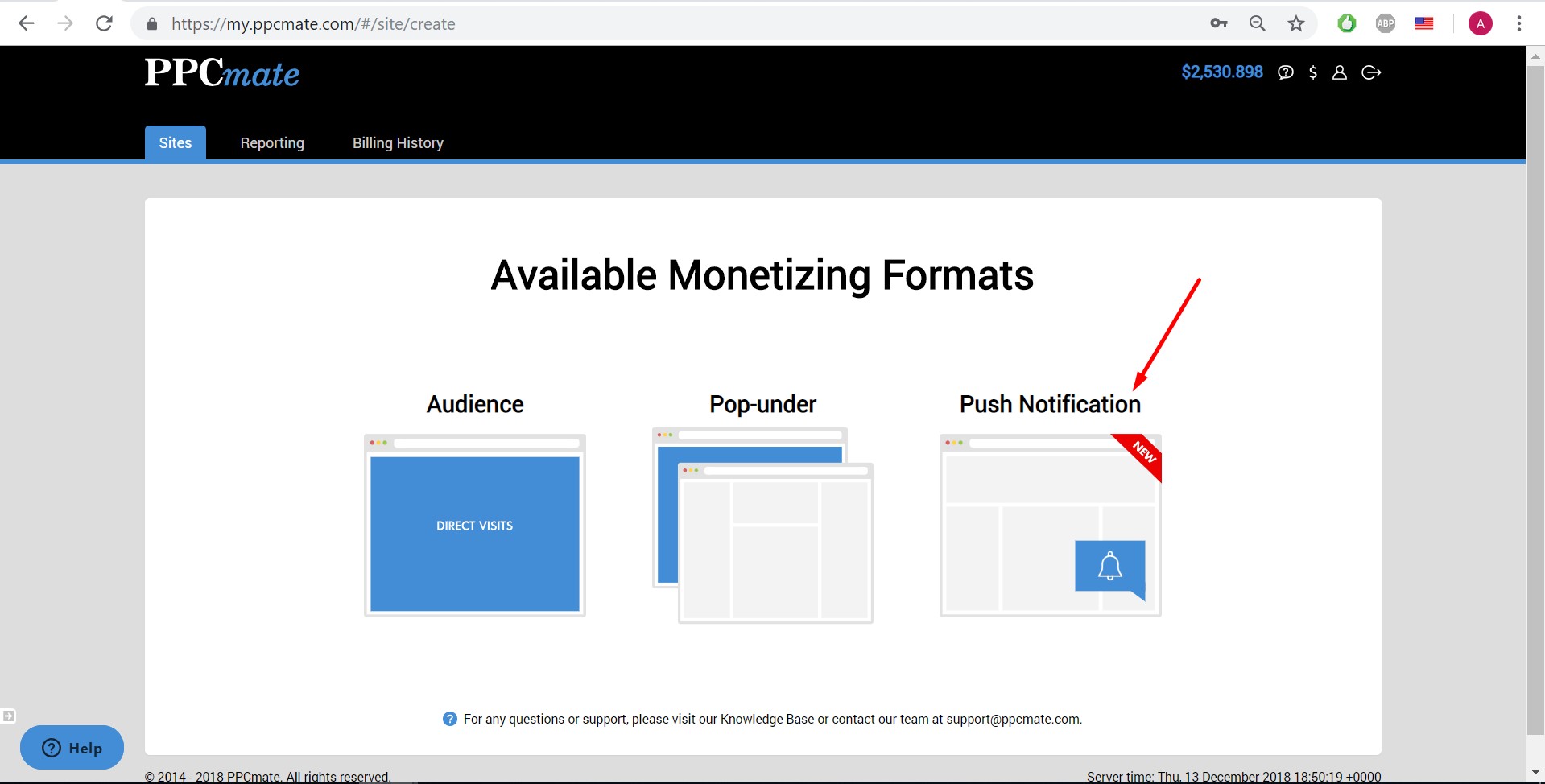
2. Select Push Notification
3. Install the JavaScript code
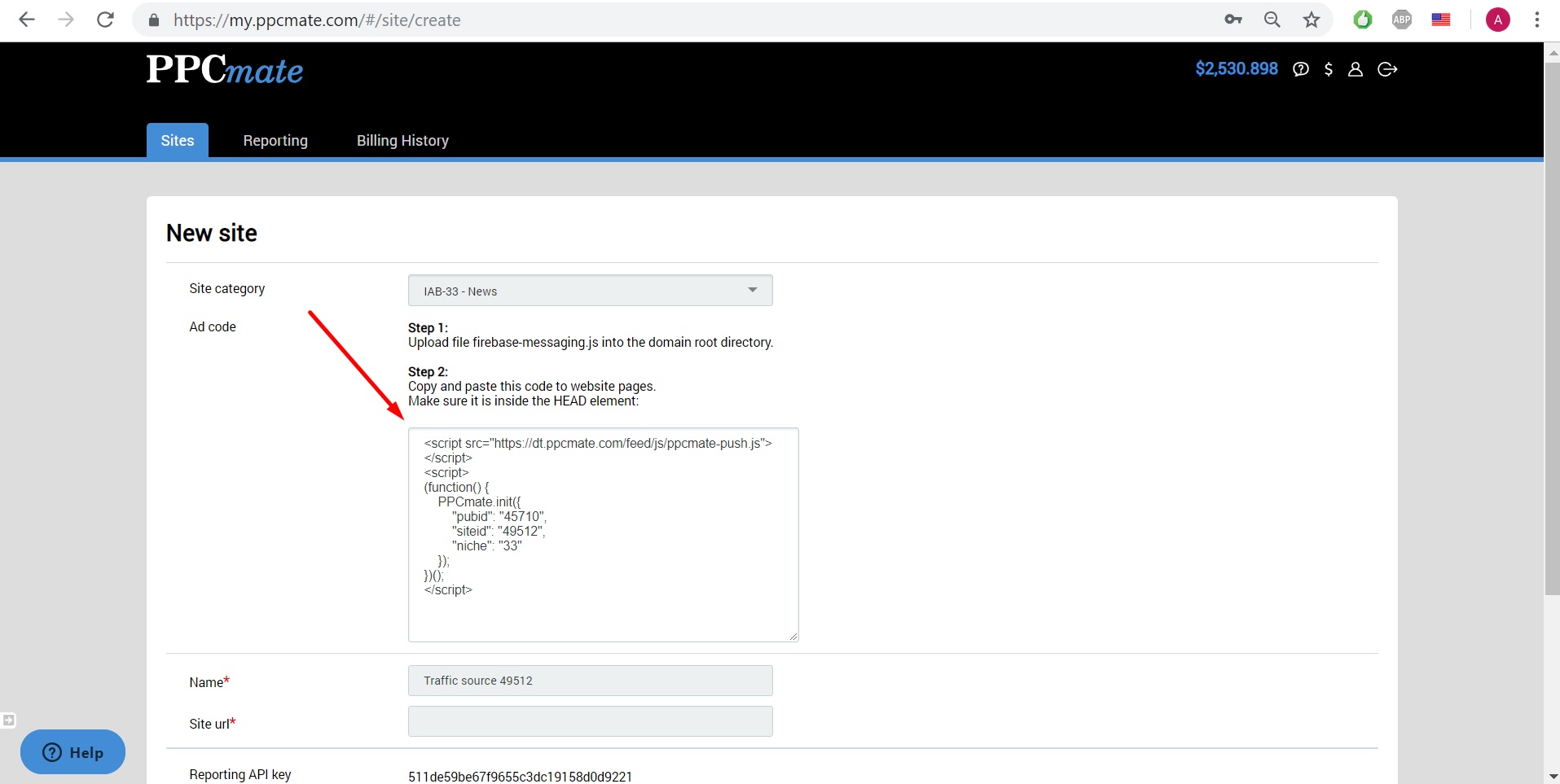
After installing, open your site in a private browser window and confirm the prompt appears where and when you expect, that the service worker file loads from your domain, and that nothing breaks on mobile.
Pre-launch checklist
- Your site is served over HTTPS (web push requires a secure context).
- The script and any service worker file are installed exactly as instructed, at the correct path.
- The prompt timing is reasonable and the page is usable before the user decides.
- Your privacy policy mentions push notifications and how to unsubscribe.
- You have checked the prompt on Chrome, Firefox, Edge and a mobile browser.
- You have a way to report an inappropriate notification to your ad network.
What affects push earnings
Push revenue is driven by the size and quality of your subscriber list rather than by page views alone. The main factors are:
- Visitor geography. Advertisers pay different amounts for different countries.
- Opt-in rate. The share of visitors who accept. Aggressive or deceptive prompts may raise it briefly but produce subscribers who never click and soon unsubscribe.
- List freshness. Subscribers who have not engaged for a long time, or whose browsers no longer receive messages, add little value.
- Device mix. Desktop and mobile users behave differently, and support varies by browser and operating system.
- Traffic quality. Bot or incentivized traffic inflates subscriber counts but not real engagement. Networks filter it, and it can lead to reduced payouts.
Track subscriber growth, unsubscribe rate and revenue per subscriber over time. A rising unsubscribe rate is an early warning that prompts or message content are annoying your audience.
Common mistakes
- Fake “Allow” prompts. Pages that pretend users must allow notifications to play a video or pass a captcha damage trust and can lead to browser warnings.
- Prompting on every page view. If a user dismissed the prompt, repeating it on every page is irritating. Respect the decision.
- Ignoring the privacy policy. Leaving push out of your policy is a compliance gap and looks careless to users.
- Buying traffic just to grow the list. Low-quality bought traffic produces subscribers who do not engage.
- Running push on the wrong site. A professional or children’s audience is a poor match for third-party push ads.
- Not testing after site changes. Theme updates, caching plugins and CDN rules can break the script or the service worker without any visible error.
- Relying on push as the only income. It works best as one stream alongside display, native or other formats that suit your layout.
Is push “safe” from ad blockers?
Older articles often claim push ads cannot be blocked. That is an overstatement. Some ad blockers and browser settings block notification prompts or the scripts behind them, and users can disable notifications at any time. Push reaches users in a different way from on-page banners, but you should not plan revenue on the assumption that it is unaffected by blockers or browser policy changes.
FAQ
Do push notifications slow down my website?
The script is usually small and loads asynchronously, but any third-party code adds some load. Test page speed before and after installation and make sure the script does not block rendering.
Can users unsubscribe?
Yes. Users can block or remove notifications for your site in their browser settings at any time, and the browser will stop delivering messages. Explain how on your site so users do not feel trapped.
Do I need user consent beyond the browser prompt?
It depends on where your visitors are. In some regions, privacy law expects clear information and a lawful basis in addition to the technical permission. Review your privacy policy and consent setup with a qualified advisor.
Can I use push together with other ad formats?
Yes. Because notifications appear outside the page, many publishers run push alongside display or native placements. Watch overall user experience so the combination does not feel excessive.
For questions about setting up push on your site, please contact us.