This week is about doing more in fewer clicks. Make ad images with AI right where you upload them, see exactly which clicks we filtered out, and block or target sites straight from your reports. Here’s everything new.
1. Generate with AI, inside every upload slot
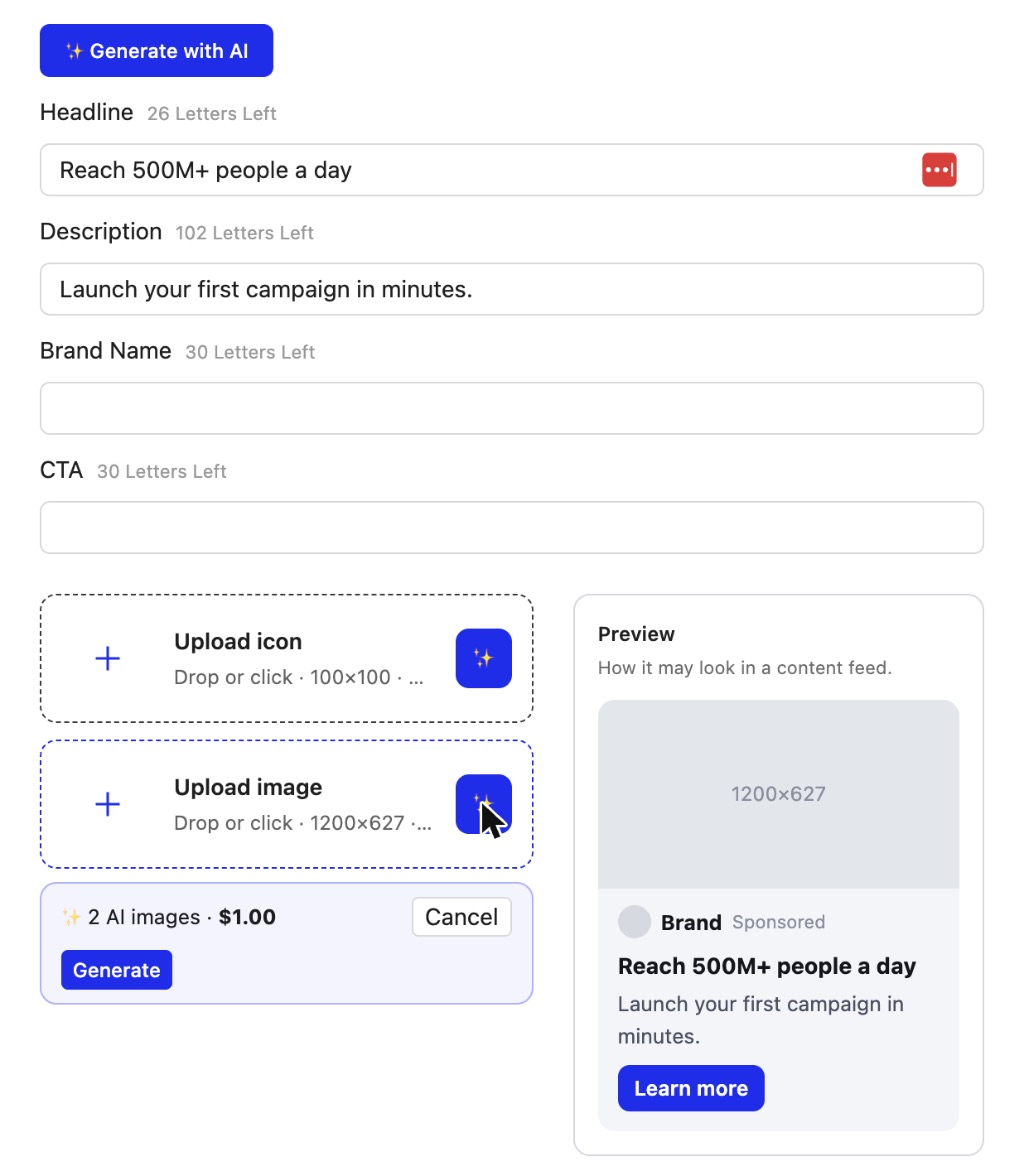
Every image slot now has its own Generate with AI button. Click it, check the price on the confirm line (2 AI images per run) and click Generate. No extra panels. Upload rows are also compact on every format: named slots, the file name once filled, and the whole image visible. Native ads got the same rows plus a live preview of your ad in a content feed.
2. Filtered clicks, plus Block and Target on hover
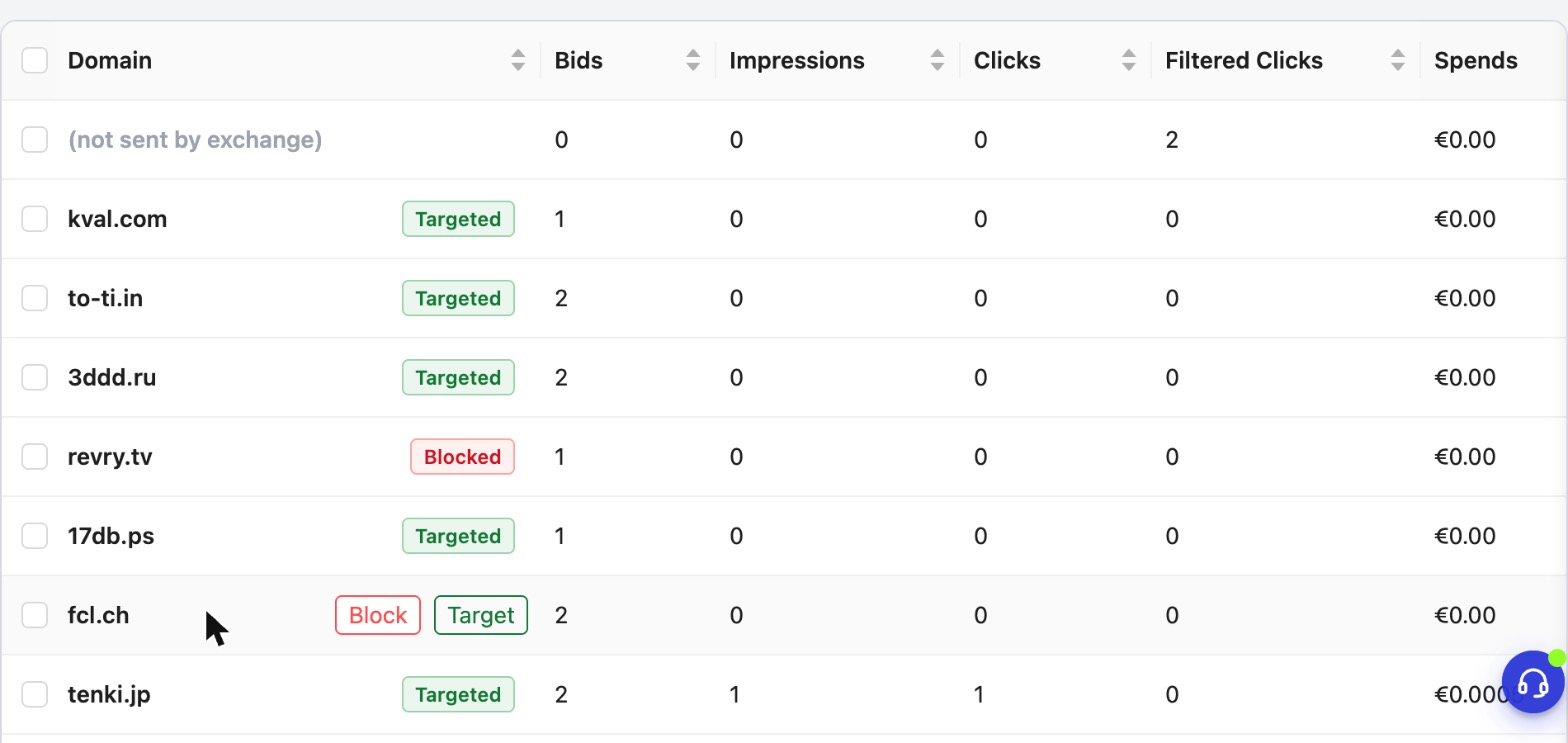
A new Filtered clicks column sits right after Clicks in Statistics and Reports: the clicks our traffic protection removed before you paid for them. In Reports, hover any domain to Block or Target it on the spot, or hover a tag to remove it. Hide blocked now works for Placements too.
3. White Label DSP: rupees, every payment method, channel markup
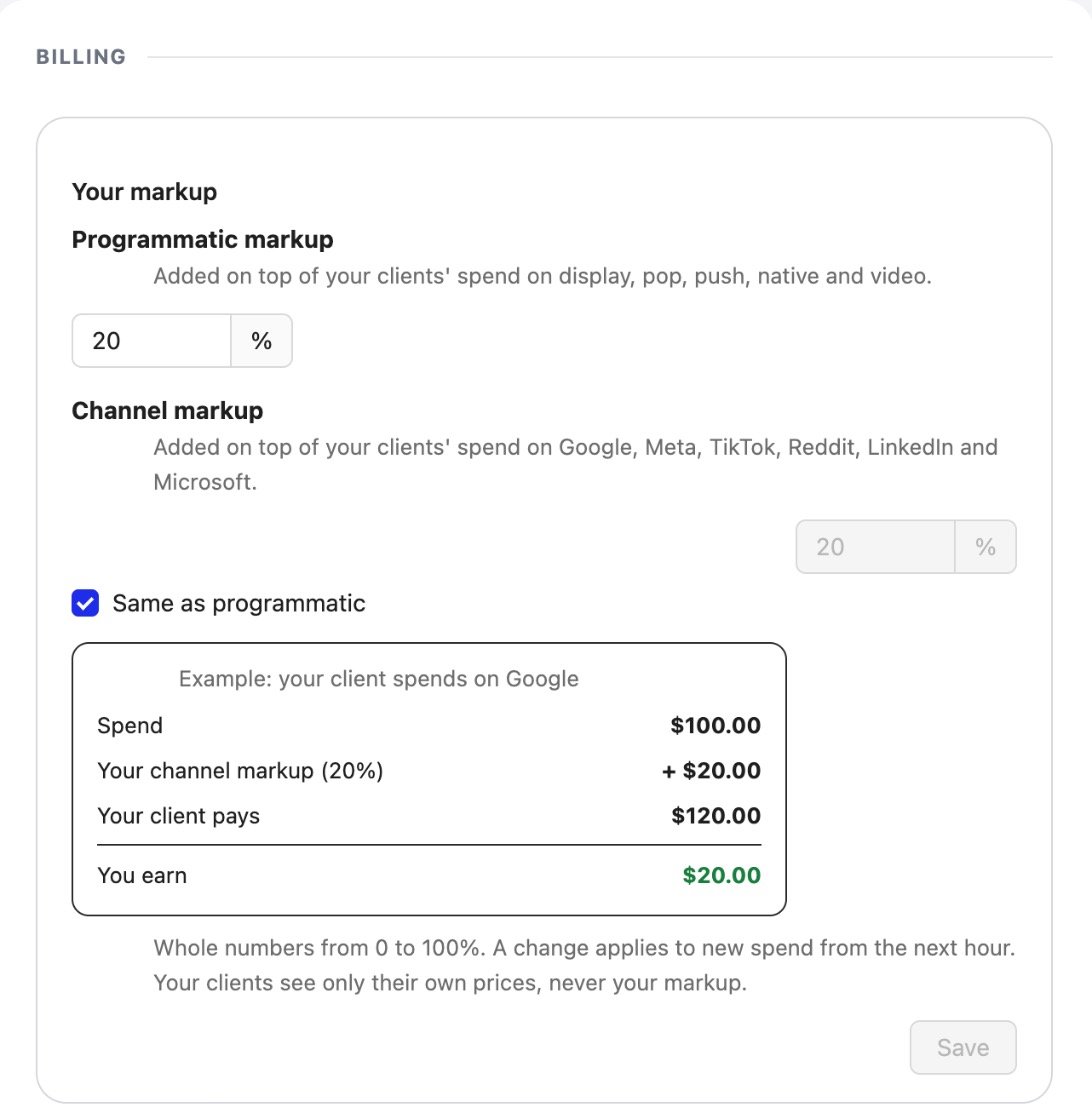
Running your own platform? Your clients can now pay in rupees with Cashfree (with a live INR estimate) and top up with every method you connected: crypto, Payoneer, Wise and more, with clear transfer instructions. Set a separate markup for Google, Meta, TikTok, Reddit, LinkedIn and Microsoft campaigns, and see those earnings on your dashboard. Trials now open your workspace directly.
Also new
- One-click bid fix: the campaign checker names the country with the highest minimum bid and offers Raise bid to $X. Fix Everything only shows when there is something to fix.
- Faster estimates: your delivery estimate stays put while you add a creative, and never shows stale numbers.
- Smarter Push bids: the default bid is the typical CPC, and bid hints ignore outliers.
- Campaign form: Pop priced by CPM or CPV, the checker’s funds row opens Add Funds, and the All formats chip is back.
- Native HTML5: code only, no uploads it never used.
- Cleaner in-app traffic and more reliable click tracking.
- Crypto invoices stay open for 7 days.
- Google: an approved landing domain is unblocked right away.
- Tables: smoother loading with bigger loaders and no empty strips.
Frequently asked questions
What's new in PPCmate in the 25 November 2026 release?
Generate with AI inside every image upload slot; compact upload rows on every format; Native ads with a live preview; a Filtered clicks column in Statistics and Reports; Block and Target on hover in Reports; a one-click Raise bid fix in the campaign checker; cleaner in-app traffic; crypto invoices open for 7 days; and White Label updates including Cashfree payments in rupees and channel markup.
How do I generate ad images with AI?
Open any creative, click the blue sparkle button on an image slot, check the price on the confirm line and click Generate. You get 2 AI images that fit the slot size.
What are Filtered clicks?
Clicks our traffic protection filtered out before you paid for them. The column sits right after Clicks in Statistics and Reports, so you can see exactly what was removed.
How do I block or target a site from Reports?
Group your report by Domain and hover a row: Block and Target buttons appear right on the domain. Hover a Blocked or Targeted tag to remove it again.
What changed for White Label DSP owners?
Clients of your brand can now pay in rupees through Cashfree, top up with every payment method you connected, and you can set a separate markup for Google, Meta, TikTok, Reddit, LinkedIn and Microsoft campaigns. Trials now start straight in your workspace.
How do I get PPCmate product updates first?
Join the PPCmate Telegram channel at t.me/ppcmate. Every release is posted there as soon as it ships, and all changes are listed in the release notes at ppcmate.com/releases.