Pay-per-click (PPC) advertising lets you pay only when someone clicks your ad, or, in the wider sense, buy traffic in small, measurable amounts and scale what works. That makes it one of the easiest ways for small advertisers and affiliates to test a product, an offer or a new market without a large upfront budget. It also makes it easy to lose money quickly if the campaign is set up without a plan.
This guide covers the four things that most often separate profitable PPC campaigns from expensive experiments: where you run your ads, how you set budgets and bids, how you track results, and how you optimize once data comes in.

Why PPC works for small advertisers
PPC has a low barrier to entry. You can start with a small budget, see what is and is not working, and respond quickly. Daily and total spend limits keep your risk under control, and reports show you which audience, placement and creative respond. The point is to learn what resonates before you increase spend.
PPC is also not only search ads. Many ad networks and DSPs sell push, native, display and pop traffic on a cost-per-click or cost-per-thousand-impressions (CPM) basis. The principles below apply to all of them.
Tip 1: Put your ads in the right place
Your ad needs to reach people who might actually buy. That starts with choosing the right channel and ad format for the offer:
| Format | Usually bought on | Works well for |
|---|---|---|
| Search ads | CPC | People actively looking for a product or answer |
| Push notifications | CPC | Short, direct offers; apps, sweepstakes, e-commerce deals |
| Native ads | CPC or CPM | Content-style offers, articles, comparison pages |
| Display banners | CPM or CPC | Awareness, retargeting, broad reach |
| Pop-under | CPM | High-volume testing, simple offers with a fast landing page |
Inside a channel, placement matters even more. When evaluating an ad platform, check that it offers:
- Reports broken down by placement, domain or zone, so you can see where clicks come from
- The ability to block (blacklist) or restrict to (whitelist) specific placements
- Daily and total spend limits per campaign
- Targeting by country, device, operating system and time of day
- Fraud filtering, so you are not paying for bot clicks
If a platform does not let you see and control placements, you cannot fix the most common cause of wasted spend.
Tip 2: Set budgets and bids with a plan
Work backwards from your target cost
Before setting a bid, decide what a conversion is worth to you. If a sale earns you $20 in profit, you cannot pay more than that per sale. From there you can work out what you can afford per click: if roughly one in 50 visitors buys on your page, a click is worth at most $20 / 50 = $0.40 to you. Your real conversion rate will only be known after testing, so start below that ceiling and adjust.
Start near the market price
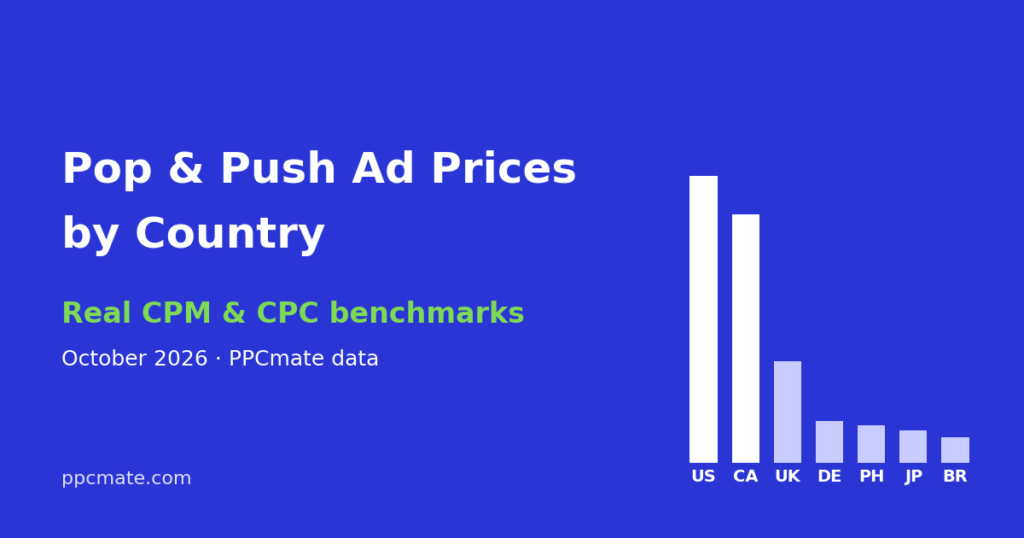
Bid far below the market and you mostly win leftover inventory, which often converts poorly. Bid far above it and you overpay. Look at what the format costs in your target country. For pop and push, our CPM and CPC benchmarks by country show averages from recent advertiser data and can help you pick a starting bid.
Cap your risk
- Set a daily budget you are comfortable losing completely during testing.
- Set a total budget for the test so it stops on its own.
- Use frequency caps so the same person is not shown your ad over and over.
- Use dayparting if your data shows certain hours never convert.
Tip 3: Track conversions, not just clicks
Clicks tell you what people found interesting. Conversions tell you what made money. Without conversion tracking, you will optimize toward cheap clicks, which is often the opposite of what you want.
Choose a tracking method
- Pixel: a small piece of code on your thank-you page that reports the conversion to the ad platform. Simple when you own the website.
- Postback (server-to-server): your tracker or the affiliate network sends the conversion directly to the ad platform with the click ID. Not affected by browser blocking. The standard choice for affiliate offers.
Test it before you spend
- Click your own ad or test link and confirm the click ID appears in your tracker.
- Complete a test conversion, or ask the network to fire a test postback.
- Confirm the conversion shows up in the ad platform, attached to the right campaign and source.
Also add UTM parameters or tracker parameters for source, campaign and creative, so you can analyze results in your own analytics as well.
Tip 4: Optimize in small, regular steps
Once data comes in, review it on a fixed schedule, for example once a day, and make a few changes at a time.
Placements
Open the placement or zone report and sort by spend. Sources that spent your target cost per conversion without converting are candidates for the blacklist. Sources that convert below target can go on a whitelist and get a higher bid. Sources with little spend need more time.
Creatives
Run several ads at once. Pause those with clearly lower CTR or worse cost per conversion once they have enough impressions, and add new ones. Creatives on push and native wear out, so plan to refresh them.
Landing pages
A fast, mobile-friendly page in the visitor’s language with one clear call to action will usually do more for your results than any bid change. For cold traffic, test a short pre-lander, such as a quiz or a short article, against sending visitors directly to the offer.
Targeting
Split campaigns by country and device. Blended data hides the fact that, for example, desktop converts and mobile does not. Once you see a pattern, move budget to what works.
A worked example: the first week
Say you promote a mobile app offer in two countries. You create four campaigns: country A mobile, country A desktop, country B mobile, country B desktop. Each gets a small daily budget, three creatives and a bid near the market average. The postback from the affiliate network is tested before launch.
After three days, desktop in both countries has spent its budget with no installs, which is not surprising for an app offer, so you pause it. Country A mobile has a handful of conversions, but most come from a few placements. You whitelist those, raise their bids a little and blacklist the placements that spent the most without converting. Country B mobile is cheap but has no conversions, so you test a pre-lander there before giving up on it. One creative has a clearly lower CTR everywhere, so you replace it.
None of these steps is complicated. The result comes from making them consistently, based on tracked conversions rather than impressions or clicks.
Common mistakes
- No conversion tracking. Optimizing on clicks alone usually rewards the cheapest, least valuable traffic.
- Judging too early. A few clicks are not enough data. Set a spend threshold before you decide.
- One big campaign for everything. Different countries, devices and formats need separate campaigns or at least separate analysis.
- Ignoring placements. Most wasted spend comes from a minority of sources. Check the placement report.
- Slow landing pages. Paid visitors leave if the page does not load quickly, and you have already paid for the click.
- Changing everything at once. You will not know which change helped.
Launch checklist
- Target cost per conversion defined.
- Conversion tracking tested end to end.
- Campaigns split by country and device.
- Daily and total budgets set.
- Frequency cap set.
- Three or more creatives ready.
- Landing page tested on a phone.
- Review schedule in your calendar.
If you want to try this on pop, push, native or display traffic, PPCmate lets you buy on CPM or CPC with pixel and postback conversion tracking, frequency capping and budget limits, with a $25 minimum deposit (see the pricing page).
FAQ
How much budget do I need to test a PPC campaign?
Enough to get meaningful data. A practical way to size it is to plan for several times your target cost per conversion per test, so you can see more than one or two results before deciding.
Is CPC always better than CPM?
No. CPC protects you from paying for views that never click, but CPM can be cheaper per visitor if your ad gets a good click rate. Compare cost per conversion, not the pricing model.
How often should I change bids?
Make small changes and wait for new data before the next one. Daily review is enough for most small campaigns.
What is a good click-through rate?
It depends heavily on format, country and offer. Instead of chasing a general benchmark, compare creatives and placements against each other within your own campaign.