A big thank-you first: many of the ideas in this release came from Maxime in Bulgaria. His suggestions, support and recommendations shaped bulk banner upload, inline bids and the new Inventory filters. Thank you, Maxime!
This release makes creating and managing ads much faster. Here’s everything new.
1. Upload up to 100 banners at once
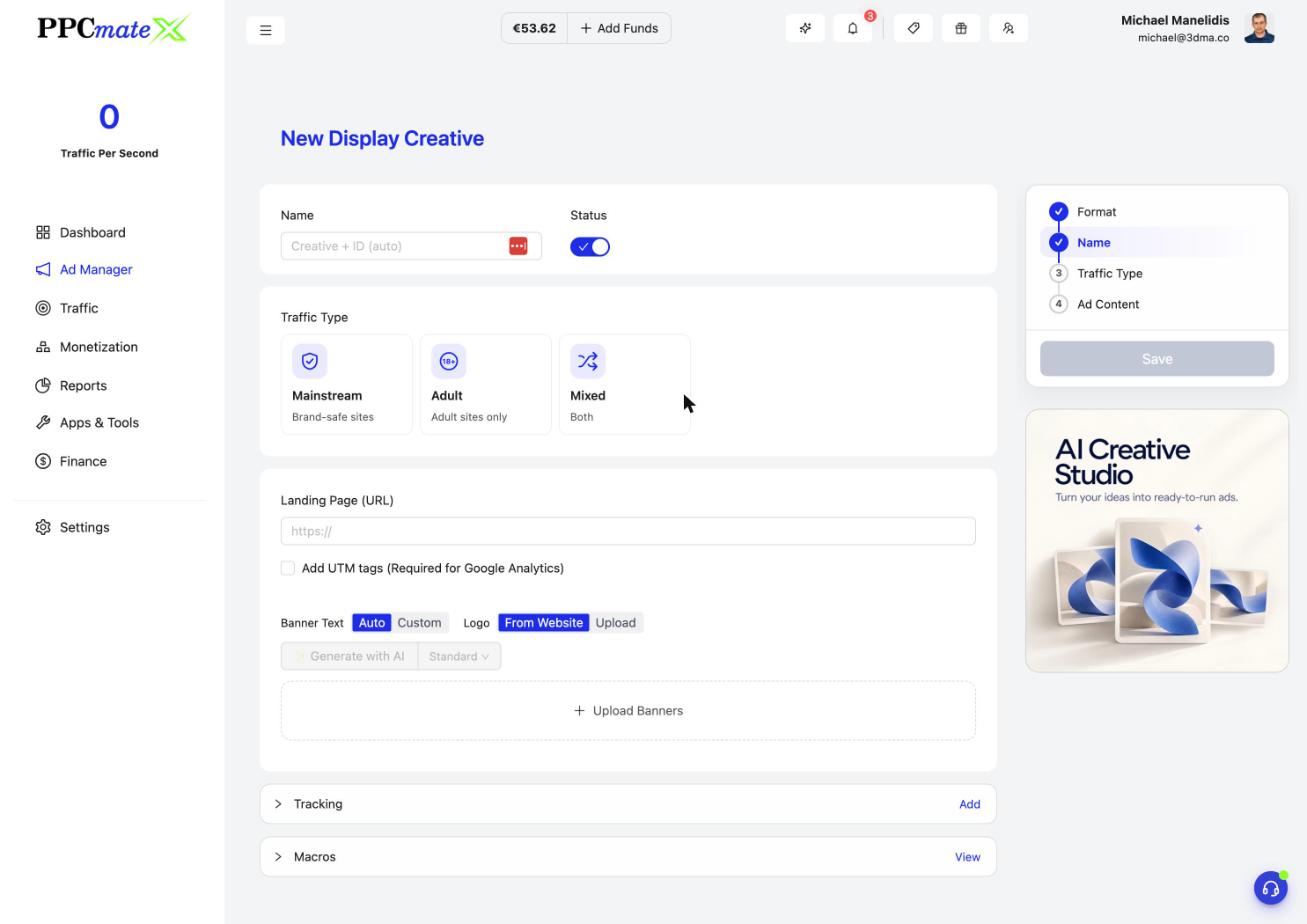
In the Display creative form, click Upload Banners and drop in up to 100 images. PPCmate reads each image’s size and fits it to the closest standard banner size, with no stretching. Banners show as tidy rows with a status for each one, you can drag in more, and if something fails you retry only the failed ones.
2. Smarter AI banners
Generate with AI is now a split button: pick Standard or Premium quality, and the price shows before you click. Every generation gives you 1 + 1 free variants, and you can select several and add them all at once. Set Banner Text to Auto or write your own, and upload your logo or take it from your website. If you refresh the page, your last generation comes back.
3. Edit bids right in the Campaigns list
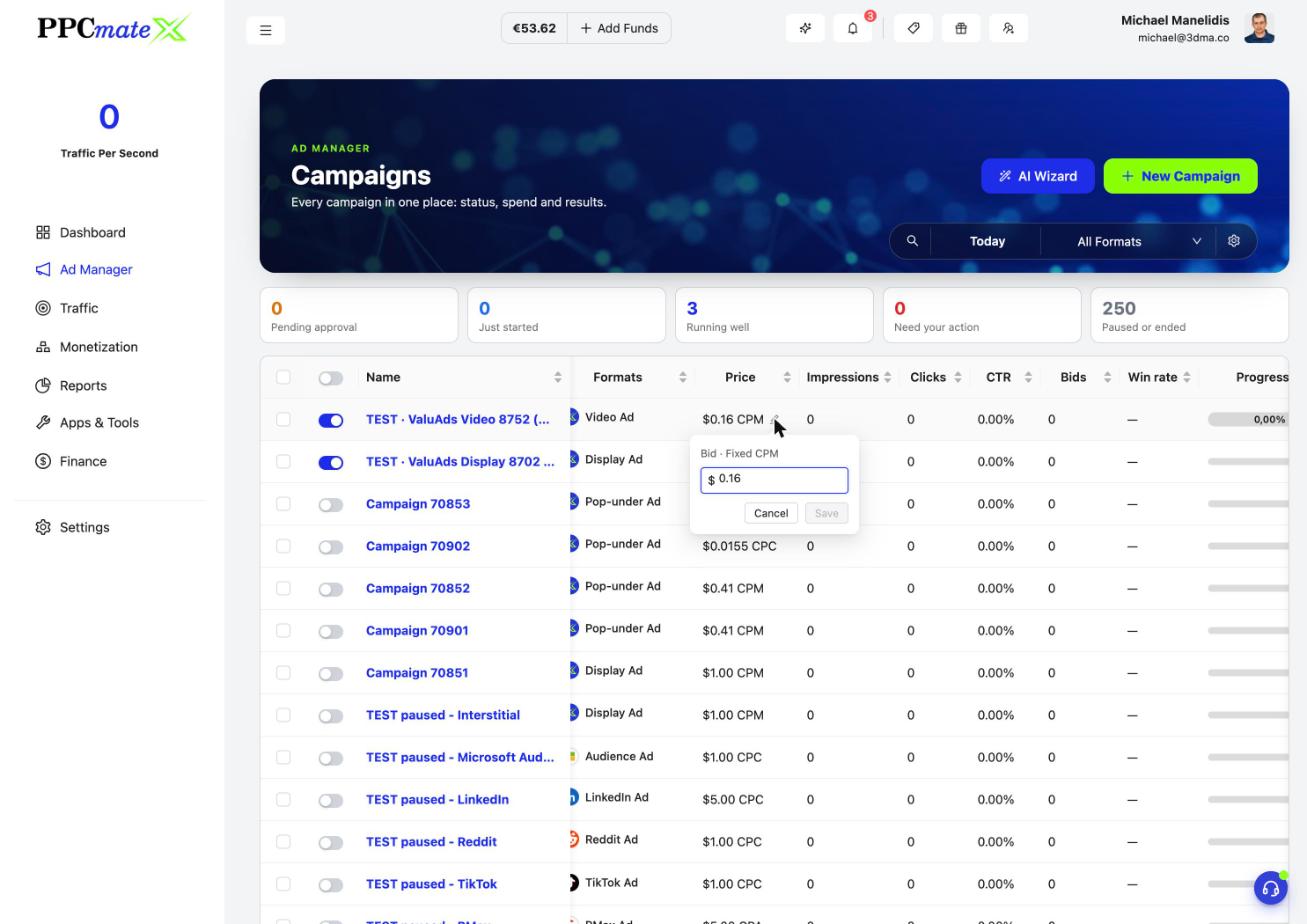
Hover over a price on the Campaigns list and click the pencil. Change the bid in a small popover and save, with no need to open the campaign. Bids now show exactly, up to 5 decimals.
4. New Inventory filters
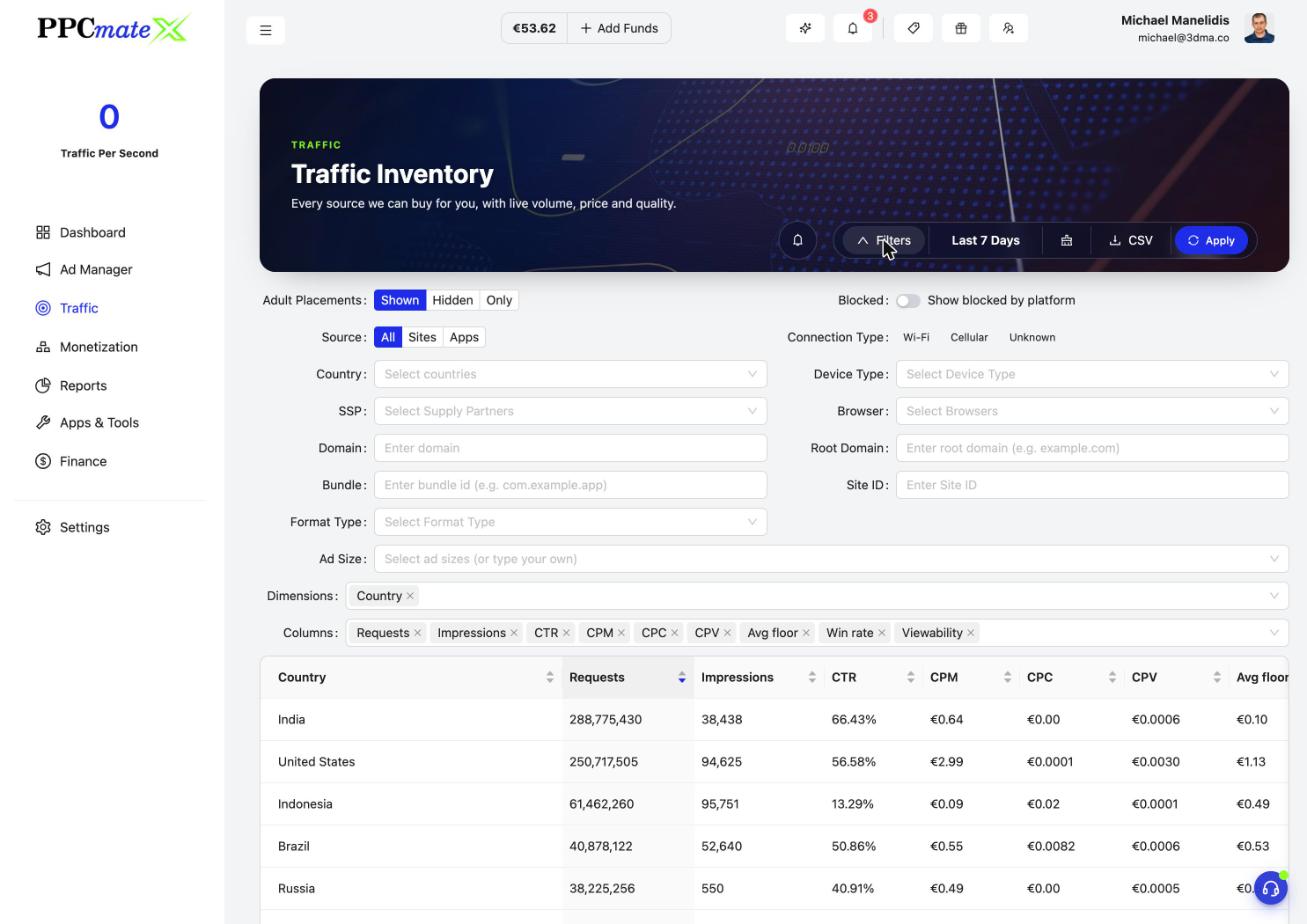
Inventory can now show, hide or isolate adult placements, split traffic by Sites or Apps, filter by connection type (Wi-Fi, Cellular) and show sources the platform blocks. New App or site and Bundle columns help you find the exact placement.
5. Choose how each notification reaches you
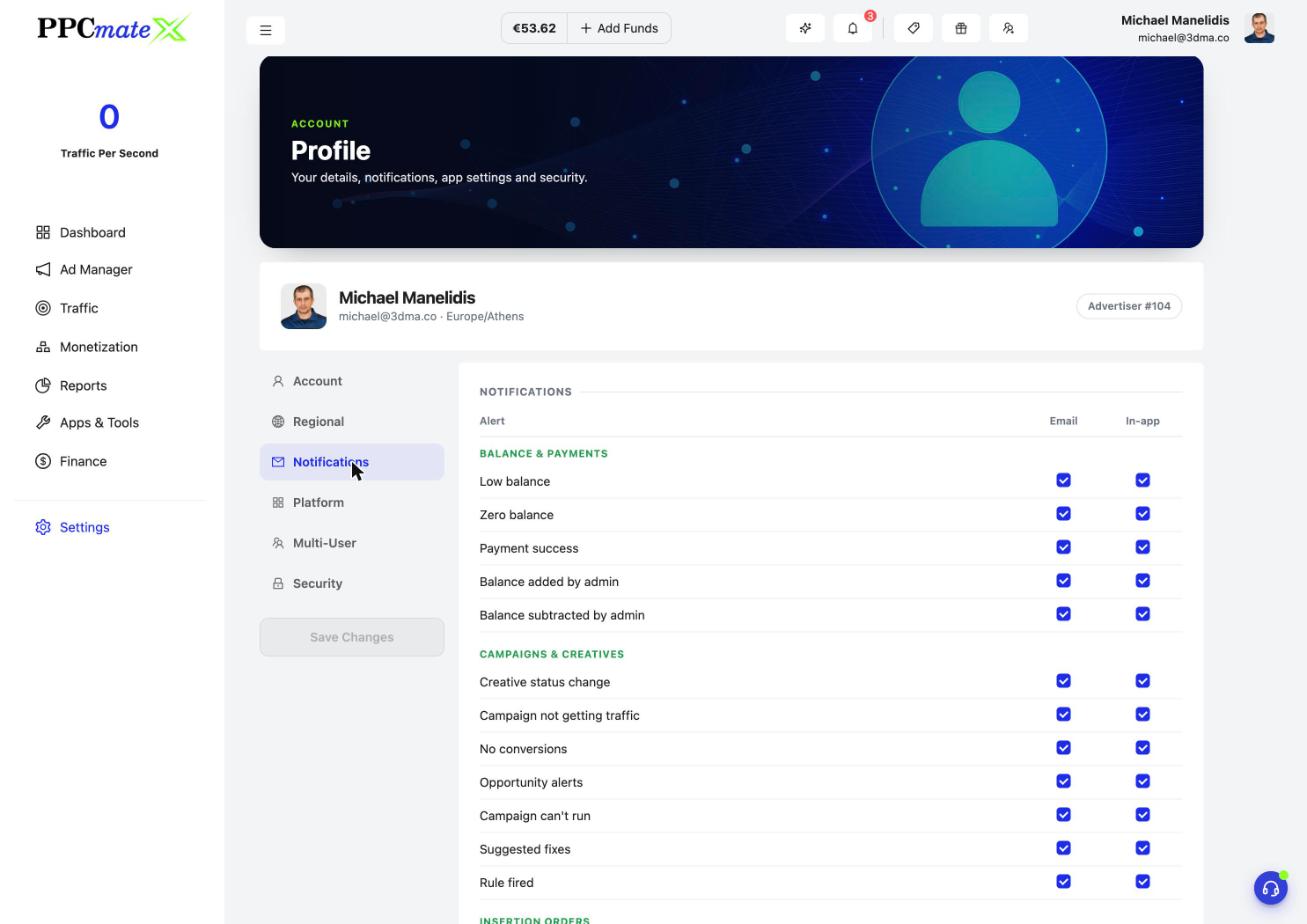
In Settings, Notifications, every alert has an Email and an In-app checkbox. There are also low-balance alerts, a summary with quiet hours, defaults for new campaigns, and login alerts with your active sessions.
Also new
- Video viewability columns (Watched, OMID, predicted) on Reports and Inventory.
- Auto dark theme from 19:00 to 07:00, on by default. A manual switch holds until the next change.
- Multi-User is now a section in your Profile, and Settings has its own place in the left menu.
- Frequency cap by app bundle.
- Allow-list warning: the Campaign Checker tells you when an account allow list limits where your ads can show.
- Clearer Delivery Estimate: Reach counts offered requests, and Impressions per day is offered requests times your win rate.
- A faster app: the dashboard now loads in about half the time.
- Special Offers adds programmatic books, including The ROAS Formula.
- Plus dozens of small fixes and polish across the app.
Frequently asked questions
What's new in PPCmate in the 5 November 2026 release?
Bulk upload of up to 100 banners; inline bid editing on the Campaigns list; Standard or Premium AI banners with Auto or Custom banner text and your own logo; Inventory filters for adult placements, sites or apps and connection type; video viewability columns; an automatic dark theme; a notifications grid with email and in-app choices; frequency capping by app bundle; and a faster app.
How many banners can I upload at once?
Up to 100. PPCmate reads the size of each image and fits it to the closest standard banner size without stretching. Each banner becomes its own creative, and if some uploads fail you only retry those.
How do I change a bid without opening the campaign?
On the Campaigns list, hover over the price and click the pencil. Type the new bid in the small popover and click Save. Bids show exactly, up to 5 decimals.
What is the difference between Standard and Premium AI banners?
Both create banners from your landing page. Premium gives higher-quality images. The price shows on the Generate with AI button before you click, and every generation gives you 1 + 1 free variants.
How do I choose which notifications I get?
Go to Settings, then Notifications. Every alert has an Email and an In-app checkbox, so you decide where each one reaches you.
How do I get PPCmate product updates first?
Join the PPCmate Telegram channel at t.me/ppcmate. Every release is posted there as soon as it ships, and all changes are listed in the release notes at ppcmate.com/releases.