This release is about bidding with your eyes open. PPCmate now suggests a bid from real winning prices for your targeting, shows you the traffic you didn’t win and why, and lets you raise a bid in one click when a campaign is slow. Here’s everything new.
1. A suggested bid, priced for your targeting
On PPCmate’s own formats, the bid field now suggests a price based on what really wins for your targeting: the median, with the range most winning bids fall in. To make that possible, the campaign form now asks for Targeting and Inventory before Finance and Scheduling, so the suggestion is priced for your actual audience. It keeps following your targeting until you type a bid of your own, and if you switch to CPC or CPV, the suggestion is converted for you.
2. Missed Traffic: see what you didn’t win, and why
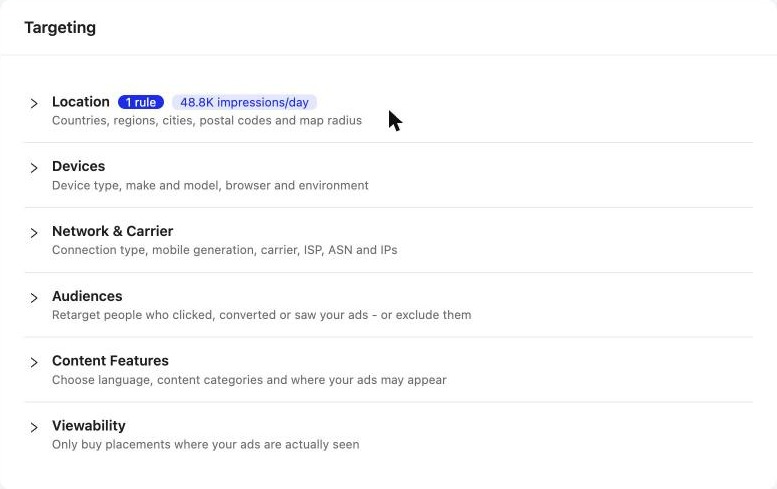
A new Missed Traffic tab in Reports shows the requests your campaigns didn’t bid on, by day, campaign, country and domain. For each one you see the reason, for example below floor, region, ISP, device, budget pacing or a blocked placement, the typical floor where you were under it, and a fix.

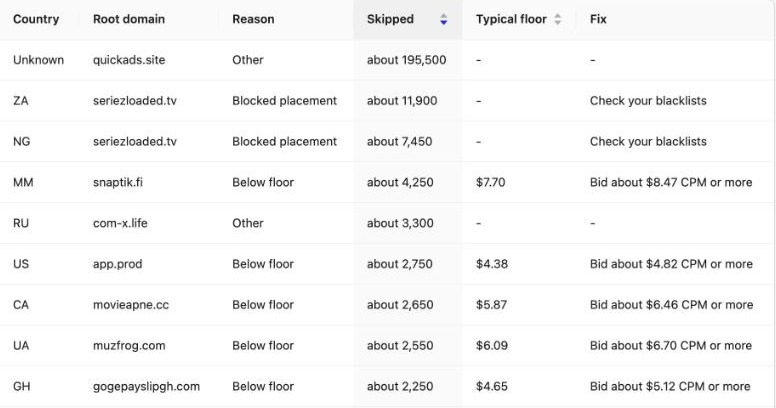
The counts are estimates, so read them as a guide to where the volume is. Every active campaign’s status card has a Missed Traffic button that opens the report for that campaign.
3. CPC pricing for Pop-under
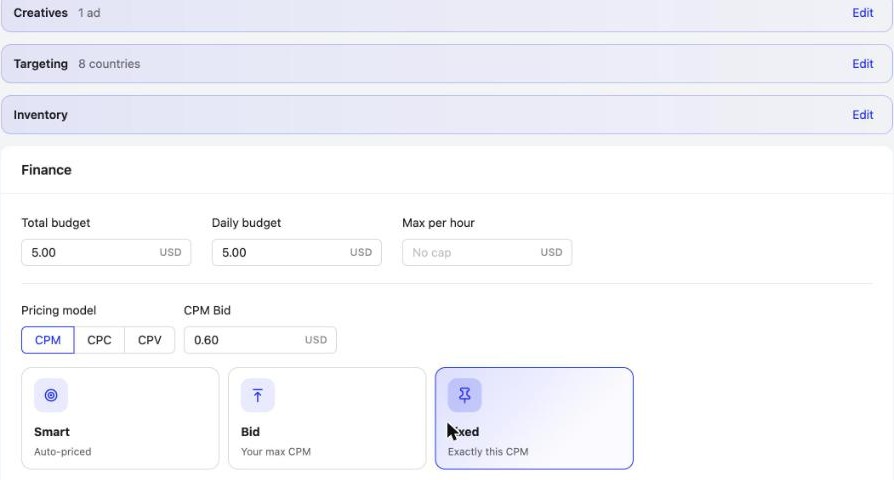
Pop-under campaigns can now be priced by CPM, CPC or CPV. Pick the model in the Finance step and the bid field follows it.
4. Inventory: the numbers that decide a bid
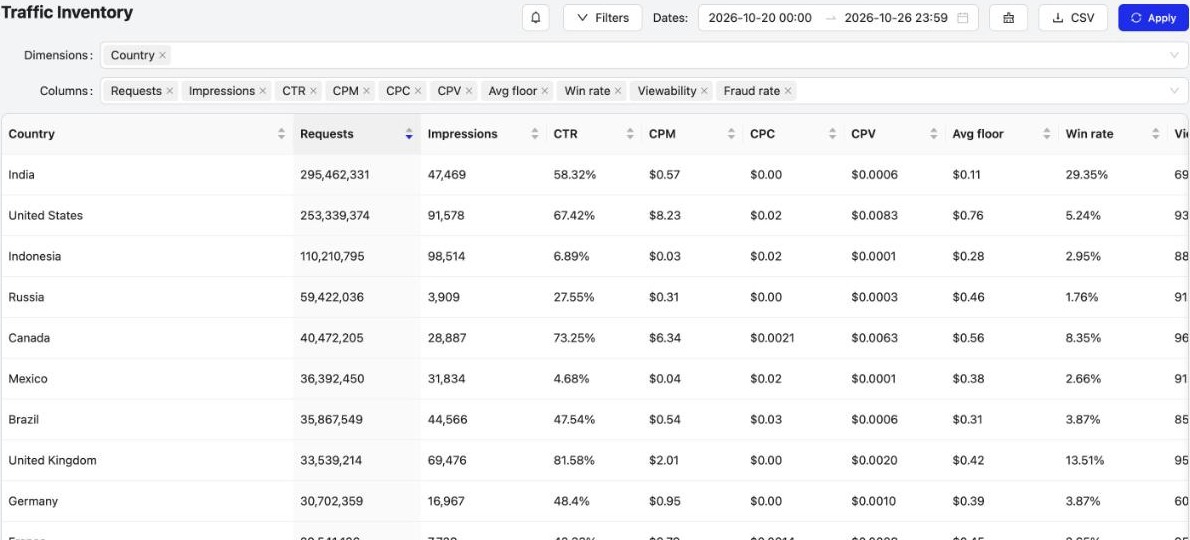
Traffic Inventory now shows CPV next to CPM, plus average floor, win rate, viewability and fraud rate, with time in view and video completion available too. Inventory is also the first item under Traffic in the menu.
5. Raise a slow campaign’s bid in one click
When a campaign is delivering slowly, the Campaign Checker now gives one short reason and a Raise bid button. One click raises the bid straight away, and the Checker then waits three hours before suggesting another raise, so the change has time to show.
Also new
- Geo Radius you can drag: resize a circle by dragging its edge (the km show while you drag), and the map flies to each place you add, postal codes included.
- Browser-version targeting in Devices, plus autocomplete for ISP and other long lists.
- App Full-Screen and Rewarded placements, under Websites & Apps.
- Landing page speed check: the Campaign Checker warns when your landing page loads slowly (Pop-under from 3 seconds, other formats from 5).
- Google Search: Maximize conversion value, and Maximize conversions never bids above your max CPC.
- A clearer launch: Campaign launched, Saved as paused or Campaign saved, with a little confetti; you can switch the confetti off in Profile › In the app.
- A faster dashboard on long date ranges.
Frequently asked questions
What's new in PPCmate in the 26 October 2026 release?
A suggested bid based on real winning prices for your targeting, a Missed Traffic report with reasons and fixes, CPC pricing for Pop-under next to CPM and CPV, new Inventory columns (CPV, average floor, win rate, viewability, fraud rate), a one-click Raise bid in the Campaign Checker, Geo Radius circles you can drag, browser-version targeting, App Full-Screen and Rewarded placements, landing page speed checks, Maximize conversion value for Google Search, a clearer launch message and a faster dashboard.
How does PPCmate suggest a bid for my campaign?
On PPCmate's own formats, the bid is suggested from real winning prices for the targeting you've chosen: the median, with the 25th to 75th percentile range. Targeting and Inventory now come before Finance in the campaign form, so the suggestion is priced for your actual audience, and it keeps following your targeting until you type your own bid.
What is the Missed Traffic report?
Missed Traffic, under Reports, shows the requests your campaigns didn't bid on, by day, campaign, country and domain, with the reason (for example below floor, region, ISP, device, budget pacing or a blocked placement), the typical floor for below-floor skips, and a suggested fix. The counts are estimates.
Can I buy Pop-under traffic on CPC?
Yes. Pop-under campaigns can now be priced by CPM, CPC or CPV. Pick the pricing model in the Finance step.
What does Raise bid in the Campaign Checker do?
When a campaign is delivering slowly, the Campaign Checker shows one short reason and a Raise bid button. One click raises the bid straight away; the Checker then waits three hours before suggesting another raise, so the change has time to show.
Can I turn off the confetti when a campaign launches?
Yes. Go to Profile, then In the app, and switch off Confetti effect. You'll still see the Campaign launched or Saved as paused message.
How do I get PPCmate product updates first?
Join the PPCmate Telegram channel at t.me/ppcmate. Every release is posted there as soon as it ships, and all changes are listed in the release notes at ppcmate.com/releases.
Get updates first
Every PPCmate release goes to our Telegram channel the moment it ships. Join PPCmate on Telegram →
See every change in the release notes, or start a campaign and try it today.