
Advertising on the open internet is no longer just about buying impressions. It is about reaching the right people on premium websites and apps while your campaigns are smart enough to optimize for real performance.
With PPCmate X you can now run Google Ads Display campaigns and combine that powerful inventory with CTR and CPA optimizations inside your own DSP account. This means you can access premium domains and apps and let the system focus on engagement and conversions, not just raw traffic.
In this guide you will see exactly how to set up and run Google Ads Display with CTR and CPA optimizations in a clear step by step flow.
Why run Google Ads Display through PPCmate X
Google Ads Display opens the door to thousands of premium publishers across the Web. When you connect this channel through PPCmate X you gain three big advantages:
–
- Access to premium websites and apps
You can reach well-known news portals, business sites, lifestyle magazines, tech blogs, travel sites, mobile apps, and more. This is the ideal environment for advertisers who care about brand safety and quality.
– - Centralized campaign management
You control everything from one DSP interface. Budgets, targeting, creatives, tracking, reports, and optimizations stay in a single platform.
– - CTR and CPA optimizations
You can let PPCmate X optimize for click-through rate and target cost per action. The system learns which placements, audiences, devices, and creatives bring better engagement and conversions and then shifts delivery toward them.
How CTR and CPA optimizations help your campaigns
CTR and CPA optimizations are at the heart of performance display.
–
CTR optimization
CTR optimization focuses on increasing the percentage of users who click your ads.
This is useful when you want to:
- Drive more visits to your website
- Test creatives and messages
- Improve relevance and engagement before pushing hard on conversions
A higher CTR usually means your targeting and creatives match user intent more closely. Over time the optimizer will favor placements and audiences with better interaction.
–
CPA optimization
CPA optimization focuses on the cost of a specific action such as:
- Lead form submission
- Purchase or signup
- App install
- Any custom event you track with your conversion pixel
The system uses your conversion data to find patterns and allocate more budget where your target CPA is achieved or improved. This protects your budget and keeps spend closer to real business outcomes.
The Step-by-Step Guide
Run Google’s Display Ads with CTR and CPA optimizations
Follow this step-by-step process to launch your first campaign.
Step 1: Log in and select Google Ads Display
- Log in to your PPCmate X account.
- Go to the campaign creation section.
- Choose the media type for Display.
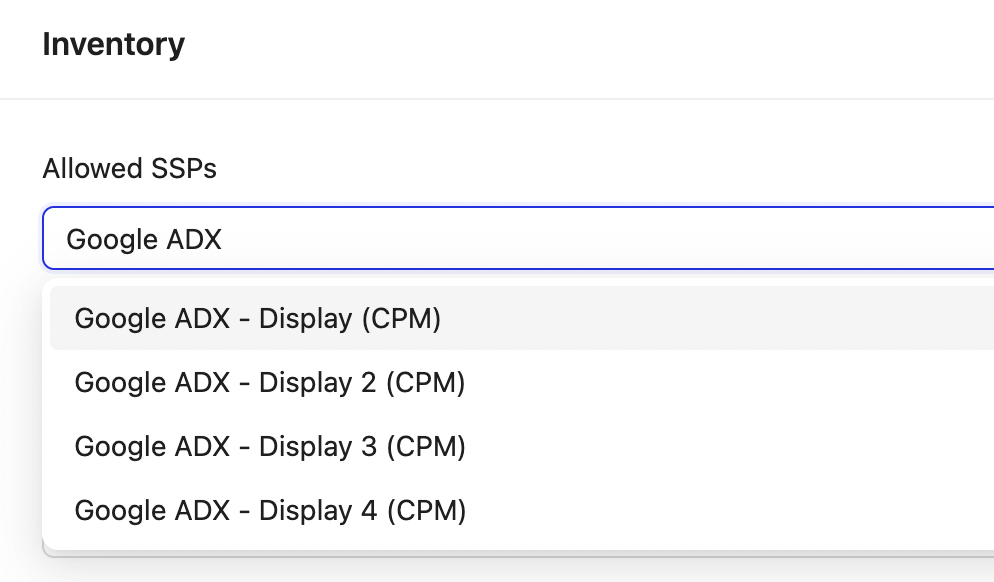
- Select Google Ads Display as the traffic source or channel where available.
This connects your campaign with Google Display inventory through PPCmate X.
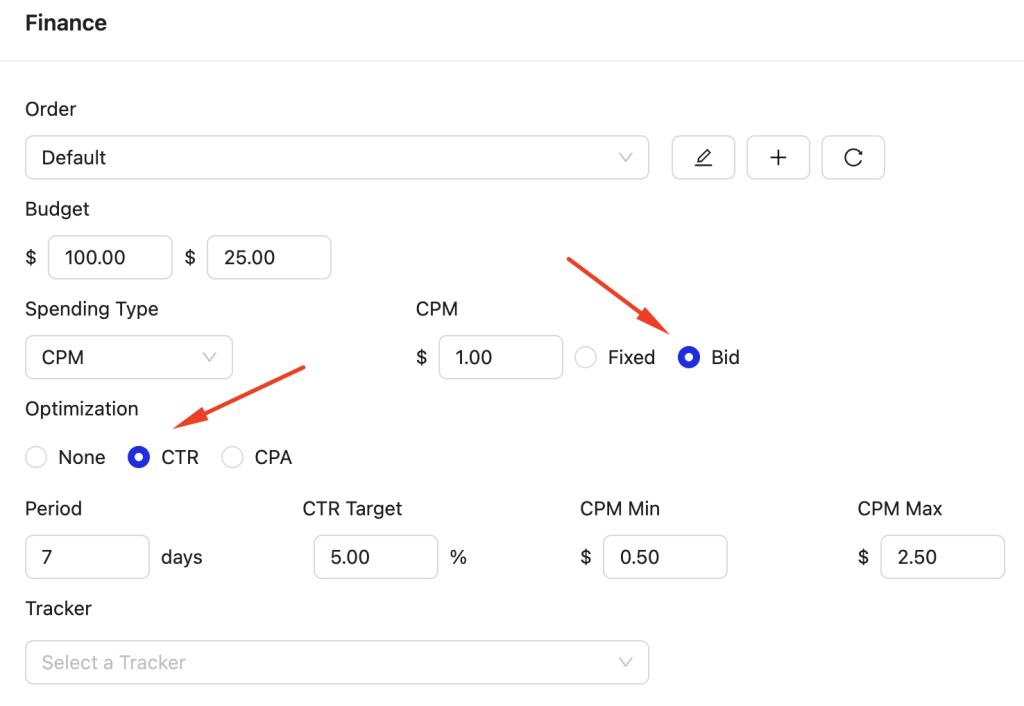
Step 2: Set your budget and bidding strategy
- Choose your daily or total budget based on your overall plan.
- Select the CPM bidding model for display.
- Enable CTR optimization if your primary goal is engagement
- Or enable CPA optimization if you are tracking conversions and have a target CPA in mind.
You can start with CTR optimization to gather data and then introduce CPA optimization once you have enough conversions recorded.
Step 3: Define your targeting
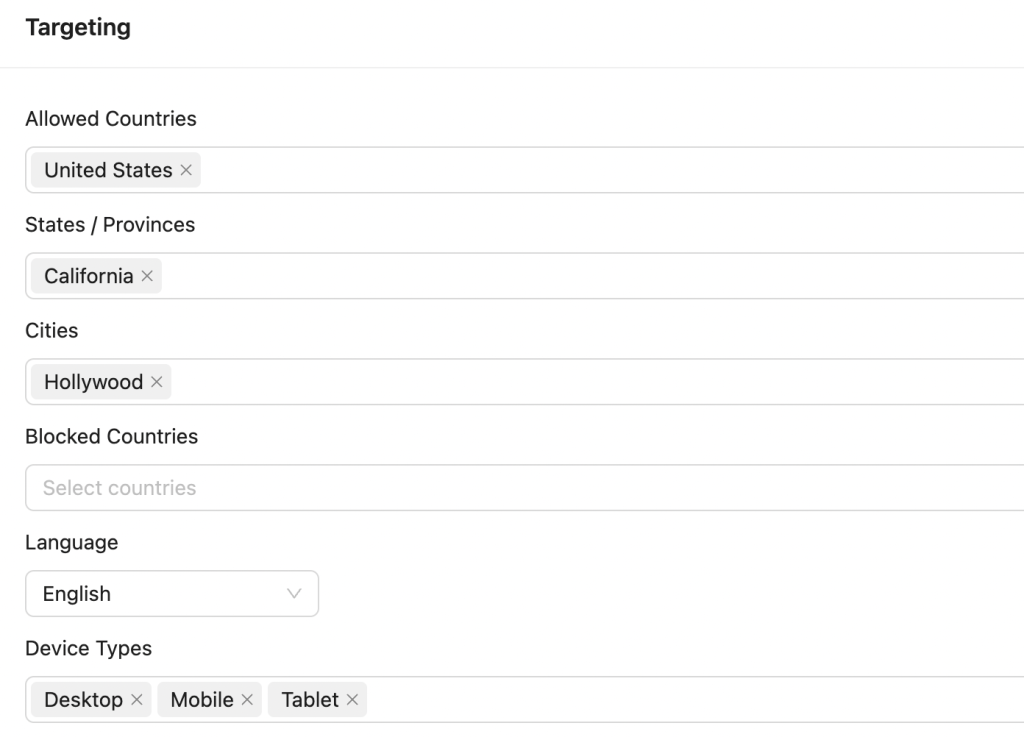
This is where you decide who will see your ads.
You can configure:
- Geo targeting
Countries, regions, cities or custom locations. - Devices and platforms
Desktop, mobile, tablet, web, apps. - Placement strategy
Run on all eligible inventory, or use whitelists of premium domains and apps you have prepared.
If you have a list of top premium domains, you can use it as a placement whitelist to keep your campaign focused on high-quality environments.
Step 4: Upload your banner creatives
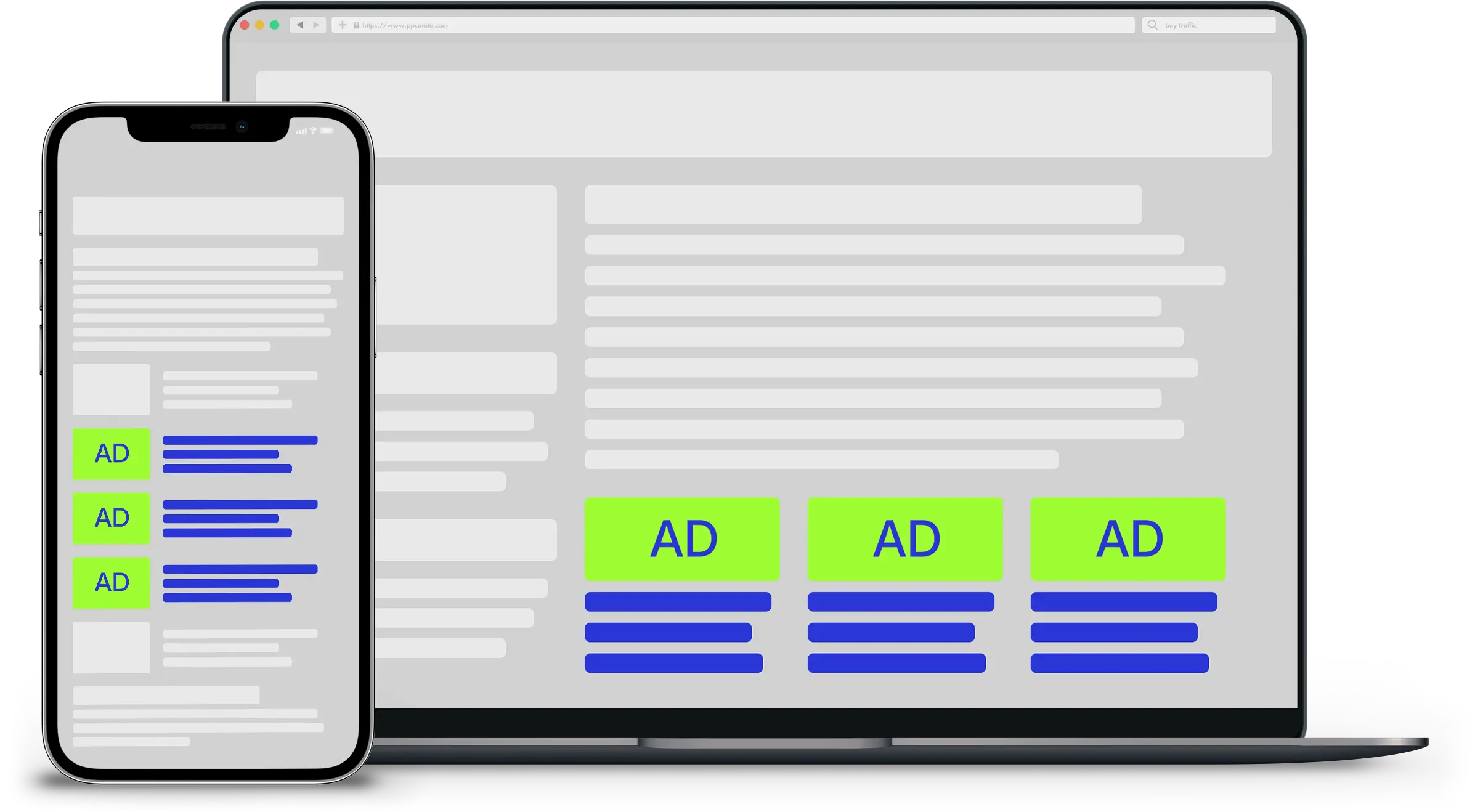
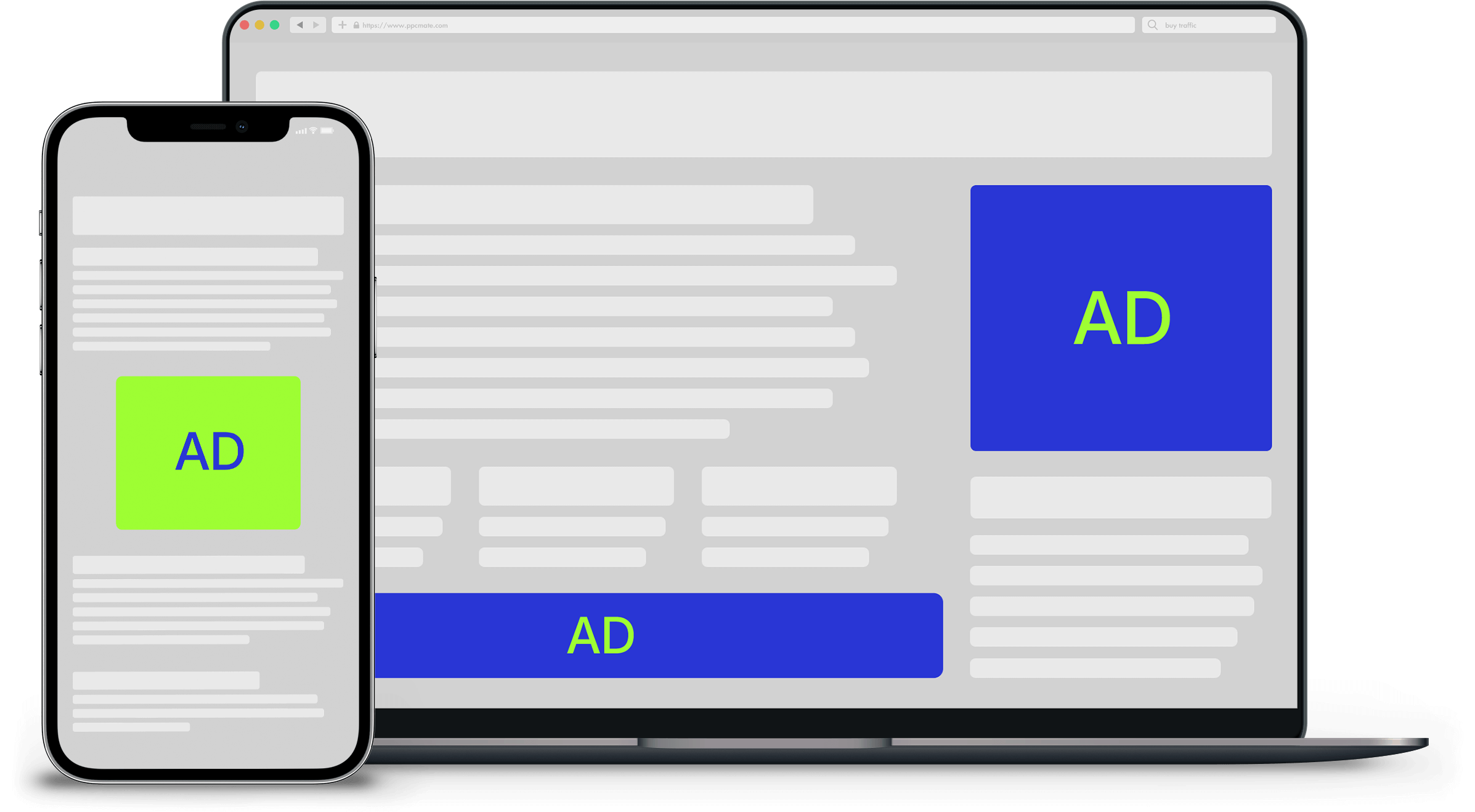
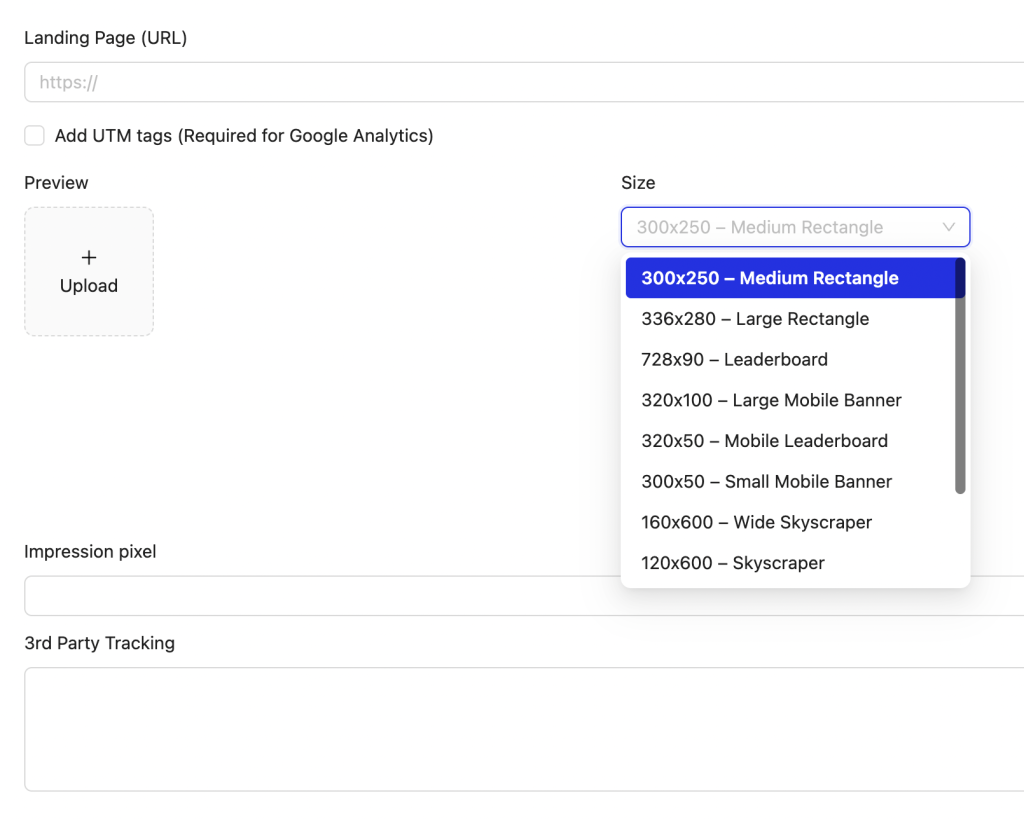
Google Ads Display supports multiple formats and sizes. For the best coverage, prepare a set of standard display sizes.
For example:
- 300 x 250
- 336 x 280
- 728 x 90
- 300 x 600
- 160 x 600
- 320 x 50
- 320 x 100
- 970 x 250
Make sure your creatives:
- Use a clear headline and value proposition
- Include your logo and brand elements
- Have a strong call-to-action button
- Respect file size and format limits – We support an automatic cropping tool to adjust easily to the correct size.
Upload each size, provide the final URL for each ad, and check that tracking parameters are correctly appended.
Step 5: Set up tracking and conversions
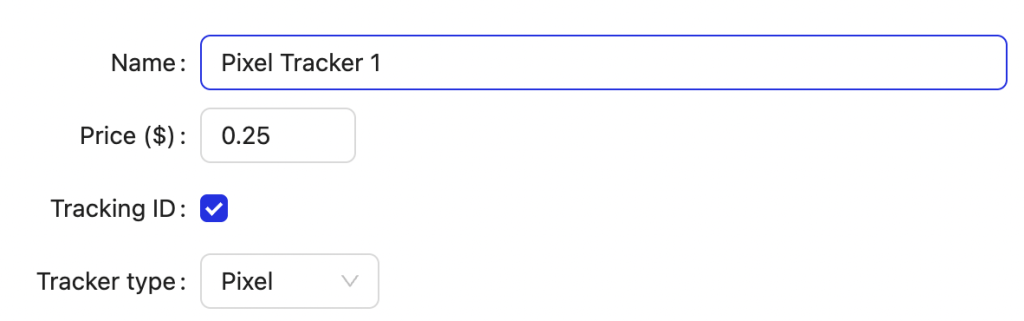
To use CPA optimization, you must track conversions properly.
- Create or confirm your conversion events in your tracking system.
- Place the conversion pixel or tag on the relevant pages such as thank you pages or order confirmation pages.
- Test the pixel to make sure conversions are fired correctly.
- Map the conversion event inside PPCmate X so CPA optimization can see and use the data.
Once conversions are tracked, the optimizer can start shifting budget toward combinations of targeting and creatives that deliver better CPA.
Step 6: Launch your campaign
After all settings are in place:
- Double check budget, bids, targeting, and creatives.
- Confirm that CTR or CPA optimization is enabled according to your goals.
- Save and activate the campaign.
Your ads will start serving across Google Display inventory through PPCmate X and data will begin to populate in your reports.
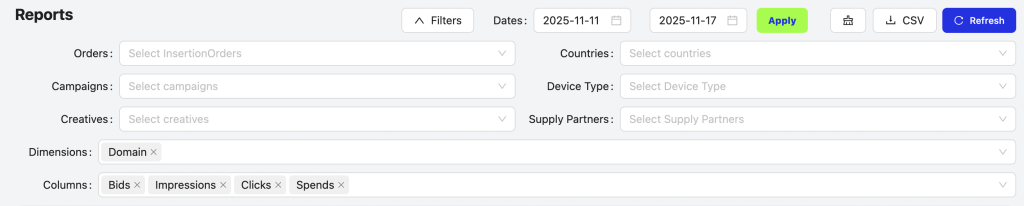
Step 7: Monitor and optimize performance
In the first days, focus on learning and adjustments.
Check:
- CTR by placement, device, and creative
- CPA by audience, geo, and domain
- Which creatives bring the highest CTR and best CPA
Actions you can take:
- Pause low-performing placements or segments
- Increase bids on profitable segments
- Rotate in fresh creatives where performance drops
- Tighten your whitelist to focus more on premium domains and apps that drive results
CTR optimization helps the system favor higher engagement. CPA optimization then refines delivery around real conversion efficiency.
Practical tips for better results
- Start with a clear minimum volume
Give the campaign enough budget and time to gather data before making big changes. - Use multiple creatives
Different formats and messages often perform best on different sites and apps. A/B testing is part of success. - Align landing pages
Make sure the page users reach after the click is aligned with the ad message and optimized for conversion. - Iterate regularly
Display performance improves over time when you treat it as an ongoing optimization process.
TOP 300 Premium Domain List
News and Media
- abcnews.go.com
- aljazeera.com
- bbc.com
- cbc.ca
- ctvnews.ca
- cnn.com
- economist.com
- france24.com
- hindustantimes.com
- india.com
- japantimes.co.jp
- latimes.com
- newsweek.com
- npr.org
- nytimes.com
- reuters.com
- rt.com
- sky.com
- straitstimes.com
- theguardian.com
- thehindu.com
- washingtonpost.com
- wsj.com
Tech and Science
- androidauthority.com
- arstechnica.com
- cnet.com
- digitaltrends.com
- engadget.com
- gizmodo.com
- gsmarena.com
- howtogeek.com
- lifewire.com
- livescience.com
- makeuseof.com
- mashable.com
- newscientist.com
- notebookcheck.net
- pcmag.com
- pocket-lint.com
- sciencealert.com
- slashgear.com
- techcrunch.com
- techradar.com
- theverge.com
- tomshardware.com
- tomsguide.com
- venturebeat.com
- wired.com
- xda-developers.com
- zdnet.com
Business and Finance
- bankrate.com
- barrons.com
- bloomberg.com
- bloomberg.com/markets
- business.com
- businessinsider.com
- economictimes.com
- entrepreneur.com
- fastcompany.com
- financialexpress.com
- ft.com
- harvardbusiness.org
- inc.com
- investopedia.com
- kiplinger.com
- marketwatch.com
- marketscreener.com
- moneycontrol.com
- morningstar.com
- motleyfool.com
- nerdwallet.com
- seekingalpha.com
- smartasset.com
- statista.com
- thebalance.com
- thestreet.com
- yahoo.com
- yahoo.com/finance
Shopping and E-commerce
- agoda.com
- aliexpress.com
- argos.co.uk
- asos.com
- bestbuy.com
- booking.com
- ebay.com
- etsy.com
- groupon.com
- homedepot.com
- jd.com
- kohls.com
- lowes.com
- macys.com
- newegg.com
- overstock.com
- qvc.com
- rakuten.com
- shopify.com
- target.com
- tripadvisor.com
- walmart.com
- wayfair.com
- wayfair.co.uk
- zalando.com
- zappos.com
Entertainment and Streaming
- collider.com
- crunchyroll.com
- deezer.com
- disneyplus.com
- fandom.com
- hbomax.com
- ign.com
- imdb.com
- mensjournal.com
- paramountplus.com
- peacocktv.com
- people.com
- rollingstone.com
- rottentomatoes.com
- screenrant.com
- soundcloud.com
- spotify.com
- twitch.tv
- tvguide.com
- vulture.com
Sports
- 247sports.com
- bbc.com/sport
- bleacherreport.com
- cbssports.com
- espn.com
- eurosport.com
- formula1.com
- golfdigest.com
- goal.com
- mlb.com
- mlssoccer.com
- motogp.com
- nba.com
- nfl.com
- nhl.com
- olympics.com
- rivals.com
- skysports.com
- sports.yahoo.com
- sportskeeda.com
- sportingnews.com
- tennis.com
- ufc.com
Health and Wellness
- clevelandclinic.org
- drugs.com
- everydayhealth.com
- health.com
- healthline.com
- hopkinsmedicine.org
- mayoclinic.org
- medicalnewstoday.com
- medscape.com
- menshealth.com
- patient.info
- prevention.com
- psychologytoday.com
- self.com
- verywellhealth.com
- webmd.com
- womenshealthmag.com
Education and Learning
- academic.oup.com
- brilliant.org
- byjus.com
- chegg.com
- coursehero.com
- coursera.org
- edutopia.org
- edx.org
- futurelearn.com
- khanacademy.org
- openlibrary.org
- pearson.com
- refdesk.com
- scribd.com
- skillshare.com
- sparknotes.com
- studocu.com
- udacity.com
- udemy.com
- wikihow.com
Travel and Hospitality
- agoda.com
- airbnb.com
- delta.com
- easyjet.com
- emirates.com
- expedia.com
- hilton.com
- hotels.com
- kayak.com
- lonelyplanet.com
- marriott.com
- ryanair.com
- travelandleisure.com
- trivago.com
- united.com
Food and Cooking
- allrecipes.com
- bbcgoodfood.com
- bonappetit.com
- chefsteps.com
- cookinglight.com
- delish.com
- eatingwell.com
- epicurious.com
- foodandwine.com
- foodnetwork.com
- forks over knives dot com
- myrecipes.com
- seriouseats.com
- tasteofhome.com
- thekitchn.com
- yummly.com
Home and Lifestyle
- apartmenttherapy.com
- architecturaldigest.com
- bhg.com
- countryliving.com
- dwell.com
- goodhousekeeping.com
- housebeautiful.com
- houzz.com
- idealhome.co.uk
- livingetc.com
- marieclaire.com
- realhomes.com
- sheknows.com
- sunset.com
- thenest.com
General Interest and High Volume
- answers.com
- boredpanda.com
- brainyquote.com
- buzzfeed.com
- cracked.com
- dictionary.com
- history.com
- lifehacker.com
- mentalfloss.com
- nationalgeographic.com
- quora.com
- ranker.com
- reference.com
- scarymommy.com
- thesaurus.com
- thoughtco.com
- weather.com
- wikihow.com
- wikipedia.org
- yahoo.com
Need Help?
For any questions or support, please visit our Support Center.
If you need help with creative designs, please email support@ppcmate.com, and our marketing team will create a few designs for you, free of charge!