You can run Google Ads without your own Google Ads account by using a platform that buys Google inventory on its own house accounts and lets you pay from a prepaid balance. With PPCmate Google search ads, you create the campaign, fund it from $25 and PPCmate runs it on its account, so there is no account setup, billing verification or separate invoice to manage. This guide explains how that works, when it makes sense and what to watch out for.
Why Some Advertisers Skip Their Own Google Ads Account
Opening a Google Ads account is free, but it is not always simple. Common reasons people look for an alternative include:
- Verification and billing hurdles. Advertiser verification, payment method checks and billing country limits can slow down a launch.
- Suspensions. New accounts can be suspended for policy or payment reasons, sometimes before a single ad runs, and appeals take time.
- Complexity. The interface is powerful but has a steep learning curve for small businesses.
- Too many accounts. Running Google, Microsoft, Meta, TikTok and others means separate logins, payment methods and reports for each.
- Agency overhead. Agencies may not want to manage client billing on many separate accounts.
How Running Google Ads Through A House Account Works
A house account is an advertising account owned and managed by the platform, not by you. On PPCmate, the flow looks like this:
- You sign up for PPCmate and add funds to one prepaid balance (minimum deposit $25, no subscription).
- You create a Google search campaign in PPCmate: keywords, ad text, landing page, locations, budget and bid.
- Your ads and website go through review, including Google’s own ad policies.
- Once approved, the campaign runs on PPCmate’s Google house account and spend is deducted from your balance.
- You see results in your PPCmate dashboard alongside any other channels you run.
You never need your own Google Ads login, and you never hand anyone access to an account you own, because there is none to hand over.
What You Still Control
Using a house account does not mean giving up the decisions that matter. You still choose:
- The keywords and match types you target.
- Your headlines, descriptions and landing page.
- Countries and regions.
- Daily budget and bids.
- When to pause, edit or scale a campaign.
Step-By-Step: Launch A Google Search Campaign Without An Account
1. Prepare Your Landing Page
Google reviews destinations as well as ads. Make sure your page loads fast, works on mobile, clearly explains what you offer and includes basic trust elements such as contact details and a privacy policy. Pages that are very new, thin or misleading are more likely to be rejected.
2. Build A Focused Keyword List
Start with a small set of high-intent keywords that describe what people type when they are ready to act, such as “emergency plumber near me” or “invoice software for freelancers”. Add negative keywords to block irrelevant searches like “free”, “jobs” or “DIY” if they do not suit your offer.
3. Write Clear Ad Copy
Match the headline to the search, state one strong benefit and finish with a direct call to action. Avoid superlatives you cannot prove, since Google’s policies require claims to be accurate.
4. Set Budget And Bid
Begin with a daily budget you are comfortable testing for at least a couple of weeks. Search keywords in competitive industries can be expensive per click, so a small budget is better focused on a few keywords than spread across many. Because PPCmate is prepaid, your spend can never exceed your balance.
5. Track Conversions
Set up conversion tracking before launch with a thank-you page, pixel or postback. Knowing your cost per lead or sale is what lets you decide whether to scale.
6. Launch, Review And Optimise
Check search terms and results after the first few days. Pause keywords that spend without converting, add negatives, test new ad text and raise budget only on what works.
Pros And Cons Compared With Your Own Account
Advantages
- No account creation, verification or separate billing setup.
- One prepaid balance across Google, Microsoft, Meta, TikTok, Reddit, LinkedIn, YouTube and ChatGPT ads.
- Predictable spending with no post-paid surprises.
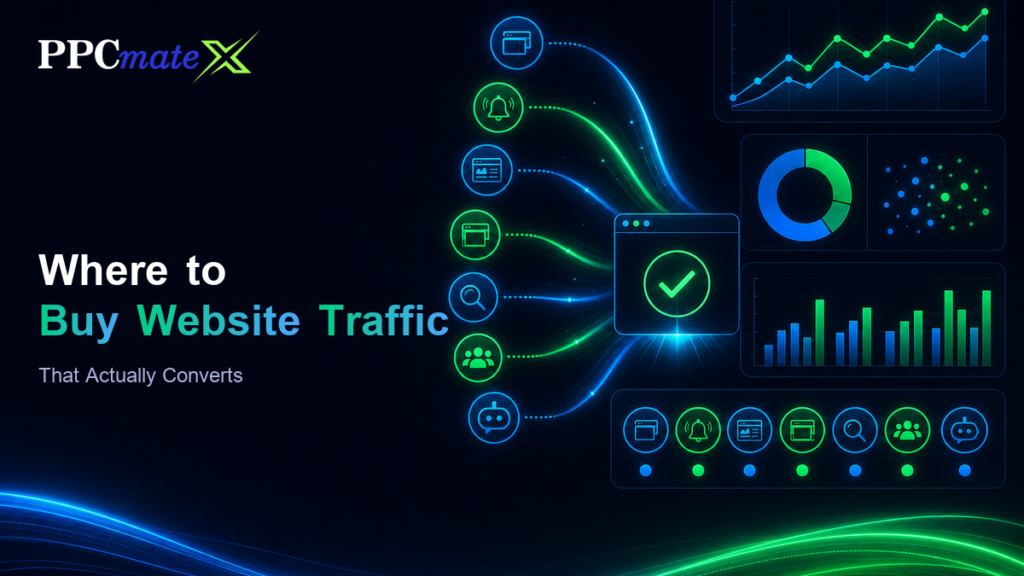
- One dashboard for search, social and open-web formats such as push, native, pop-under, display, video and HTML5.
- A 7-day money-back guarantee while you evaluate the platform.
Trade-Offs
- The account history and data belong to the platform’s account, not to an account you own.
- Some advanced Google features may not be exposed in a third-party interface.
- Campaigns still have to follow Google’s ad policies; a house account is not a way around them.
For many small businesses, new brands and agencies testing a channel, those trade-offs are acceptable in exchange for speed and simplicity. Large advertisers with in-house PPC teams often prefer owning their account long term.
Is It Allowed?
Yes, when done properly. Agencies and advertising platforms have long managed Google campaigns for clients on accounts they operate. What matters is that the ads, landing pages and businesses being promoted comply with Google’s policies. Any service that promises to help you run ads Google would otherwise reject is a red flag, and you should avoid it.
Who This Approach Suits
- Small businesses that want to test Google search without learning a complex interface.
- Advertisers in countries where setting up local billing is difficult.
- Performance marketers who want search and open-web traffic on one balance.
- Agencies that want simple client billing; PPCmate also offers a white-label DSP so agencies can sell media under their own brand.
If you want to see how different formats and goals are typically structured, browse the PPCmate case studies, which are illustrative examples by channel.
Protecting Your Budget
Whatever route you choose, protect your spend. Watch for sudden click spikes without conversions, check search term reports and keep budgets capped while testing. On PPCmate, every request is filtered for bots before bidding and refused traffic is not billed, which adds a layer of protection, but your own analytics remain the final check.
House Account Versus Hiring An Agency
Another way to avoid managing Google Ads yourself is to hire an agency. A traditional agency usually works inside an account you own, charges a management fee or a percentage of spend, and handles strategy and optimisation for you. That can be valuable if you want hands-off expertise, but it often comes with minimum retainers that do not suit small test budgets.
A self-serve house account platform is closer to doing it yourself, without the account setup. You make the decisions, there is no retainer, and you can start with a small balance. Some businesses use both: a self-serve platform to test channels cheaply, then an agency or in-house specialist once a channel proves profitable.
Questions To Ask Any Provider
Not every service that offers Google Ads without an account is equal. Before you deposit money anywhere, ask:
- Are ads reviewed against Google’s policies before they run?
- Is spending prepaid, and can it ever exceed my balance?
- What reporting will I see, and how often is it updated?
- How is invalid or bot traffic handled, and am I billed for it?
- Is there a minimum deposit, subscription or contract?
- What happens if I want to stop, and is there a refund policy?
Clear, specific answers are a good sign. Vague promises of guaranteed results or approval for any product are not.
A Realistic First Test
Pick one product or service, five to fifteen tightly related keywords, two ad variations and one landing page. Run it for at least two weeks with a daily cap, then review search terms, conversions and cost per conversion. This small, controlled test tells you far more than a broad campaign with dozens of loosely related keywords, and it keeps your risk low while you learn whether Google search is a profitable channel for your business.
It also helps to set a simple rule before you launch: for example, pause any keyword that spends twice your target cost per conversion without a single conversion. Writing the rule down in advance stops you from either cutting a promising keyword too early or letting a poor one drain your budget because you hoped it would improve. Review these rules weekly, adjust them as you collect data, and keep notes on every change so you can see what actually moved results.
Getting Started
If you would rather focus on keywords and results than on account setup, create a PPCmate account, add a balance from $25 and launch a small Google search test. Questions about agency or larger setups can go to the PPCmate team. Start at PPCmate when you are ready.
Frequently Asked Questions
Can I run Google Ads without a Google Ads account?
Yes. Platforms such as PPCmate run Google campaigns on their own house accounts. You create the campaign and pay from a prepaid PPCmate balance, so you do not need your own Google Ads account.
Is running ads on a house account allowed by Google?
Agencies and platforms routinely manage campaigns on accounts they operate. Your ads and landing pages must still follow Google's advertising policies.
How much do I need to start?
PPCmate has a $25 minimum deposit and no subscription. Your actual Google search costs depend on keyword competition and your bids.
Do I still choose my own keywords and ads?
Yes. You control keywords, ad copy, landing page, locations, budget and bids, and you can pause or edit campaigns at any time.
Will my ads still go through review?
Yes. Ads and landing pages are reviewed and must comply with Google's policies before they run.
What other channels can I run from the same balance?
The same PPCmate balance covers Microsoft, Meta, TikTok, Reddit, LinkedIn, YouTube and ChatGPT ads, plus pop-under, push, native, display, video and HTML5 traffic.
Who owns the campaign data?
Campaigns run on PPCmate's house account, so you see your results in the PPCmate dashboard rather than in a Google Ads account of your own.
What if I am not satisfied?
PPCmate offers a 7-day money-back guarantee for advertisers evaluating the platform.