
In digital marketing, banners and ad creatives play a crucial role in capturing attention and driving conversions. Whether you’re promoting a new product, launching a campaign, or building brand awareness, high-quality visuals paired with compelling copy can make or break results. But for many marketers, designers, and small business owners, creating effective banners quickly can be a challenge.
That’s where ChatGPT comes in. While ChatGPT doesn’t directly generate images, it’s a powerful tool for planning, brainstorming, and optimizing banner creatives. By combining its language capabilities with design platforms like Canva, Photoshop, or Figma, you can produce standout visuals that align with your brand and goals.
In this guide, we’ll walk through how to design banners/creatives with ChatGPT, best practices, and tips for long-term success.
Why Use ChatGPT for Banner and Creative Design?
When designing digital ads or website creatives, two key elements matter most:
- Visual Appeal – The design must grab attention instantly.
- Copywriting – The text should be concise, persuasive, and action-driven.
ChatGPT helps bridge the gap between design and marketing by generating ideas, headlines, CTAs (calls-to-action), taglines, and layout suggestions. Instead of staring at a blank canvas, you get a structured starting point that saves time and improves creativity.
Step 1: Define Your Banner Goals
Before opening a design tool, define the purpose of your banner. Ask yourself:
- Is this banner for a website, social media ad, or email header?
- Do you want to increase clicks, boost conversions, or build awareness?
- What is the primary message or offer?
You can use ChatGPT to refine your objectives. For example:
“Generate banner concepts for a Facebook ad promoting a 20% discount on fitness gear, targeting health-conscious millennials.”
The output might give you multiple headline and CTA options like:
- “Level Up Your Workout – Save 20% Today”
- “Gear Up. Train Hard. Pay Less.”
Now you have ready-to-use copy to integrate into your design.
Step 2: Brainstorm Visual Concepts
Once you have a goal, ChatGPT can act as your creative brainstorming partner. Simply ask:
“Suggest visual ideas for a banner ad promoting eco-friendly water bottles.”
ChatGPT might respond with:
- A minimalist layout with green and blue color tones to highlight sustainability.
- A product-centered image with icons of leaves and water drops.
- A bold headline overlay: “Hydrate Sustainably.”
These prompts can guide your direction before opening Canva or Photoshop.
Step 3: Generate Headlines and CTAs
The copy on your banner is arguably the most important element. Space is limited, so every word matters. With ChatGPT, you can create multiple variations and test which resonates best.
Examples of prompts:
- “Write 10 banner headlines under 6 words for an online shoe store sale.”
- “Suggest strong CTAs for a banner ad offering free consultations.”
ChatGPT might deliver:
- “Shop the Look”
- “Step Into Savings”
- “Book Your Free Call”
- “Start Your Journey Today”
Testing different copy variations helps optimize your click-through rate (CTR).
Samples:



Step 4: Craft Layout and Design Suggestions
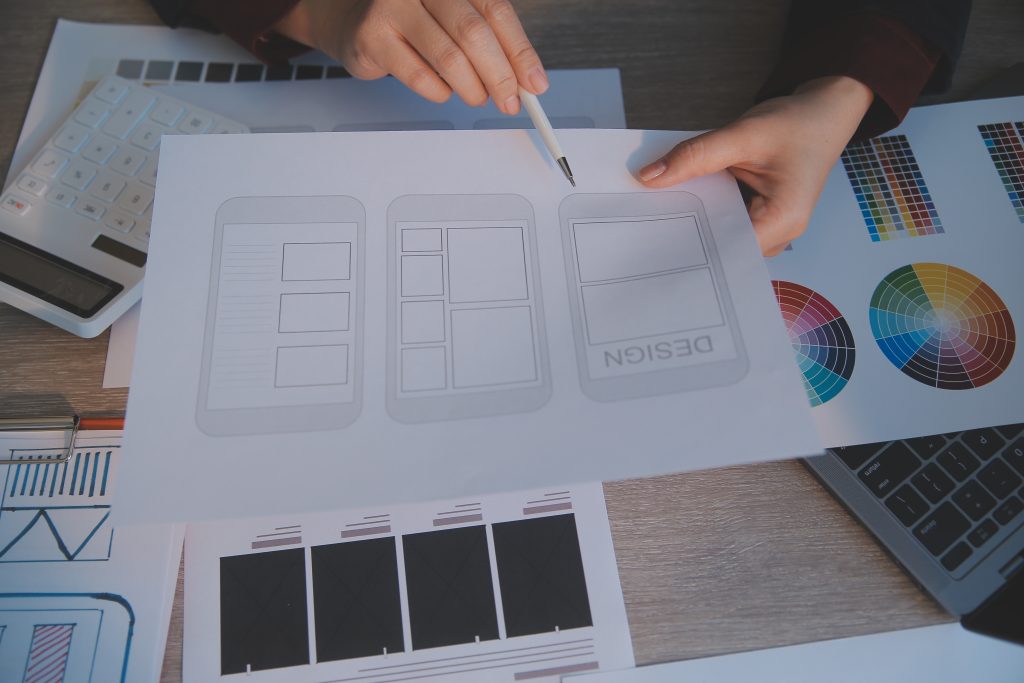
Although ChatGPT can’t design visuals directly, it can suggest layouts, typography, and placement ideas.
Example prompt:
“Describe an effective banner layout for a SaaS product launch.”
Possible response:
- Top section: Company logo in the corner for branding.
- Center: A bold headline like “Simplify Your Workflow Today.”
- Right side: A product screenshot.
- Bottom: CTA button with “Start Free Trial.”
These ideas can then be translated into Canva or Figma.
Step 5: Optimize for Platforms
Different platforms have different banner size requirements and best practices. ChatGPT can provide quick guidance.
Example prompt:
“What are the standard banner sizes for Google Display Ads?”
You’ll get a list of popular formats like:
- 300×250 (Medium Rectangle)
- 728×90 (Leaderboard)
- 160×600 (Wide Skyscraper)
- 300×600 (Half Page)
This ensures your creative is platform-ready without needing to look up specs each time.
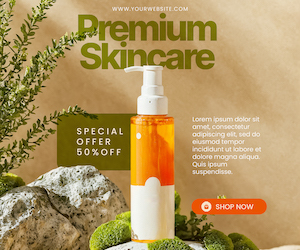
300×250 Samples:
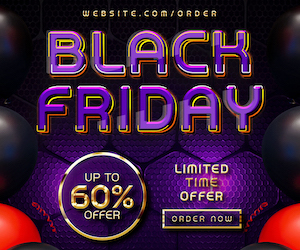
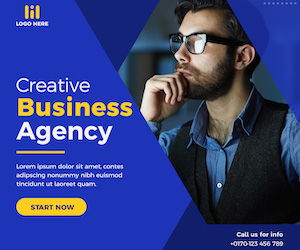
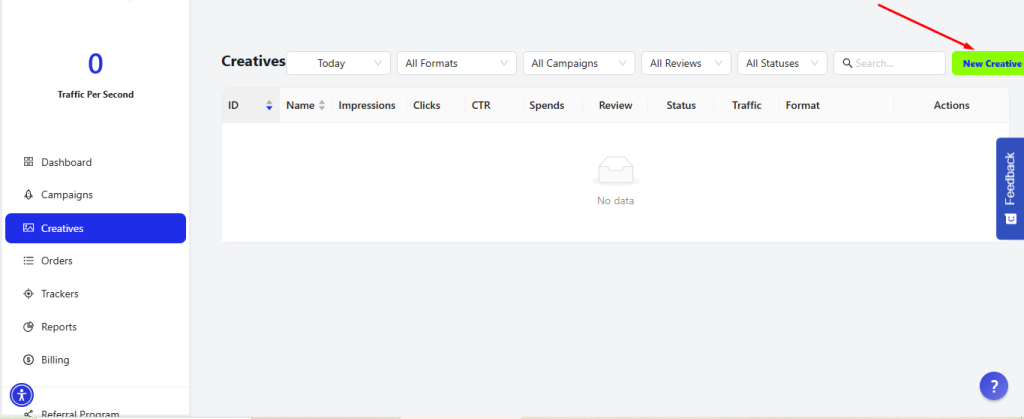
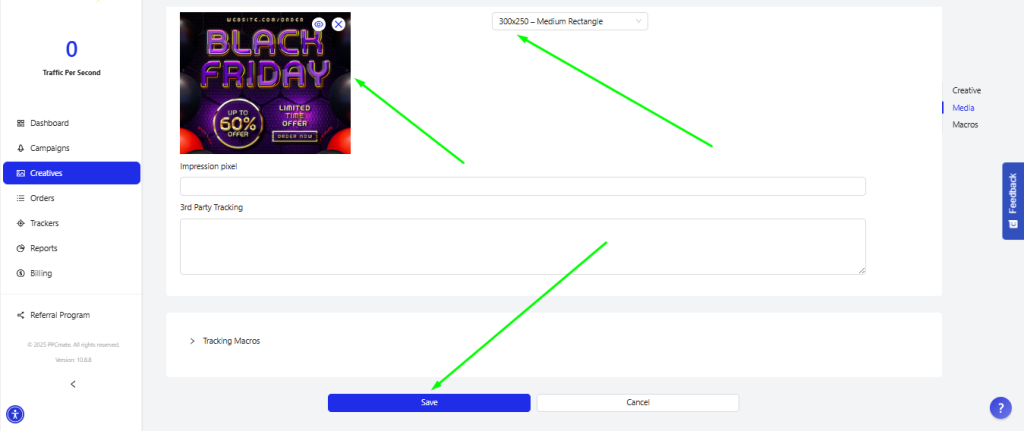
And this is how you add them to PPCmate to start your own ‘New Creative’ and your advertisement:
You add the ”Name” of your creative. You choose the right ”Format” of your advertisement you desire, here in our example we choose ‘Display Ad’, the right ”Size” ‘300X250 – Medium Rectangle’. It’s really important to put the right ”Landing Page (URL)” for the reason where we will be advertised, and last of the minimum requirements to create our ”New Creative” is to ‘Upload’ the image of our Banner to the ”Preview” option.
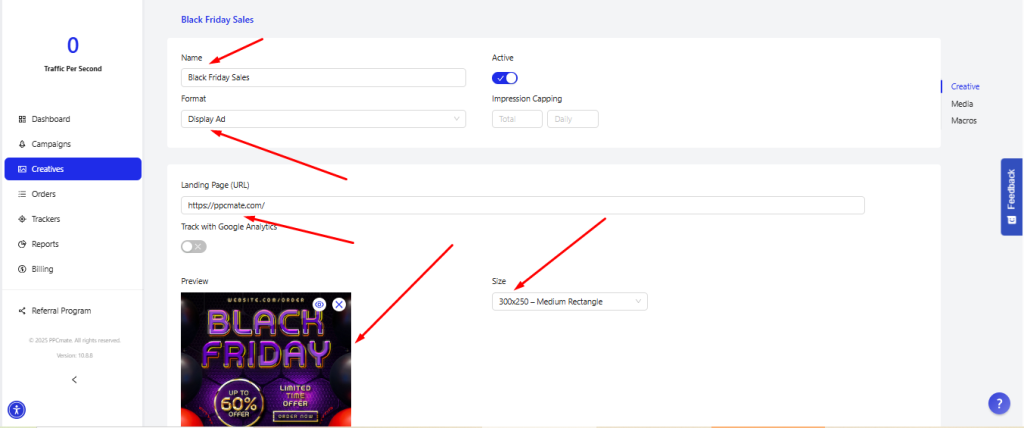
And in the end you press ”Save” as the green arrow shows below.
After you press ”Save”, your creative with the name you have given it, it’s ready on the platform of PPCmate.
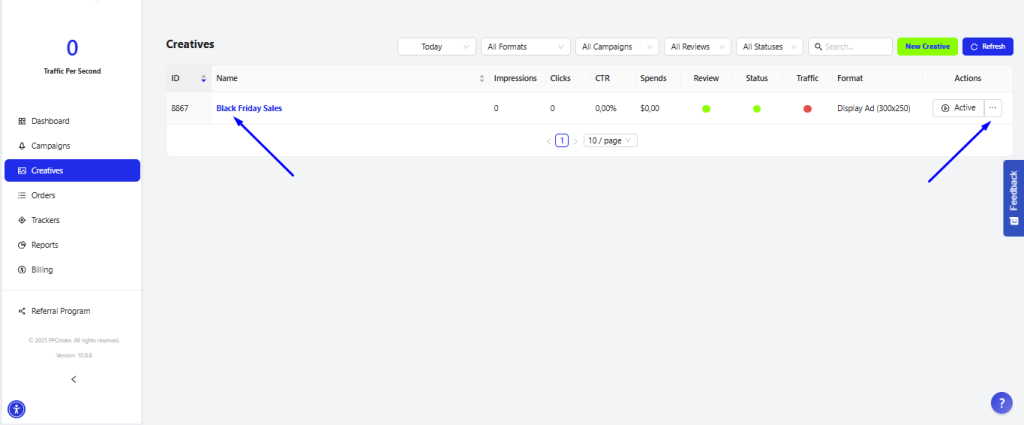
And if you need to delete your creative, you press where the right arrow shows the ”three dots” and you choose ”remove” from the options.
Step 6: Personalize for Audience Segments
Generic creatives don’t perform as well as personalized campaigns. Use ChatGPT to craft messaging for different audience personas.
Example:
- Audience: Small business owners
- Banner message: “Save Time. Grow Faster.”
Versus:
- Audience: Students
- Banner message: “Study Smarter with Our Tools.”
By tailoring creatives, you can boost engagement and conversion rates.
Step 7: Refine Through A/B Testing
The best banners aren’t created in one attempt—they evolve through testing. ChatGPT can generate multiple headline, subhead, and CTA variations for you to test simultaneously.
For example:
- Banner A: “Upgrade Your Style – Shop Now”
- Banner B: “Trending Looks Await – Don’t Miss Out”
Tracking results helps identify which copy resonates most with your audience.
Best Practices for Using ChatGPT in Creative Design
- Be Specific With Prompts – The more details you provide (audience, platform, style), the better the outputs.
- Pair With Design Tools – Use ChatGPT for text and concepts, then bring ideas to life in Canva, Photoshop, or Illustrator.
- Keep Copy Concise – Banner text should be short, punchy, and easy to read at a glance.
- Use Strong Visual Hierarchy – Ensure the headline and CTA stand out.
- Always Test Variations – Don’t rely on one version; test different combinations to maximize results.
Final Thoughts
Designing effective banners and creatives requires both visual storytelling and persuasive copywriting. With ChatGPT, marketers and designers gain a powerful assistant for brainstorming ideas, generating headlines, crafting CTAs, and optimizing layouts.
When combined with design platforms, ChatGPT can speed up the creative process, spark fresh ideas, and improve campaign performance.
The key is to treat ChatGPT not as a replacement for creativity, but as a collaborative tool that enhances your workflow. By leveraging its capabilities and following best practices, you can create banners that grab attention, communicate value, and drive long-term results.
___
by Thomas Theodoridis
source: PPCmate.com